SETUP
3
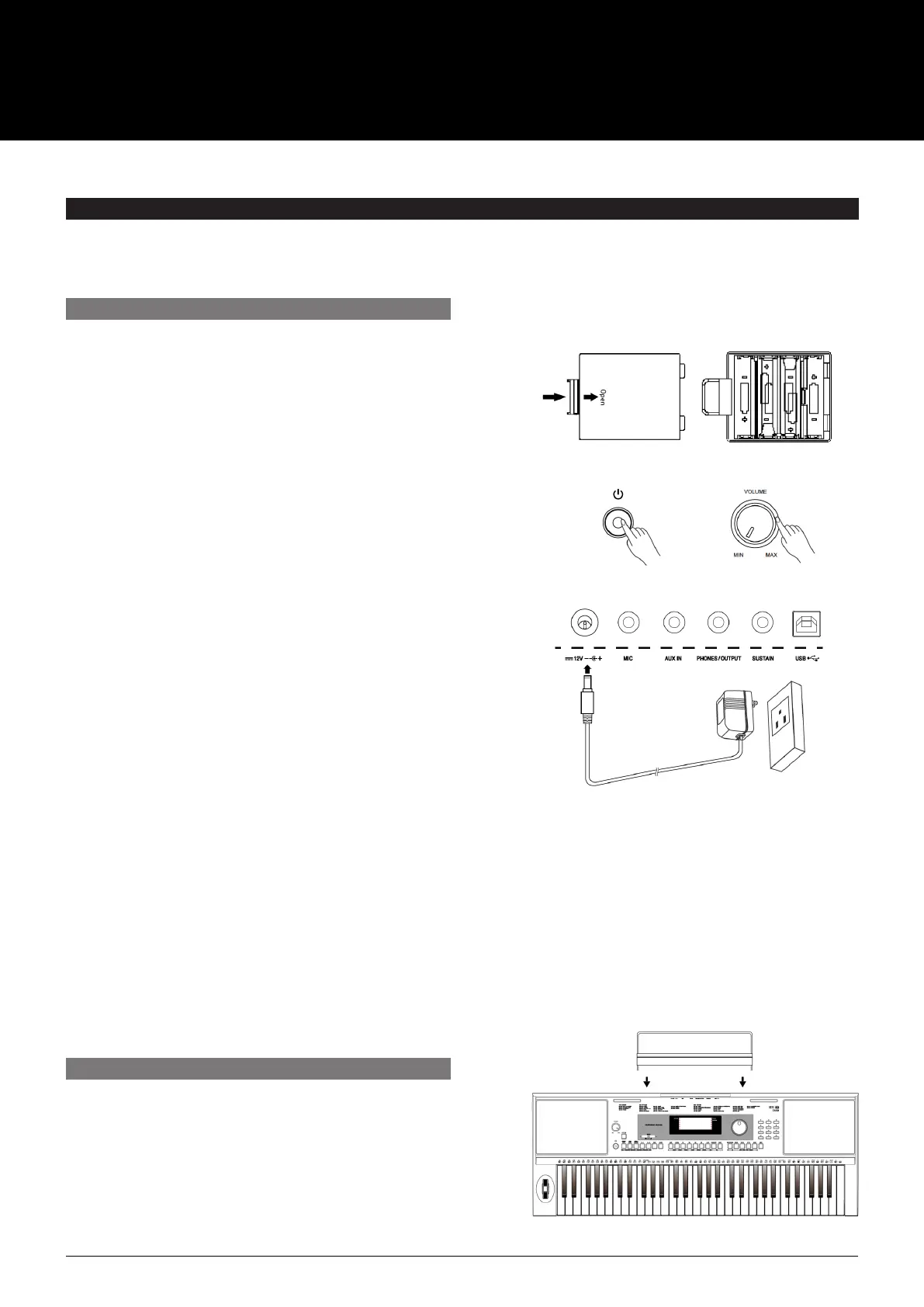
You can power the AK280 either by batteries or by power
adaptor. Before you switch the AK280 on, turn down the
volume and any connected audio equipment first.
Using Batteries
The AK280 needs 6 pieces of AA (NO.5) or equivalent alkaline
batteries for power supply.
1. Open the battery compartment cover located on the
bottom of the AK280.
2. Insert the batteries, carefully follow the polarity markings
on the cabinet.
3. Replace the compartment cover, making sure that it
locks firmly in place.
Caution:
• Do not mix used and new batteries.
• Always use batteries of the same type.
• Always remove the batteries from the AK280 when it is
not used for an extended period of time.
Using the Power Adapter
1. Connect the adaptor to the power supply jack of
the AK280.
2. Plug the adaptor into an AC outlet.
3. Press the POWER SWITCH. The LCD screen will light up.
This indicates the AK280 is powered on.
4. If you are ready to turn off the AK280, press the
POWER SWITCH again.
Note:
• The piano will automatically shutdown to preserve power
if not used for 30 minutes.
• When the keyboard is not in use or is being used during
a thunderstorm, please disconnect the power for
safety purposes.
This section contains information about setting up the Ak280 and preparing to play. Please go through this section carefully
before turning the power on.
A music stand is supplied with the AK280. You can easily
attach it by inserting it into the slots at the rear of the panel.
POWER SUPPLY
ATTACHING A MUSIC STAND
USER MANUAL
AK280
61 KEY ELECTRONIC KEYBOARD



 To Next Page