4. Unit operation
PHG 700C / 701C User Manual Page 24 of 47
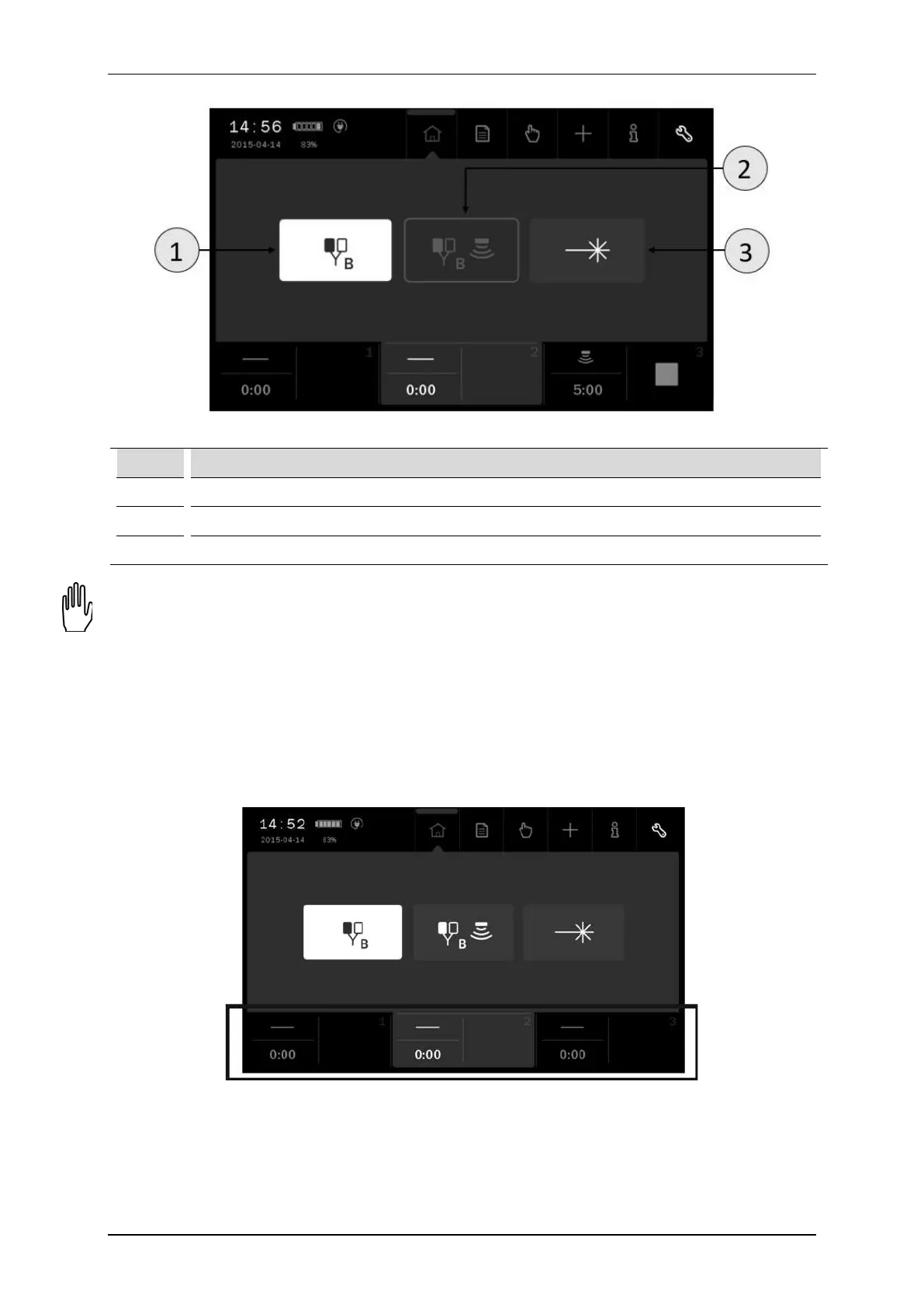
Characteristics of therapy selection windows based on channel 2:
Figure 4.2. A sample view of therapy selection in channel 2
Symbol Display
1 Selected therapy
2 Unavailable therapy
3 Available therapy
Therapy availability depends on the type of connected accessories (applicators, ultrasound heads) and their
condition (undamaged). Accessories are specified in PhysioGo – Technical description manual.
4.3.2 Channel selection tabs
The screen displays three channel selection tabs. They presents:
• selected therapy symbol,
• treatment time,
• information related to the particular channel operating status.
The color of the tab is identical to the background color of the edition field. In the background, other operating
tabs are black.
Figure 4.3. Location of channel selection tabs



 To Next Page