24
DSL-N12E Chapter 4: Conguring via the web GUI
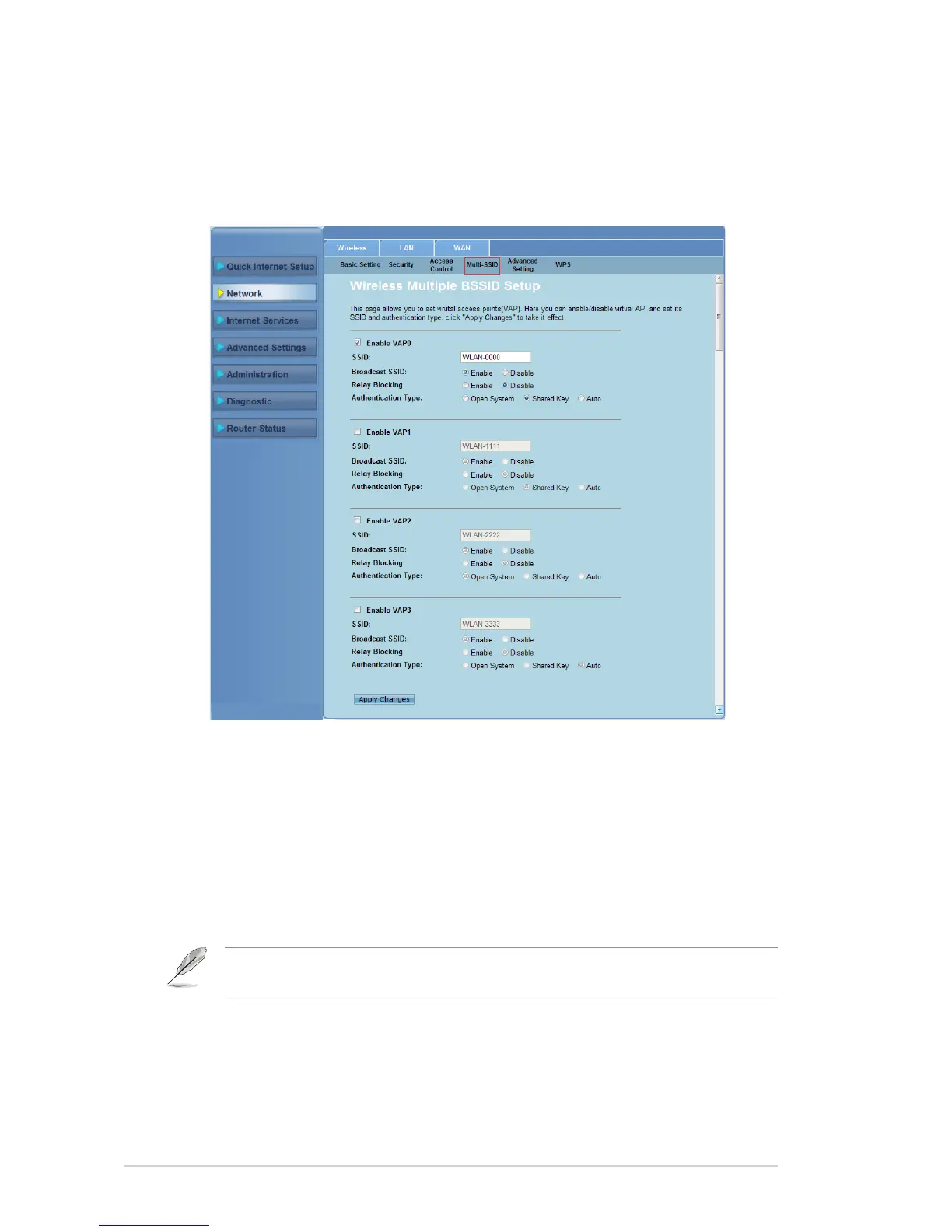
Conguring the multi-SSID settings
The Multi-SSID page allows you to enable or disable a virtual access point (VAP)
and set up its SSID and authentication type.
To congure the multi-SSID settings:
Click Network > Wireless tab > Multi-SSID.
Tick Enable VAPX to enable a VAP.
In the SSID led, key in the SSID you want to use.
Select the Authentication type, and select Enable or Disable to enable or
disable SSID broadcast and Relay Blocking.
Click Apply Changes to apply the settings made.
1.
2.
3.
4.
5.
Note: To change the authentication conguration for each SSID, go to the Security tab for
details.



 To Next Page