35
Chapter 4: Conguring via the web GUI DSL-N12E
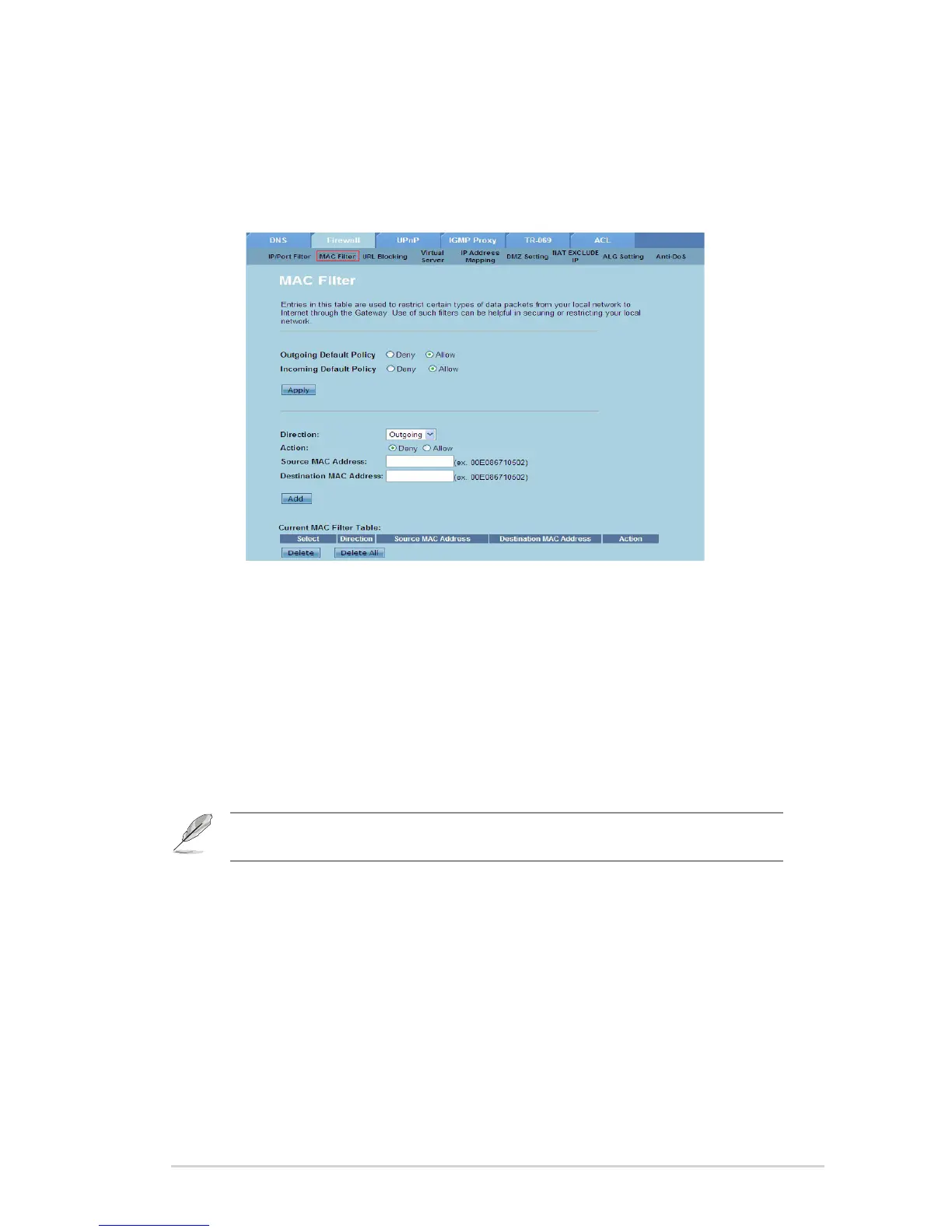
Congure the MAC lter settings
The MAC Filter page allows you to restrict certain types of outgoing or incoming
data packets from or to network clients based on their MAC addresses.
To congure the MAC lter settings:
Click Internet Service > Firewall tab > MAC Filter.
In the Direction eld, select Outgoing or Incoming.
In the Source MAC address eld, key in the MAC address of the network
client where the data packets will be coming from.
In the Destination MAC address eld, key in the MAC address of the
network client where the data packets will be going to.
Click Add to add the MAC lter settings to the Current MAC Filter table.
1.
2.
3.
4.
5.
Note: If you want to restrict access to all outgoing or incoming data packets from or to network
clients, select Deny or Allow in the Outgoing Default Policy or Incoming Default Policy eld.



 To Next Page