10
Support CD
Device Manager
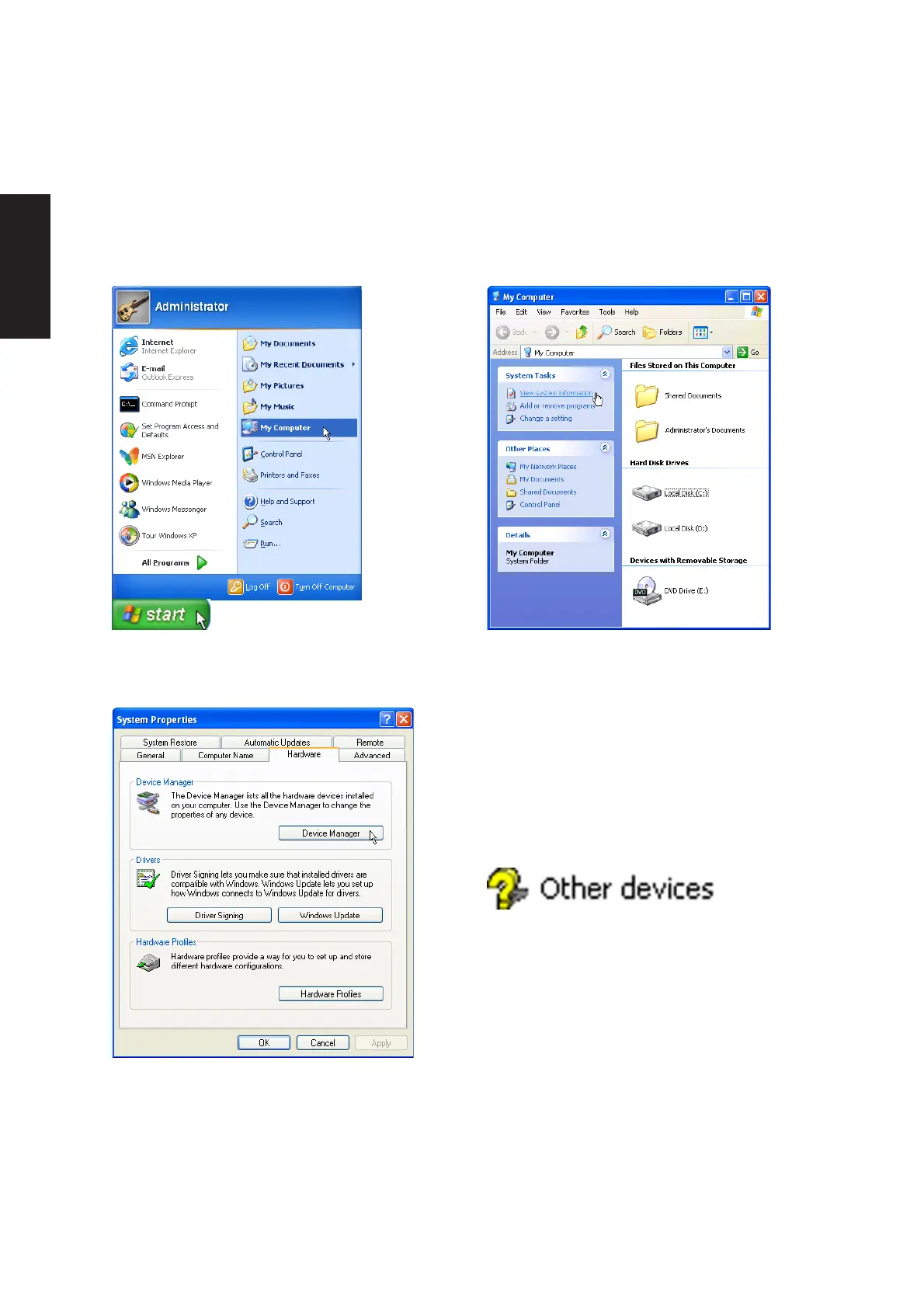
“Device Manager” will be used in many device driver installation, upgrade, and verification processes.
4. Click “Hardware” tab.
5. Click “Device Manager” button.
Hardware Devices
After installing your operating system, several
question marks will appear under “Other devices”
representing hardware devices that Windows
cannot recognize. After installing the drivers from
the provided support CD. Those question marks
will go away.
1. Click “start” button.
2. Click “My Computer” icon.
3. Click “View system information” link.











 To Next Page