68
Software Utilities
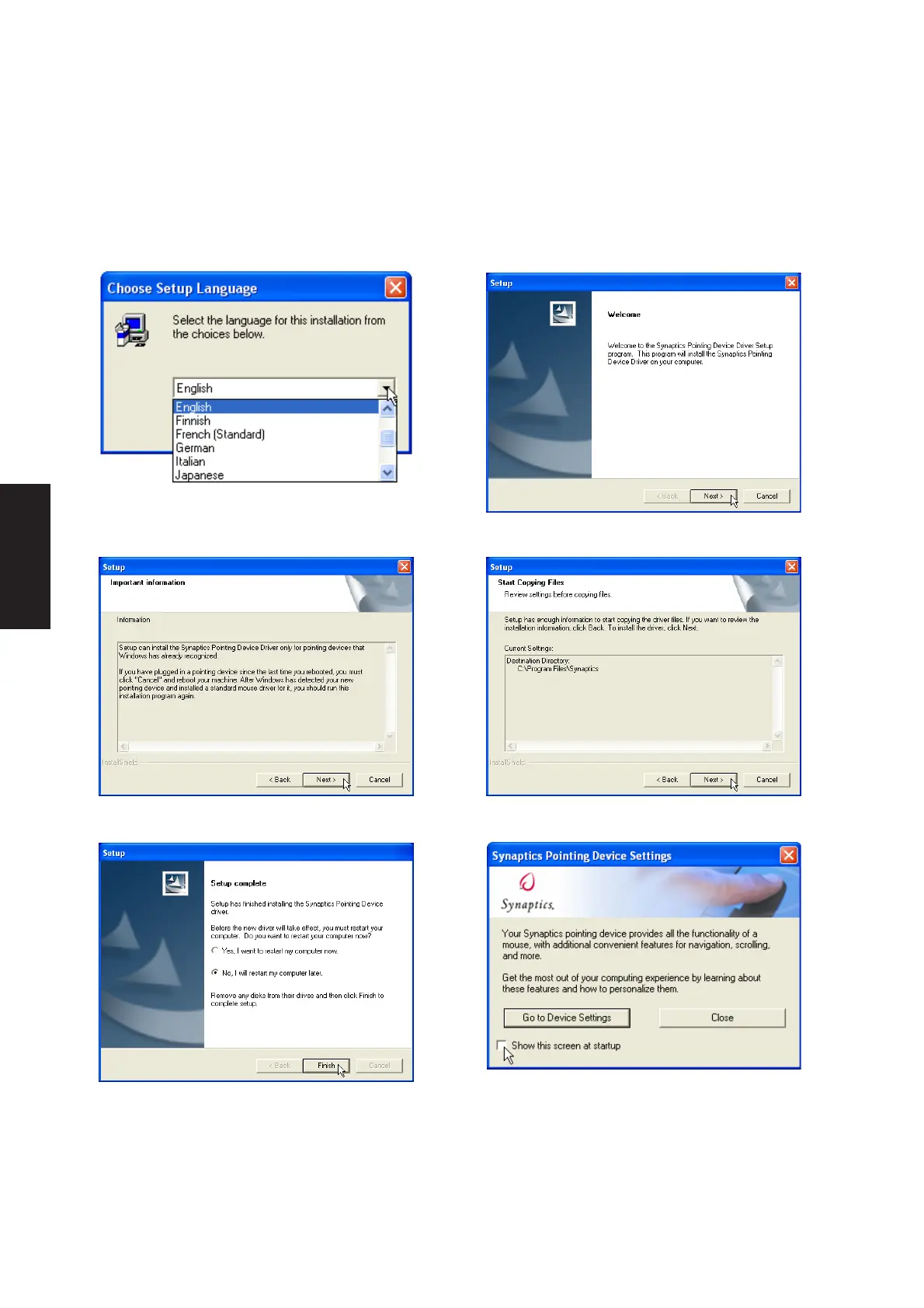
2. On the “Welcome” screen, click Next after
confirming this is what you want to setup.
4. On the “Start Copying Files” screen, click
Next after confirming the current settings.
5. On the “Setup Complete” screen, select
“No,...”and click Finish.
3. On the “Information” screen, click Next after
reading.
1. On the “Choose Setup Language” screen,
select a language and click OK to continue.
Touchpad Setup
Running setup will give you the following wizard:
6. You can deselect the welcome screen from
appearing each time you start Windows.











 To Next Page