30
Software Drivers
ASUS WLAN Utility Quick Start
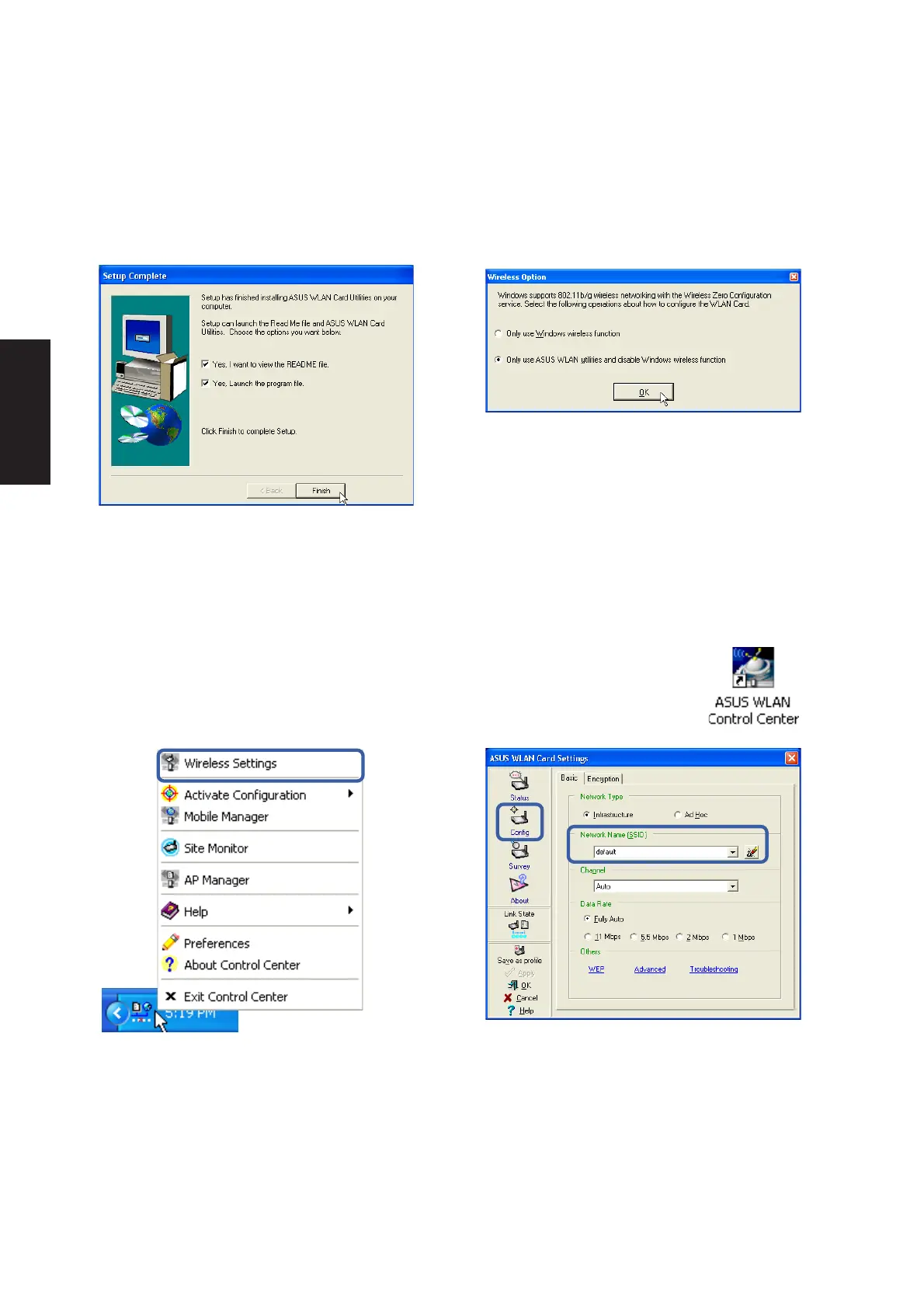
After installing the ASUS WLAN driver and utility, the utility will automatically start with
Windows. If you need to start it manually, you can launch the utility using the desktop icon
or through Windows start. You will need to make some wireless LAN settings before
being able to use your wireless connection.
1. Right-click the ASUS WLAN icon and select
“Wireless Settings”
2. Set the Network Name (SSID) to the same
name as the SSID set in your wireless access
point.
5. Click Finish on the “Setup Complete” screen.
6. Select to use “...ASUS Utilities...” for added
features while using the wireless LAN device.
(Right-Click Menu)
ASUS WLAN Utility Setup (Cont.)











 To Next Page