50
Software Utilities
Norton Internet Security Setup
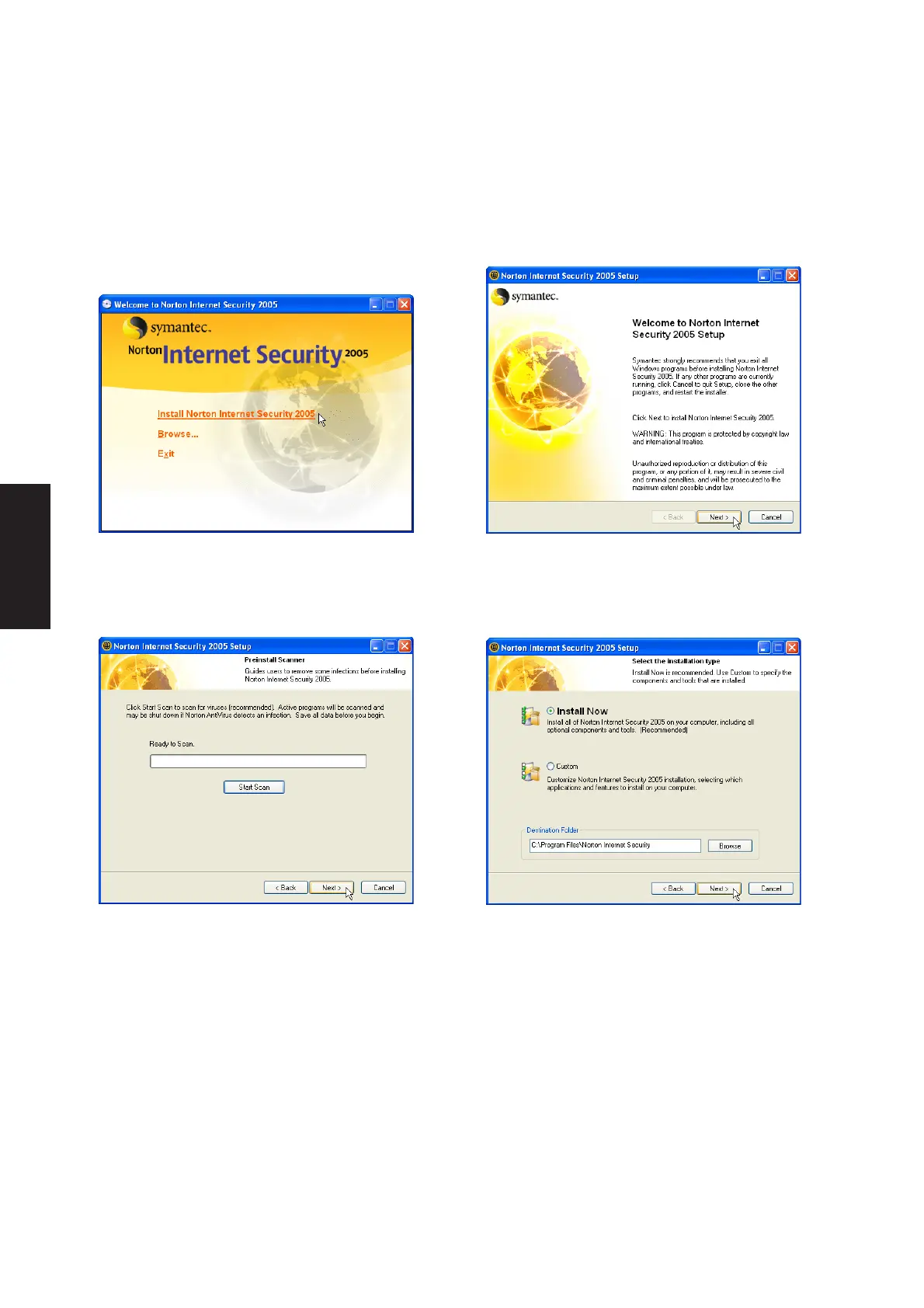
Running setup will give you the following wizard:
1. On the “Autorun” screen, click Install Norton
Internet Security 2005.
4. On the “installation type” screen, click Next to
continue or you may “Browse” to another
destination folder or change other features using
“Custom” installation.
3. On the “Preinstall Scanner” screen, click Next
to skip if you are installing on a new system,
otherwise you may click “Start Scan” if you are
reinstalling on a used system.
2. On the “Welcome” screen, click Next after
reading.











 To Next Page