14
Software Drivers
VGA Driver Setup
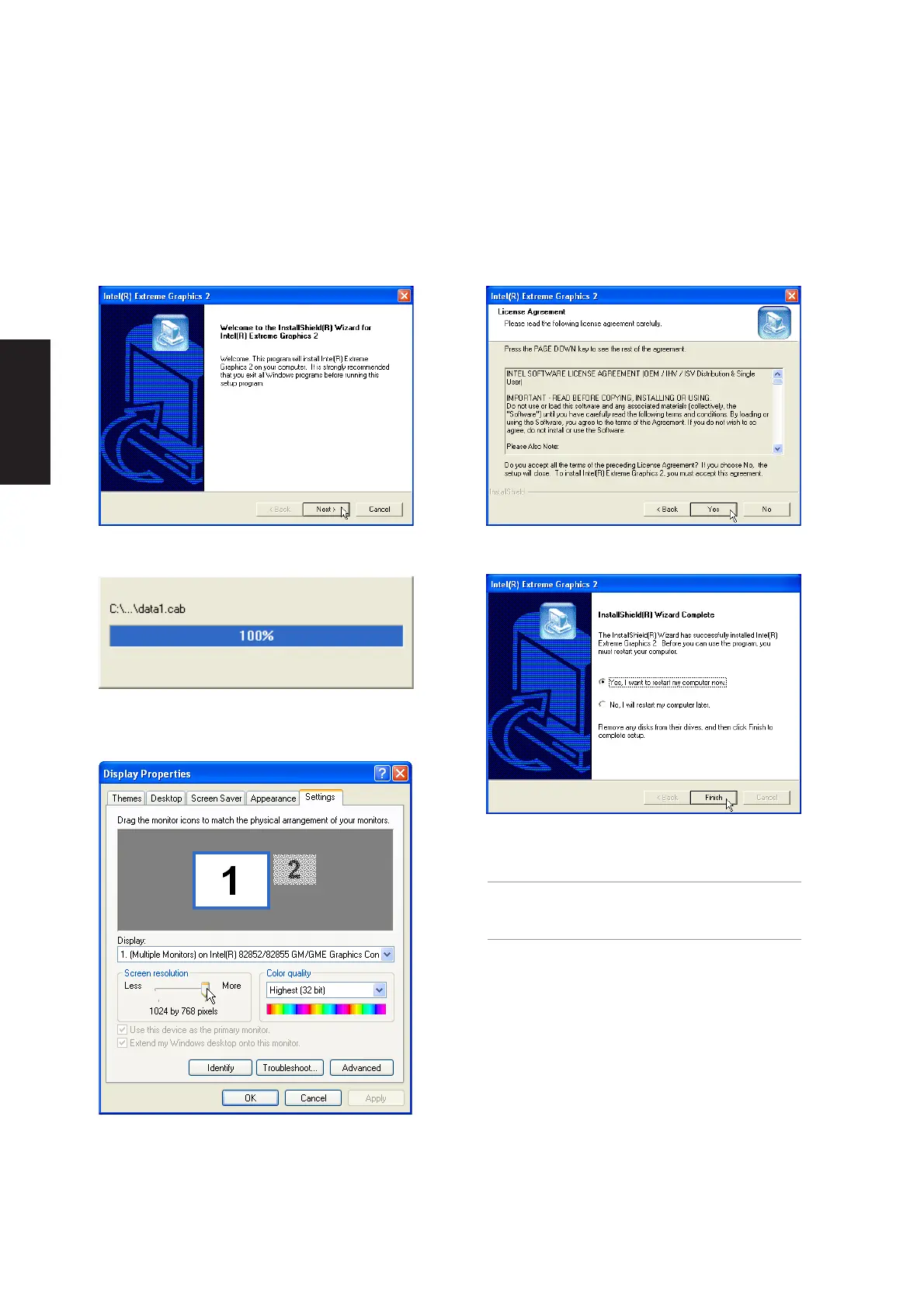
Running setup will give you the following wizard. See next page for VGA settings.
1. On the “Welcome” screen, click Next after
reading the message.
3. Wait while files are being copied to your
Windows.
2. On the “License Agreement” screen, click Next
after reading the message.
4. Setup is now complete, select “Yes...” and click
Finish in order to restart Windows with a higher
screen resolution*.
*Windows may have already provided the
highest screen resolution support for this
graphics controller.
5. Set the screen resolution: Right-click the
desktop and select Properties. Click on the
Settings tab and slide the pointer to the right.











 To Next Page