23
Software Drivers
Wireless LAN Driver Setup - Calexico2 (2200BG)
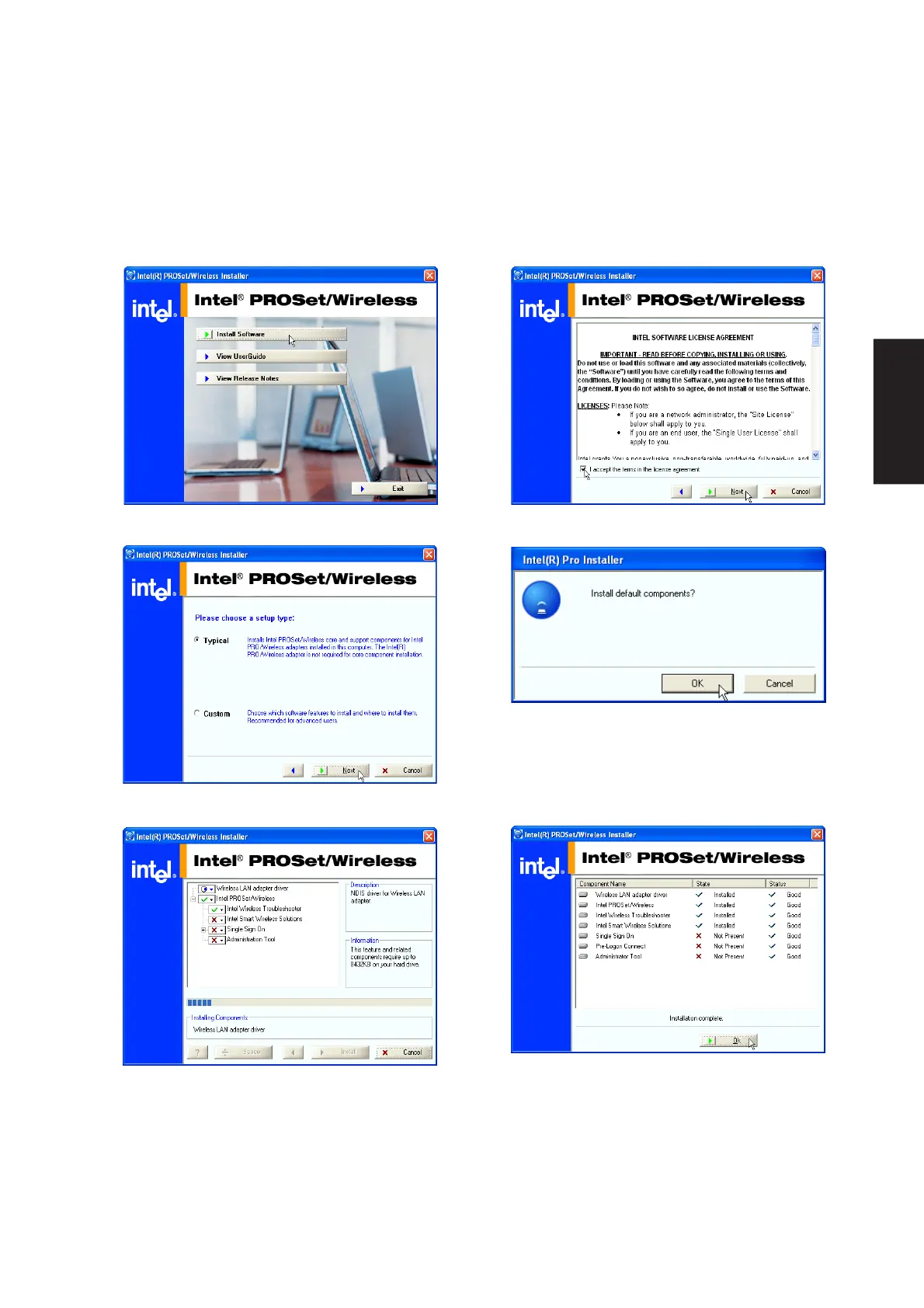
Driver depends on model. Running setup will give you the following wizard:
1. On the “Autorun” screen click Install Software. 2. On the “Agreement” screen, click Next after
selecting “I accept...”
3. On the “Setup Type” screen, click Next to use
the default settings.
4. On the “Install default components” screen,
click OK to use the default settings.
5. Wait while components are installed.
6. When complete, click Ok to exit the installer.











 To Next Page