16
Software Drivers
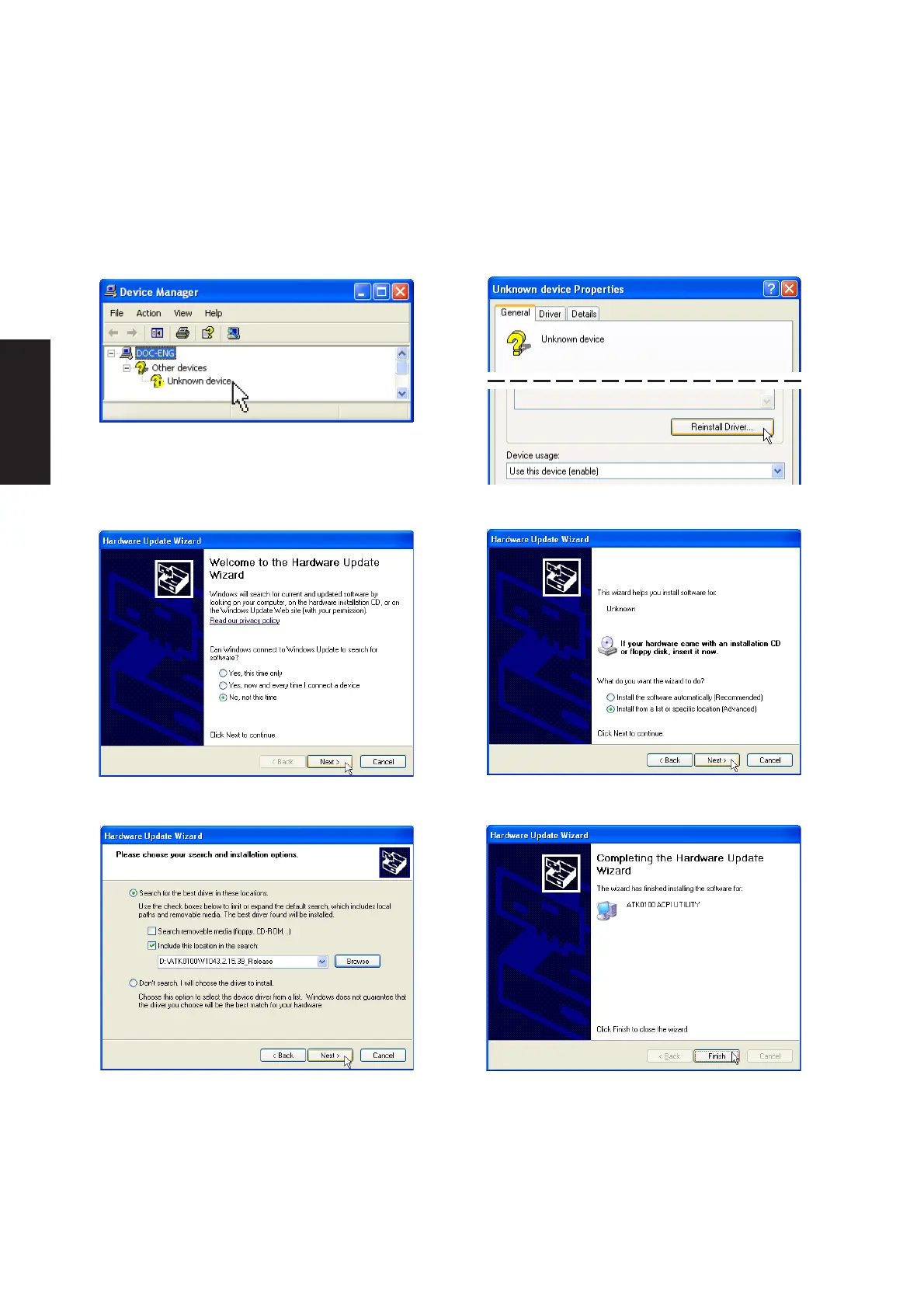
ATK0100 Driver Setup
This driver requires that you manually install it from Device Manager. No software operation is required.
1. Double click Unknown device.
3. Select “No...” and click Next.
6. Click Finish when setup is complete.
2. Click Reinstall Driver.
5. Browse to your operating system folder in
the “ATK0100” folder and click Next.
7. Click Close to close the properties window.
4. Select “Install from...” and click Next.











 To Next Page