47
Software Utilities
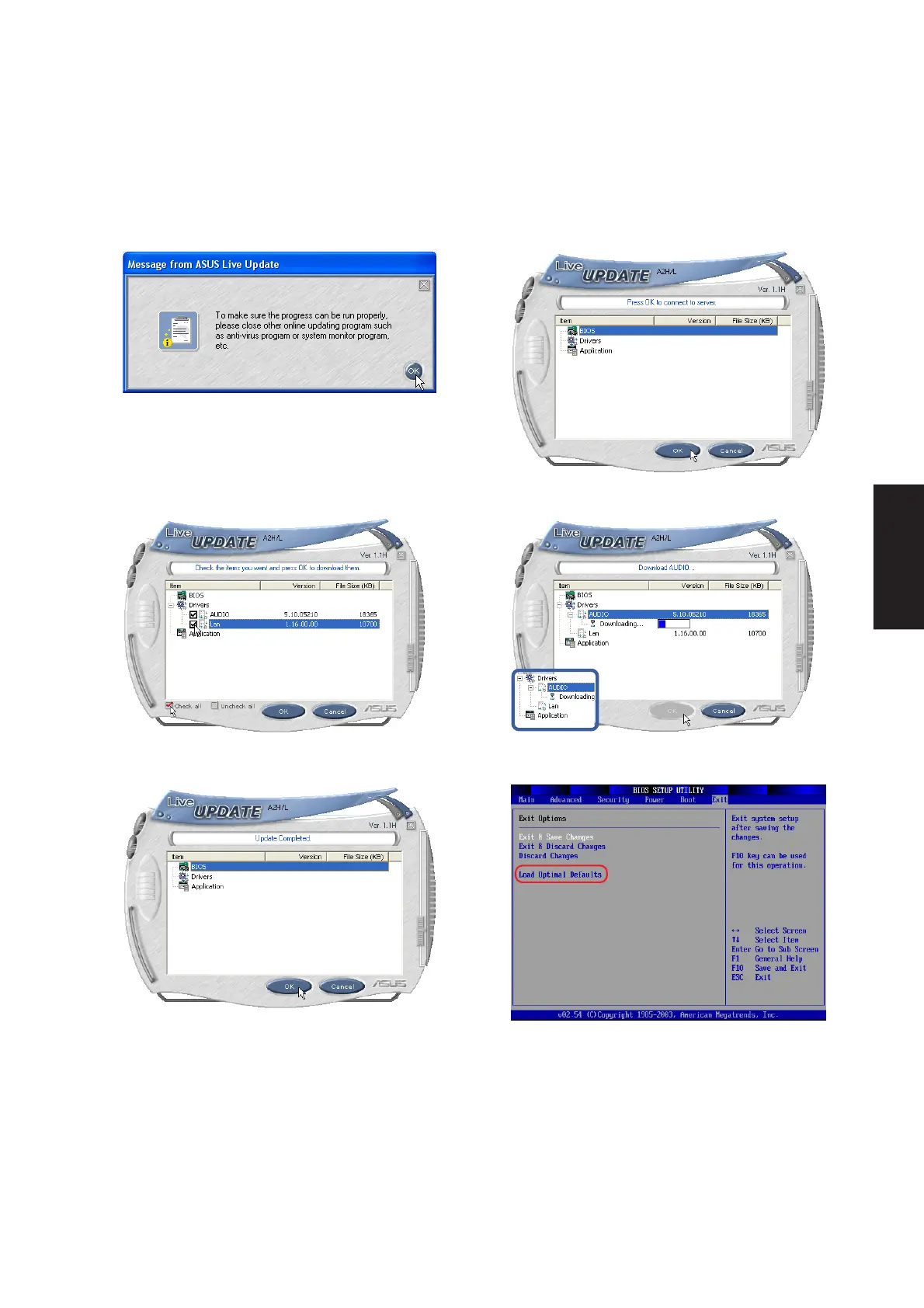
Click OK to connect to the “Live Update” server.
Close other software to ensure no conflicts.
Newer versions will be shown. Check the items
to update or select “Check all”.
Click OK to download and install the update.
When update is complete, click OK to exit.
Using LiveUpdate
You may be instructed to “reset your BIOS”. It
entails pressing [F2] on bootup to enter BIOS
setup and selecting Load Setup Defaults, and
then Exit Saving Changes on the “Exit” menu.











 To Next Page