35
Software Drivers
Configuring your LAN
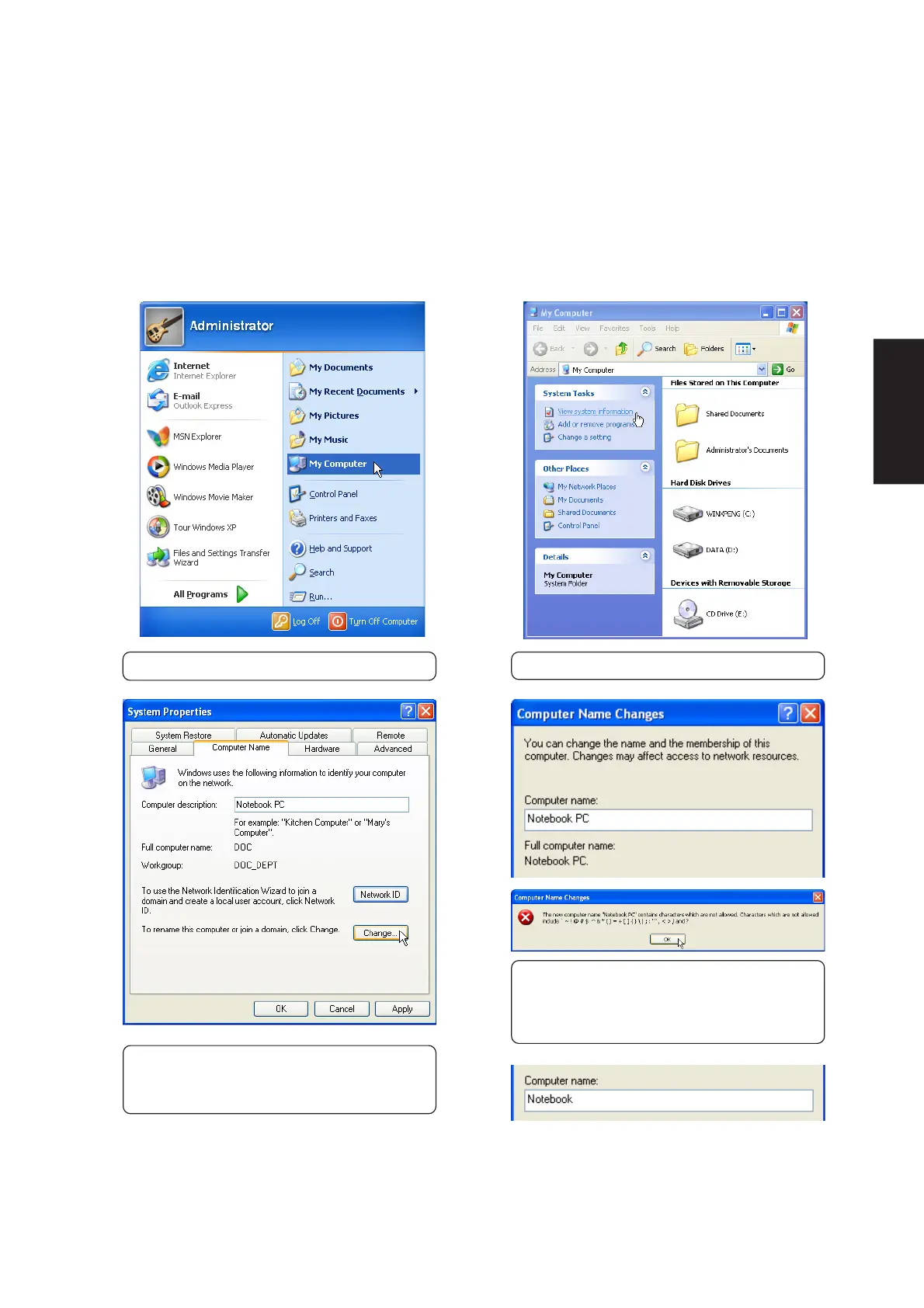
Joining a Domain or Workgroup (Windows XP)
(1) Click Start and My Computer.
(2) Click View system information.
You cannot use spaces or symbols in the
computer name. In the example here, a warning
is given when trying to use “Notebook PC”. You
can use the single word “Notebook” instead.
(3) Your computer name, workgroup or
domain information is shown here. Click
Change to view options.











 To Next Page