36
Software Drivers
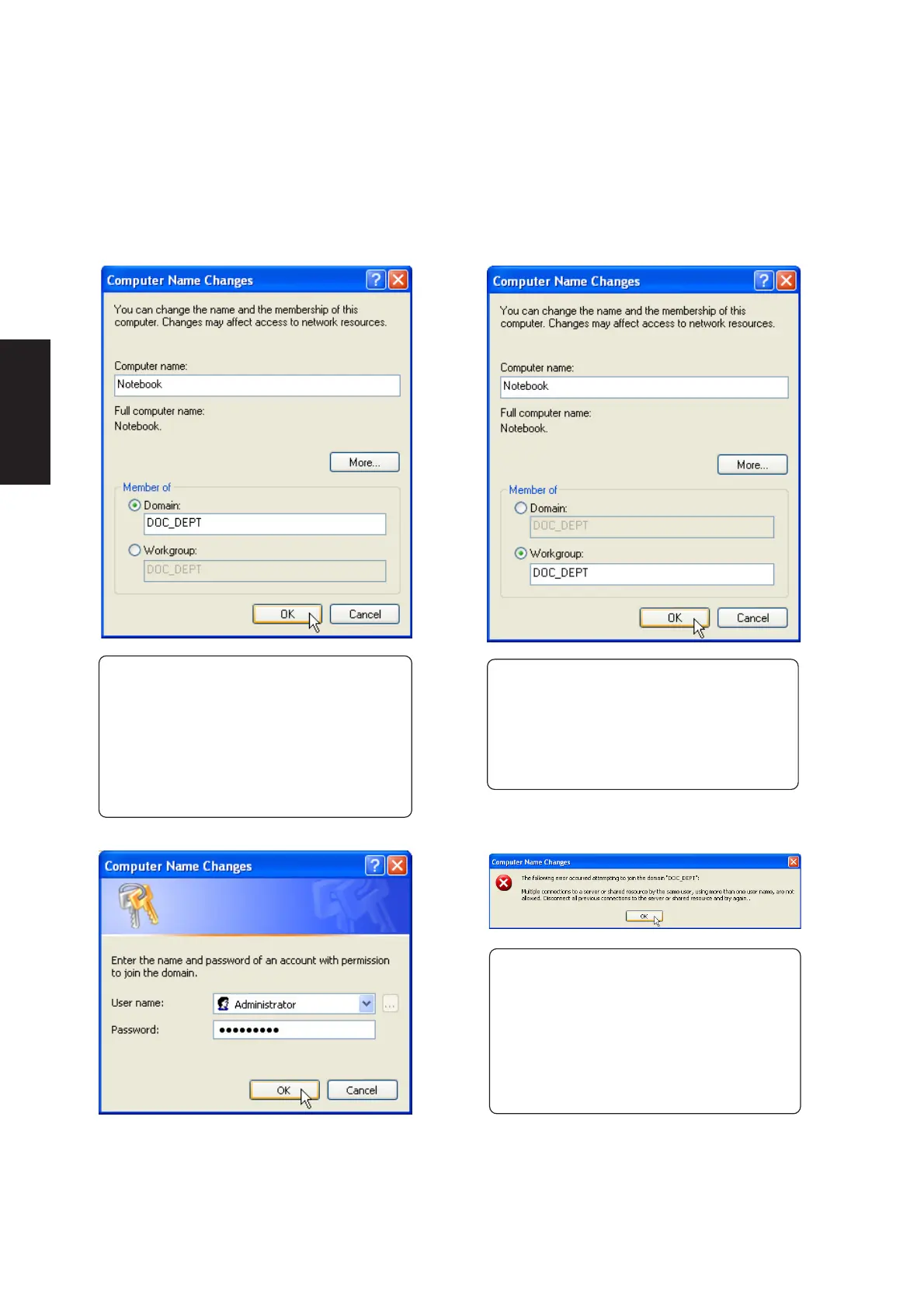
(4a) Domain:
The primary server in the domain will perform
routing functions and security verifications for
your computer. Select Domain and enter an
existing domain you wish to join. NOTE: After
clicking “OK”, you will be asked for the Domain
Controller’s Administrator password to join the
domain in Windows XP.
(4b) Workgroup:
If your network does not have a domain or
you are not authorized to join a domain, select
Workgroup and type in an existing name or
create your own (by typing an unused
workgroup name)
Administrator Name or Password not
accepted: You cannot login with the
Administrator name and use one password,
then use the Administrator name with another
password to add to a domain. You must login
using another name. See Windows
documentation to “Add New User” from User
Accounts in the Control Panel.
Joining a Domain or Workgroup (Cont.)











 To Next Page