31
Software Drivers
ASUS WLAN Utility Quick Start (Cont.)
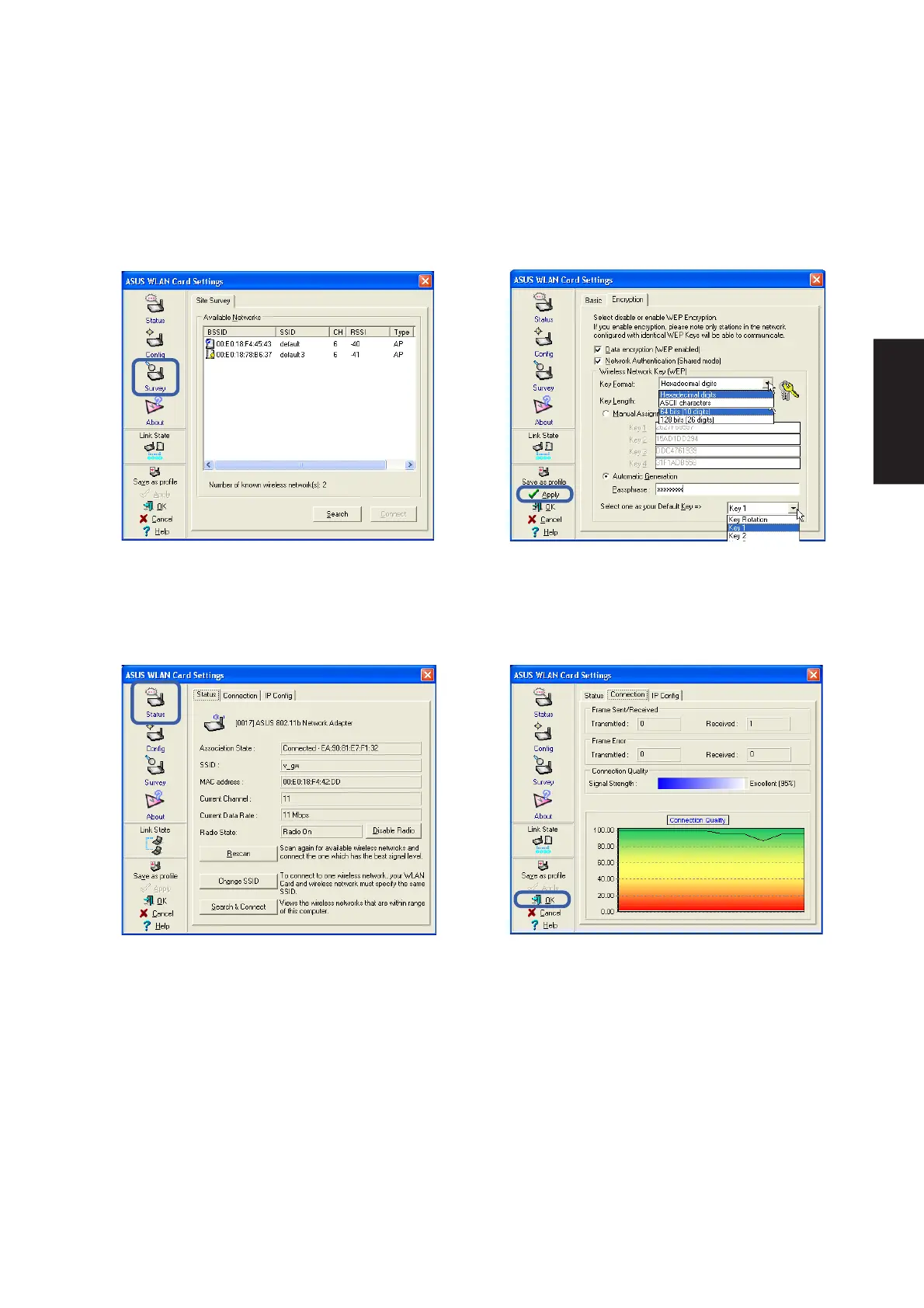
6. You can also see the connection quality on
the “Connection” page. Click OK to exit the utility.
5. Check the “Status” page to see the “Association
State”. It should show “Connected -
xx:xx:xx:xx:xx:xx”.
3. Use “Site Survey” if you don’t know the name
of your access point(s).
4. Encryption settings must also match those set
in the access point. Talk with your network
administrator if necessary. Click Apply to save
your settings











 To Next Page