41
Software Drivers
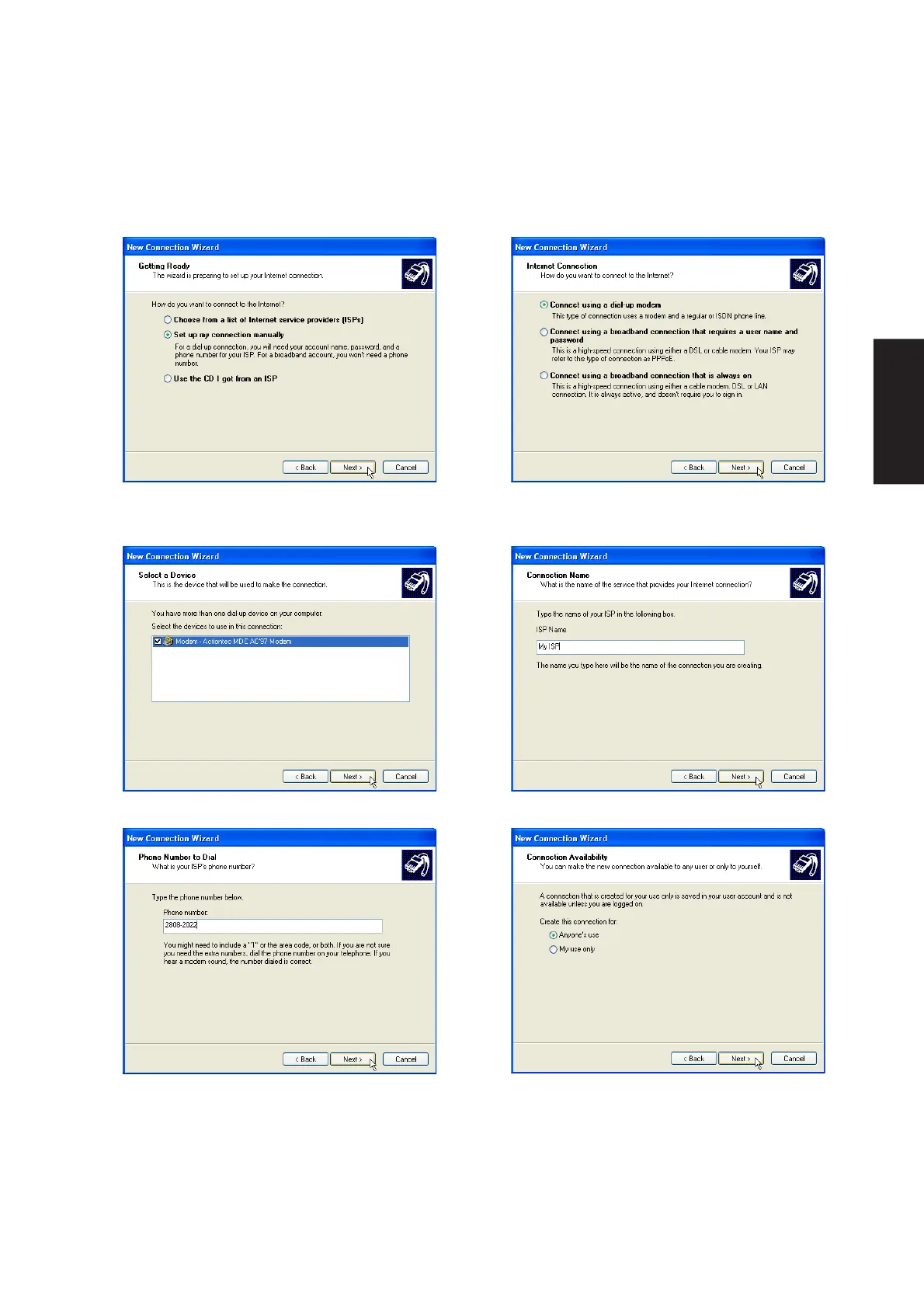
3. Select “Set up my connection manually” and
click Next.
4. Select “Connect using a dialup modem” and
click Next.
Modem Configuration (Cont.)
7. Enter the dial up number for your ISP.
8. Select one of the security preferences and
click Next.
5. Select your modem and click Next.
6. Enter any name to represent your ISP.











 To Next Page