ASUS RS400-E8-PS2, RS400-E8-PS2-F
5-35
PCH DMI ASPM [Enabled]
AllowsyoutocongurethePCHDMIASPM.
Congurationoptions:[Disabled][Enabled]
PCI Express Root Port 1 to Port 8
AllowsyoutocongurethePCIExpressRootportsettings.
PCIE ASMP [DisableASPM]
Allows you to congure the PCH DMI ASPM.
Configurationoptions:[DisableASPM][ASPML0s][ASPML1][ASPM
L0sL1][ASPMAuto]
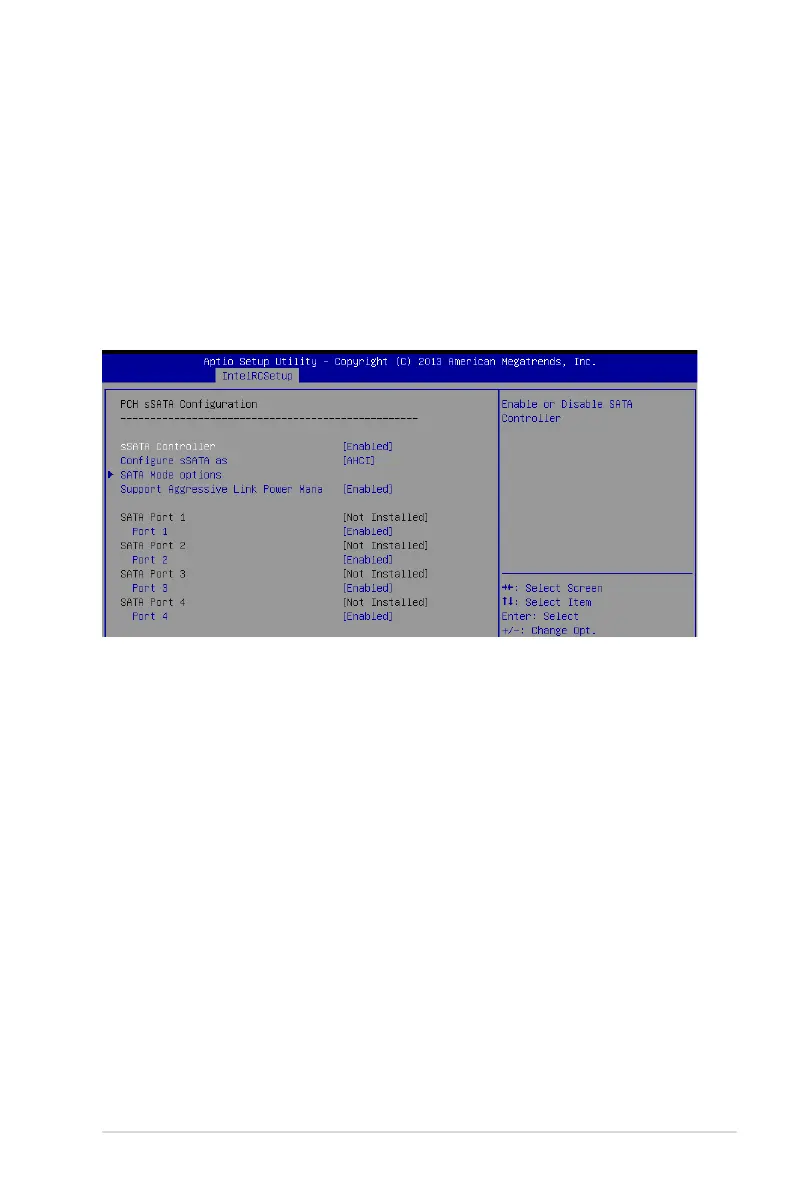
PCH sSATA Conguration
sSATA Controller [Enabled]
Allows you to enable or disable the sSATA Controller.
Congurationoptions:[Disabled][Enabled]
Congure sSATA as [AHCI]
AllowsyoutoidentifytheSATAportisconnectedtoSolidStateDriveorHardDiskDrive.
Congurationoptions:[IDE][AHCI][RAID]
SATA Mode options
SATA LED locate [Enabled]
Ifenabled,LED/SGPIOhardwareisattached.
Congurationoptions:[Disabled][Enabled]
Support Aggressive Link Power Management [Enabled]
AllowsyoutoenableordisabletheSuportAggressiveLinkPower(SALP)Management.
Congurationoptions:[Disabled][Enabled]













 To Next Page