5-14
Chapter 5: BIOS setup
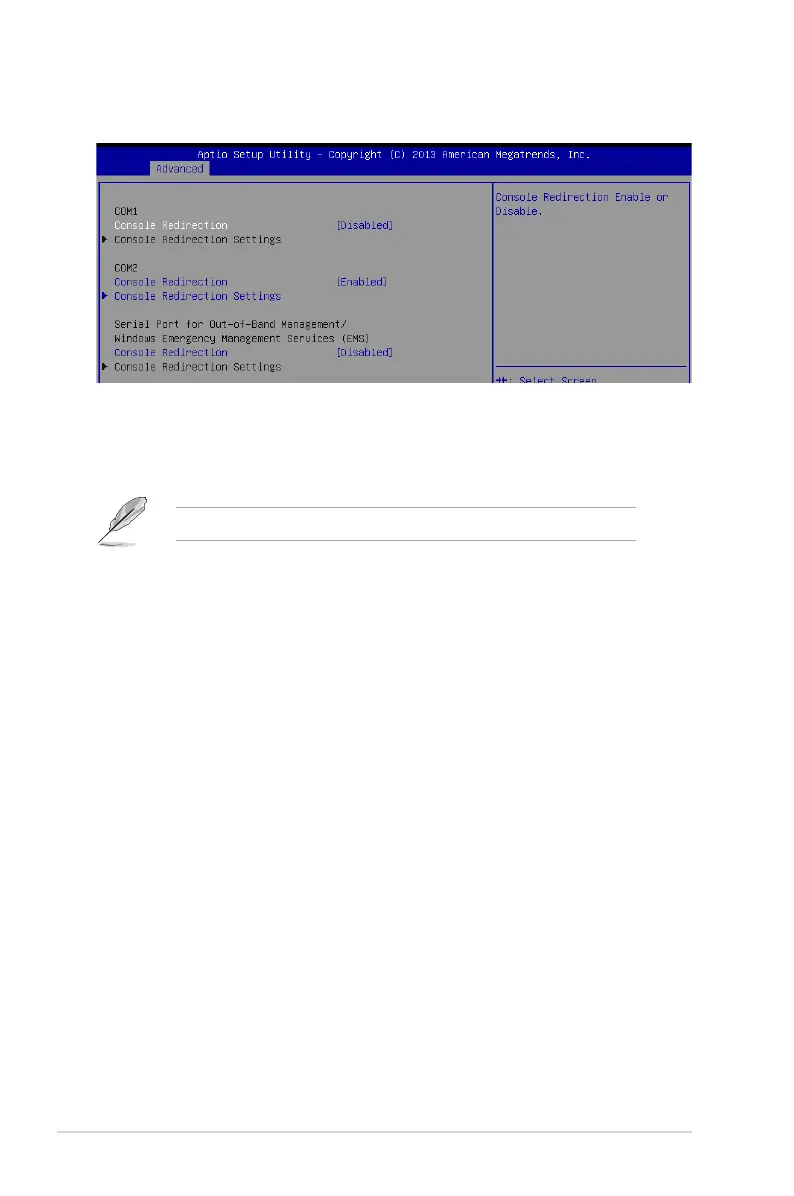
5.4.5 Serial Port Console Redirection
Console Redirection Settings
ThisitembecomescongurableonlywhenyouenabletheConsole Redirection item. The
settings specify how the host computer and the remote computer (which the user is using)
will exchange data. Both computers should have the same or compatible settings.
Terminal Type [VT-UTF8]
Allows you to set the terminal type.
[VT100] ASCIIcharset.
[VT100+] ExtendsVT100tosupportcolor,functionkeys,et.
[VT-UTF8] UsesUTF8encodingtomapUnicodecharsonto1ormorebytes
[ANSI] ExtendedASCIIcharset
Bits per second [57600]
Selects serial port transmission speed. The speed must be matched on the other side.
Long or noisy lines may require lower speeds.
Congurationoptions:[9600][19200][38400][57600][115200]
Data Bits [8]
Congurationoptions:[7][8]
Parity [None]
Aparitybitcanbesentwiththedatabitstodetectsometransmissionerrors.[Mark]
and[Space]paritydonotallowforerrordetection.
[None] None
[Even] paritybitis0ifthenumof1’sinthedatabitsiseven
[Odd] paritybitis0ifnumof1’sinthedatabitsisodd
[Mark] paritybitisalways1
[Space] paritybitisalways0
The following item appears only when you set Console Redirection to[Enabled].
COM1/COM2
Console Redirection [Disabled]
Allows you to enable or disable the console redirection feature.
Congurationoptions:[Disabled][Enabled]













 To Next Page