2-11
ASUS RS400-E8-PS2, RS400-E8-PS2-F
2.3 System memory
2.3.1 Overview
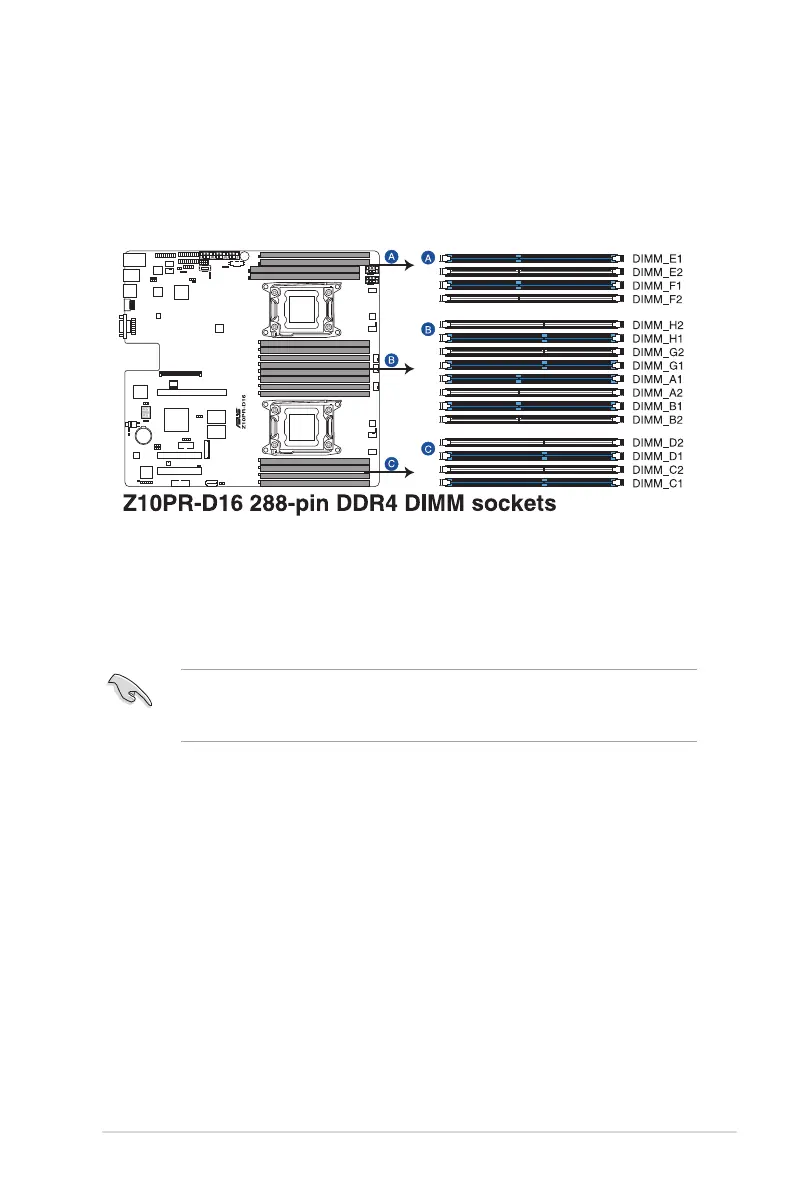
Themotherboardcomeswithsixteen(16)DoubleDataRate4(DDR4)DualInlineMemory
Modules(DIMM)sockets.
ThegureillustratesthelocationoftheDDR4DIMMsockets:
2.3.2 MemoryCongurations
Youmayinstall4GB,8GB,16GB,and32GBRDIMMsor32GB,64GBLR-DIMMsand
NVDIMMintotheDIMMsocketsusingthememorycongurationsinthissection.
• Always install DIMMs with the same CAS latency. For optimum compatibility, it is
recommended that you obtain memory modules from the same vendor.
• StartinstallingtheDIMMsinslotsA2orB2.













 To Next Page