Chapter 2: Hardware setup
2-14
2.4 Hard disk drives
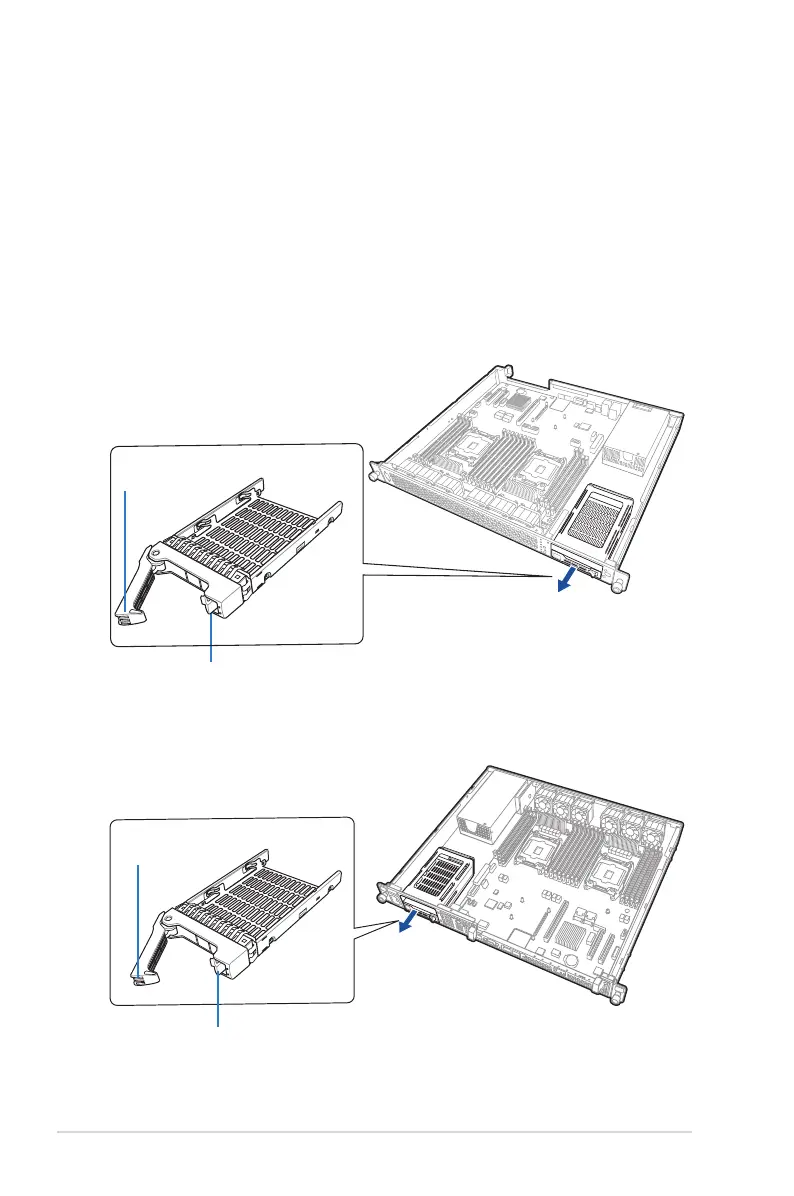
The system supports two 2.5-inch SSD.
Installing a 2.5-inch SSD
Toinstalla2.5-inchSSD:
1. Switch the secure tab to the right to release the tray lever.
2. Pull the tray lever outward. The drive tray ejects slightly after you pull out the lever.
Firmlyholdthetrayleverandpullthedrivetrayoutofthebayandputitonaat
surface.
Securetab
Tray lever
RS400-E8-PS2
RS400-E8-PS2-F
Securetab
Tray lever













 To Next Page