Chapter 2: Hardware setup
2-20
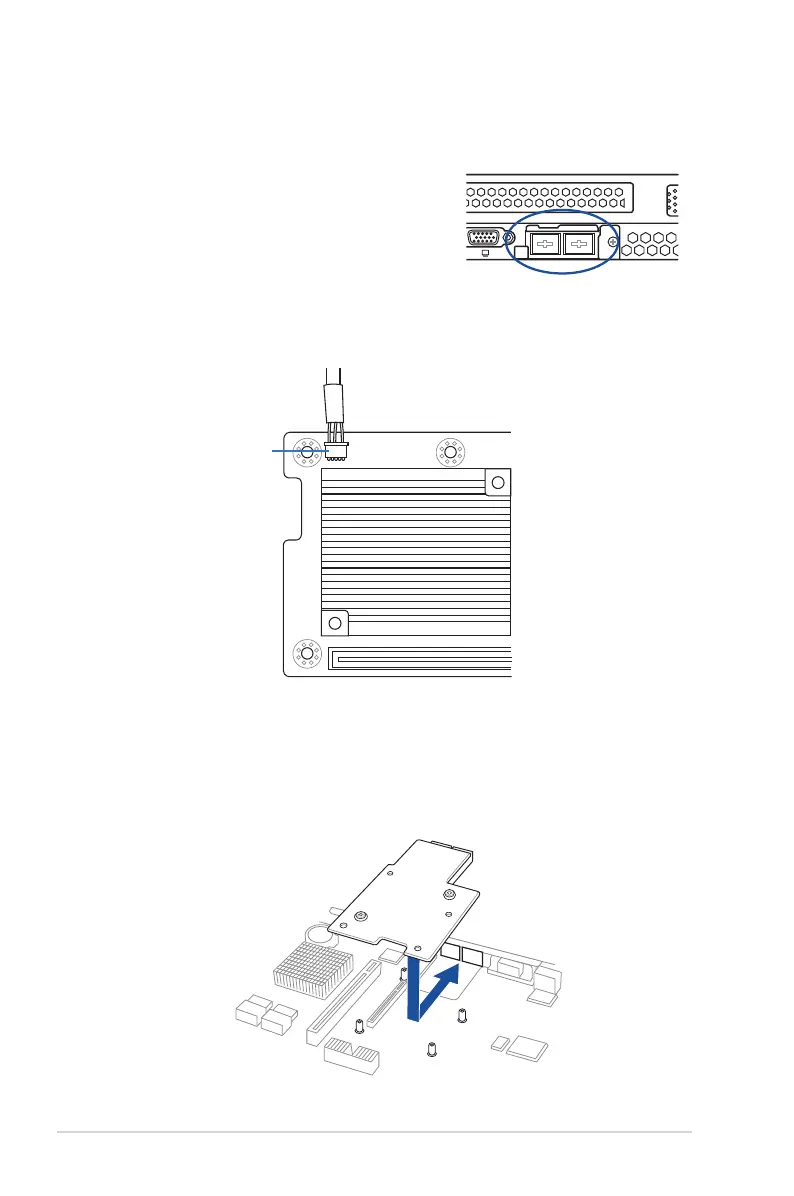
2.5.3 Installing a Mezzanine card
YoucaninstallasupportedMezzaninecardontheonboardslot.
ToinstallaMezzaninecard:
1. RemovetheslotbayfromtheMezzaninecard
expansion slot.
3. Matchandinsertthefour(4)screwholesontheMezzaninecardintothefour(4)stand
screwsonthechassis,theninserttheMezzaninecardtotheslotonthemotherboard.
AUXLED_CON1
2. PrepareyourMezanninecardandthesignalcable.Connectthesignaltransmission
end(white)totheAUXLED_CONheaderonthemotherboard.













 To Next Page