Chapter 1: Product introduction
1-10
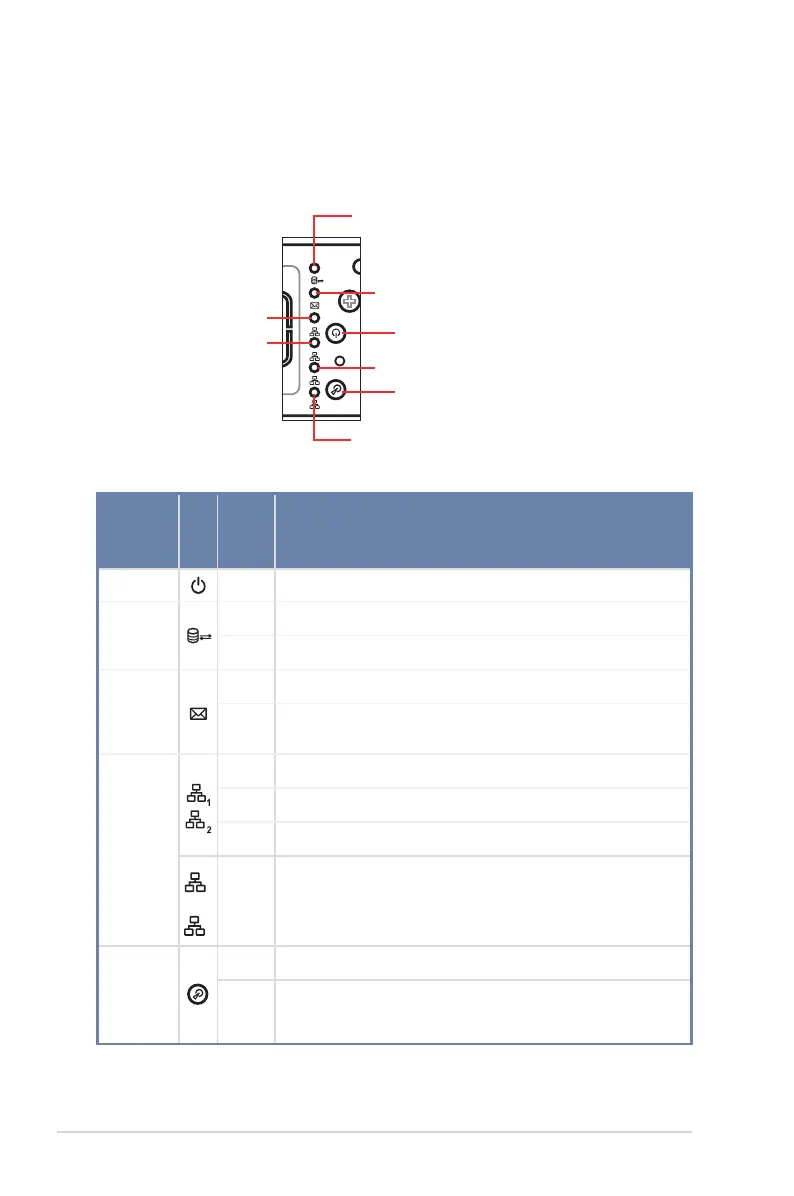
1.7 LED information
1.7.1 Front panel LEDs
LED Icon
Display
status
Description
Power LED ON System power ON
HDD
Access
LED
OFF No activity
Blinking Read/write data into the HDD
Message
LED
OFF System is normal; no incoming event
ON
With the onboard ASMB8-iKVM: a hardware monitor event is
indicated
LAN LEDs
OFF No LAN connection
Blinking LAN is transmitting or receiving data
ON LAN connection is present
Blinking LAN is transmitting or receiving data
Location
LED
ON Location switched is pressed
OFF Normal status (Press the location switch again to turn off)
1
2
3
4
RESET
Message LED
LAN4 LED (for Mezzanine card use)
HDD Access LED
Power LED
RS400-E8-PS2
Location LED
LAN3 LED ( for Mezzanine card use)
LAN2 LED
LAN1 LED













 To Next Page