5-44
Chapter 5: BIOS setup
5.7 Event Logs menu
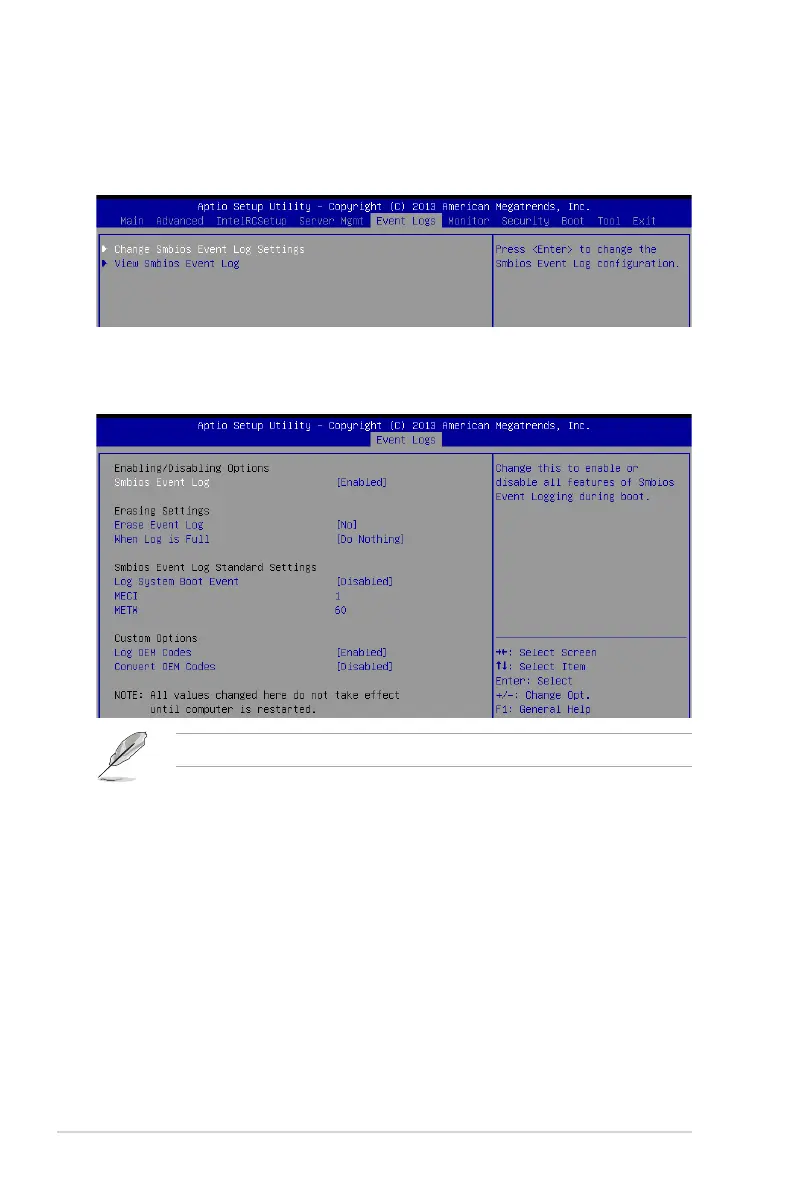
The Event Logs menu items allow you to change the event log settings and view the system
event logs.
5.7.1 Change Smbios Event Log Settings
Press<Enter>tochangetheSmbiosEventLogconguration.
Enabling/Disabling Options
Smbios Event Log [Enabled]
Change this to enable or disable all features of Smbios Event Logging during boot.
Congurationoptions:[Disabled][Enabled]
Erasing Settings
Erase Event Log [No]
Choose options for erasing Smbios Event Log. Erasing is done prior to any logging activation
duringreset.Congurationoptions:[No][Yes,Nextreset][Yes,Everyreset]
When Log is Full [Do Nothing]
AllowsyoutochooseoptionsforreactionstoafullSmbiosEventLog.Congurationoptions:
[DoNothing][EraseImmediately]
Allvalueschangedheredonottakeeffectuntilcomputerisrestarted.













 To Next Page