ASUS RS400-E8-PS2, RS400-E8-PS2-F
5-47
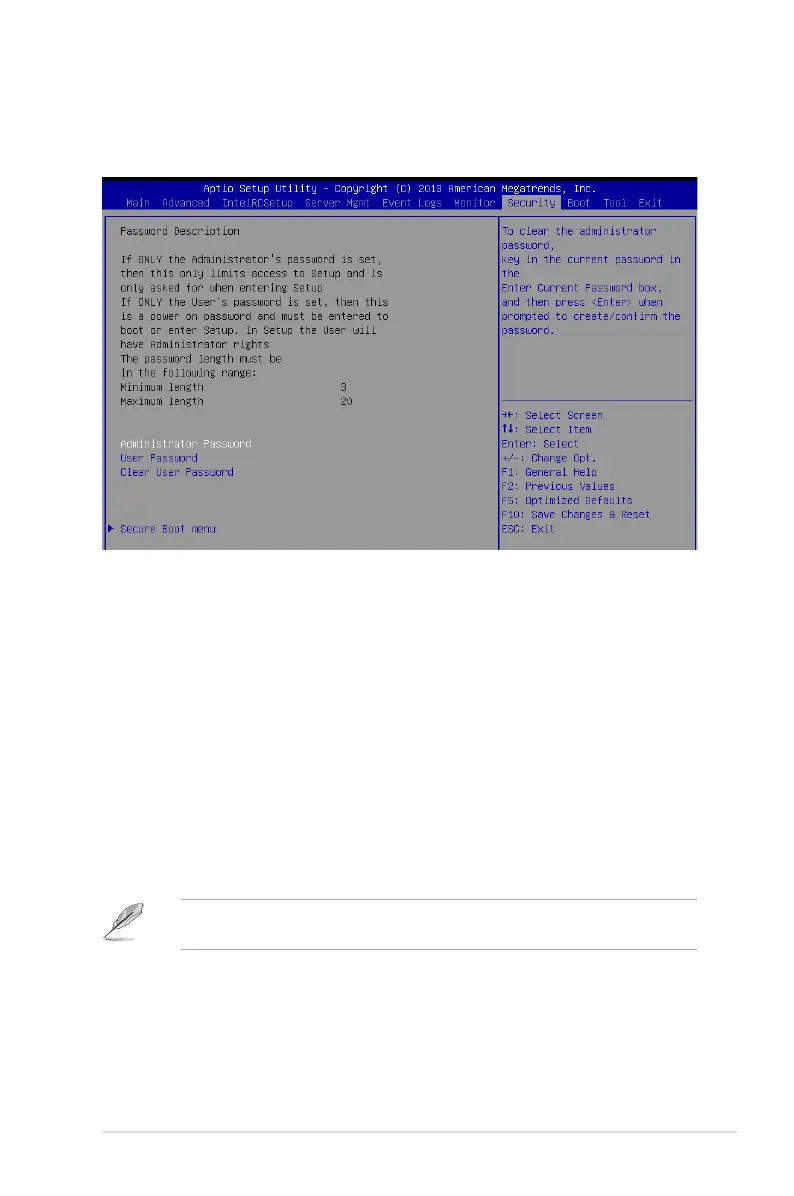
5.9 Security menu
This menu allows a new password to be created or a current password to be cchanged. The
menualsoenablesordisablestheSecureBootstateandletstheuserconguretheSystem
Mode state.
Administrator Password
To set an administrator password:
1. Select the Administrator Password item and press <Enter>.
2. FromtheCreateNewPasswordbox,keyinapassword,thenpress<Enter>.
3. Conrmthepasswordwhenprompted.
To change an administrator password:
1. Select the Administrator Password item and press <Enter>.
2. FromtheEnterCurrentPasswordbox,keyinthecurrentpassword,thenpress
<Enter>.
3. FromtheCreateNewPasswordbox,keyinanewpassword,thenpress<Enter>.
4. Conrmthepasswordwhenprompted.
Tocleartheadministratorpassword,followthesamestepsasinchanginganadministrator
password,butpress<Enter>whenpromptedtocreate/conrmthepassword.













 To Next Page