5-42
Chapter 5: BIOS setup
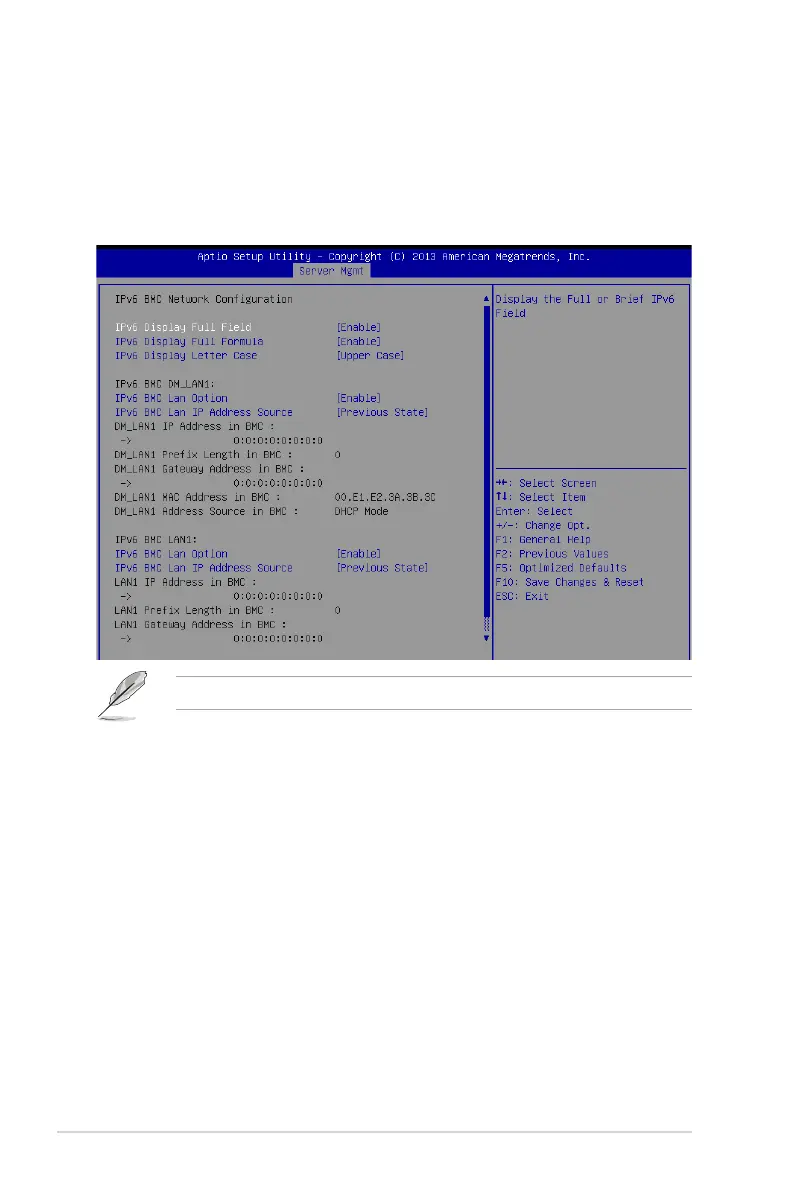
IPv6 BMC LAN IP Address source [Previous State]
SelecttocongureLANchannelparametersstaticallyordynamically(byBIOSor
BMC).
Congurationoptions:[PreviousState][Static][Dynamic-ObtainedbyBMCrunning
DHCP]
The following items appear only when you set IP BMC Lan IP Address Sourceto[Static].
IPv6 BMC LAN IP Address
Allows you to input IPv6 BMC Lan IP address.
IPv6 BMC LAN IP Prefix Length
Allows you to input IPv6 BMC Lan IP Prefix Length.
IPv6 BMC LAN Default Gateway
Allows you to input IPv6 BMC Lan Default Gateway.
IPv6 BMC LAN DNS Settings
Allows you to enter IPv6 BMC LAN DNS Settings.
IPv6 BMC LAN Link IP Address
AllowsyoutoenterIPv6BMCLANLinkIPaddress.
IPv6 BMC LAN Link IP Prefix Length
Allows you to input IPv6 BMC LanLinkIPPrexLength.
IPv6 BMC Lan Option [Enable]
This item allows you to enavle IPv6 BMC LAN channel function. Disabling this option will not
modifyanyBMCnetworkduringBIOSphase.













 To Next Page