ASUS RS400-E8-PS2, RS400-E8-PS2-F
5-49
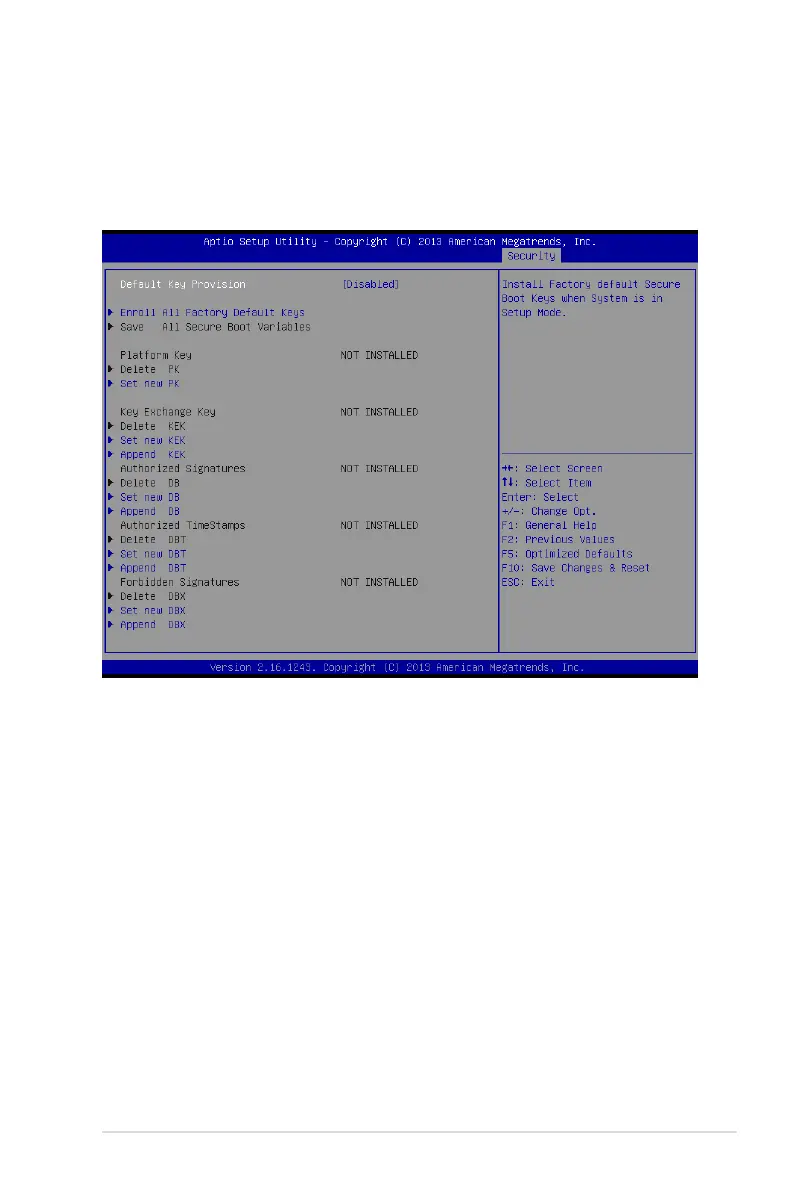
Key Management
ThisitemonlyappearswhentheitemSecureBootModeissetto[Custom].The
KeyManagementitemallowsyoutomodifySecureBootvariablesandsetKey
Management page.
Default Key Provision [Disabled]
Congurationoptions:[Disabled][Enabled]
Enroll All Factory Default Keys
ThisitemwillaskyouifyouwanttoInstallFactoryDefaultsecurekeys.SelectYesif
youwanttoloadthedefaultsecurekeys,otherwiseselectNo.
Save All Secure Boot Variables
Thisitemwillaskyouifyouwanttosaveallsecurebootvariables.SelectYesifyou
wanttosaveallsecurebootvariables,otherwiseselectNo.
Platform Key (PK)/ Key Exchange Key (KEK)/ Authorized Signatures (DB)/Authorized
TimeStamps (DBT)/ Forbidden Signatures (DBX)
Congurationoptions:[Delete][SetNew][Append]
Conguration options: [Set New] [Delete] [Append]













 To Next Page