54
4 MACHINE DESCRIPTION / CONTROLS
RT-75 / RT-75HD US O&M
0405-073 2020-07
User Guide - Password Protection and User Profiles
The premium operator interface allows the use of operator (user) profiles
accessed via password upon machine startup. User profiles allow operators to
use the machine, but with limited access to various functions within the operator
interface. For example, they may change their passwords and reset the job clock,
but may not reset operating statistics. Only the administrator (admin) user profile
may reset statistics or add/delete user profiles.
Password protection
The admin user profile is the default profile on the machine. If password protec-
tion is not enabled, any person who enters the machine is able to access the
operator interface as the administrator and make changes as desired.
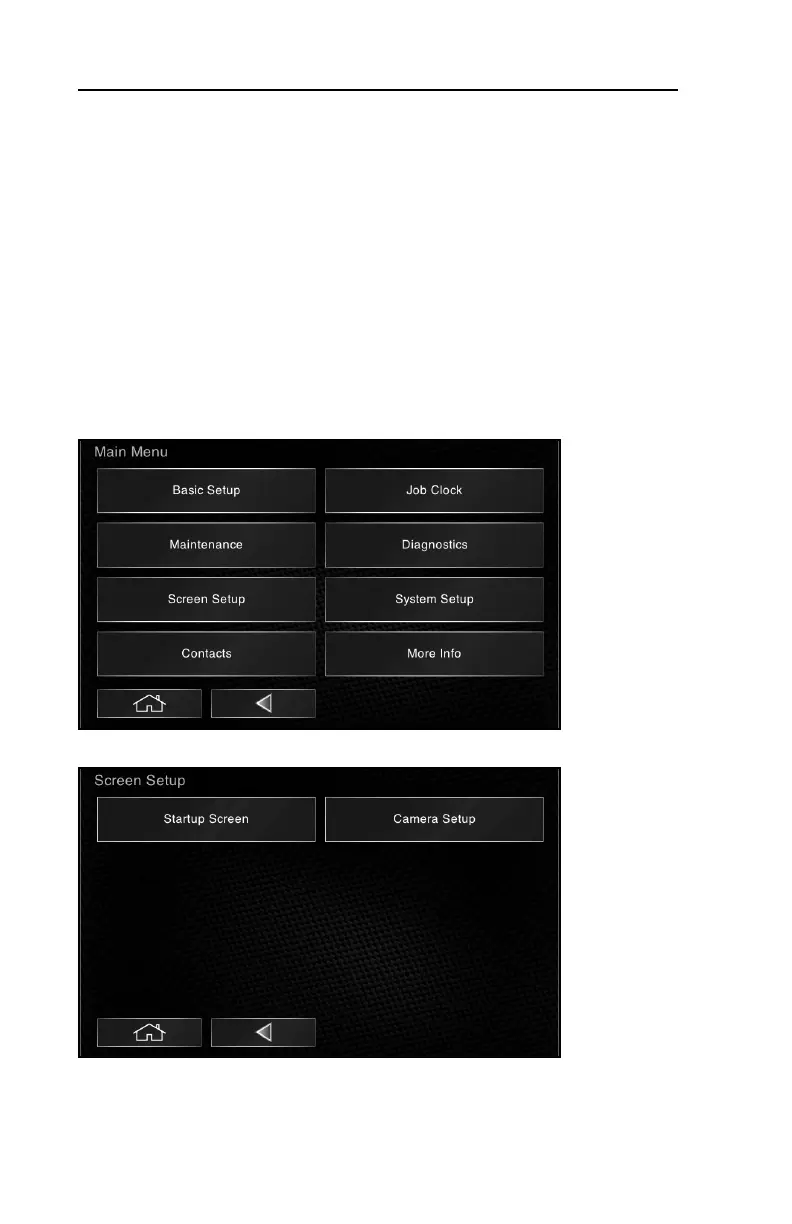
To Enable Password Protection:
1.Select Screen Setup from the main menu.
2.Select Startup Screen from the Screen Setup sub-menu.



 To Next Page