5.5 启动机器
工作周期开始之前,请确保机器绕行包装物的
区域和周围的地面是没有任何障碍
机器开始动作后,操作员必须立即离开机器工
作区
a) 每次打开电源或按下急停按钮所造成的中断,启
动机器前须按下复归键。
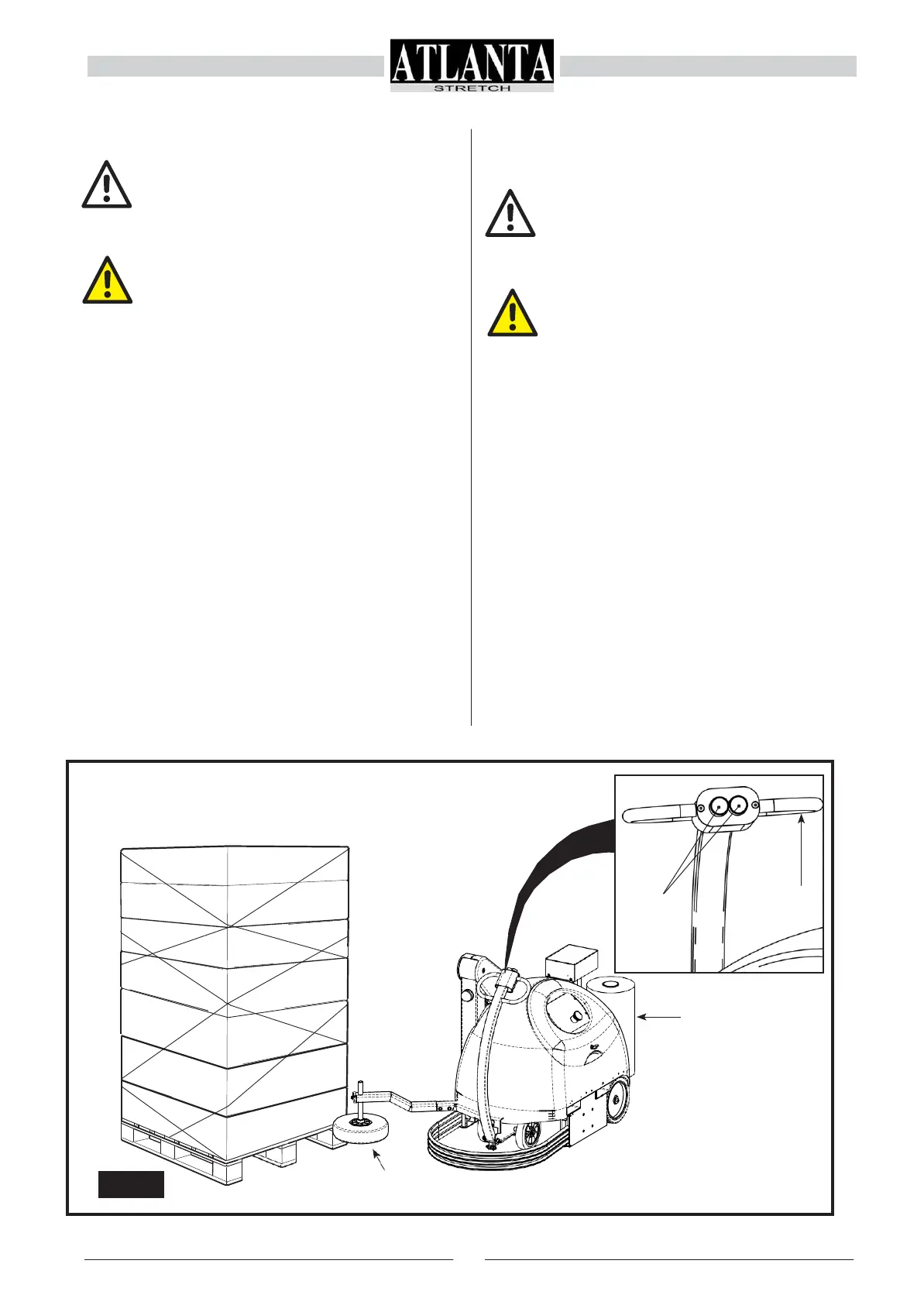
b) 使用手动控制转向臂(5)按前进移动按钮(6)(图
5.7) 将机器移动在栈板与要被包装的产品移动
工作区。
c) 将导向轮(7)靠在栈板边上。
d) 手动从胶膜架拉出胶膜,将胶膜绑在栈板角
落. e) 控制面板设定所需的包装参数见 5.2.3 章
节. f) 按启动键(M)。
g) 自动包装完成后切断胶膜并将其固定在栈板上。
h) 接下来可拿走栈板。
5.5
STARTING THE MACHINE
BEFORE STARTING THE WORk CYCLE
MAkE SURE THAT THE AREA AND THE
GROUND AROUND THE PRODUCT TO BE
WRAPPED ARE FREE OF ALL OBSTRUC-
TIONS
AND
THA
T
NO
OB
j
ECTS
HA
VE
BEEN
LEFT ON THE MACHINE.
AFTER STARTING THE CYCLE, THE OP-
ERATOR MUST MOVE AWAY FROM THE
MACHINE WORk AREA IMMEDIATELY.
a)
prepare the machine for the work cycle, release the
emergency button (if it is pressed in) and then press
the RESET button;
b)
after placing the pallet with the product to be wrapped
in the work area, bring the machine up to it using the
manually controlled steering arm (5), pressing the
forward movement buttons (6) (Fig. 5.7);
c)
place the feeler wheel (7) up against one side of the
pallet;
d)
manually draw out the film protruding from the roll-
holder carriage and attach it to one corner of the
pallet;
e)
set the operating cycle from the control panel as
described in paragraph 5.2.3;
f)
press the START button (M);
g)
after wrapping, manually cut the film and fix it to the
pallet;
h)
the pallet can now be picked up.


 To Next Page