- 46 -
►
Installer Menu
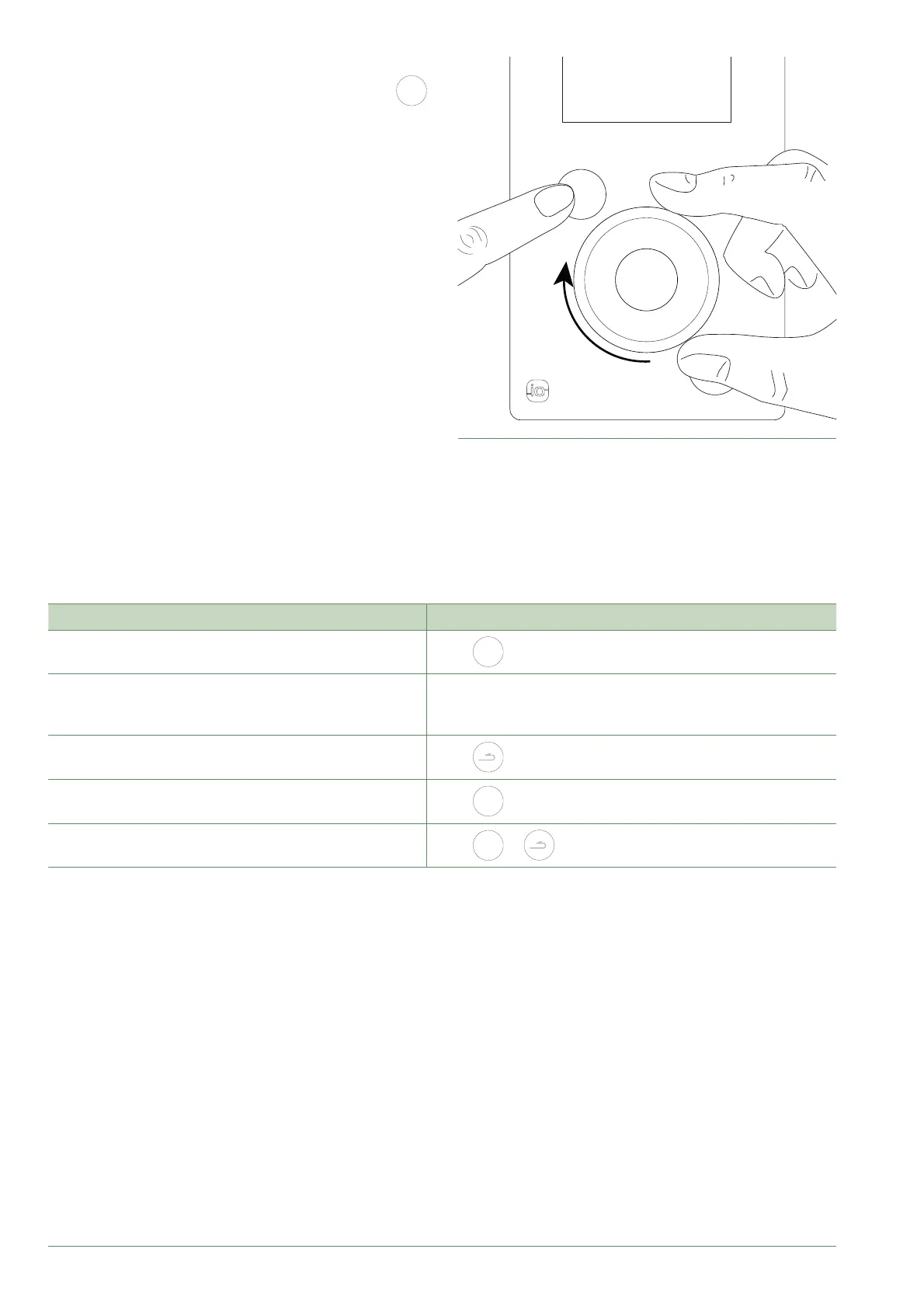
To access the Installer Menu, press and hold the
MENU
button and turn the knob a quarter turn to the right.
To return to the User Menu, repeat the same operation.
fi g. 48 - Installer Menu
MENU
►
Navigating the Menus
To ... Action:
Access the menu
Press
MENU
.
Choose a menu item
Turn the knob to highlight your choice.
Press the knob to accept.
Return to the previous menu
Press
.
Return to the main menu
Press
MENU
twice.
Return to the welcome screen
Press
MENU
or on the main menu.
Note: Some settings (or menus) might not be displayed. They are dependent on the installation's confi guration
(and installed options).
Alfea Extensa A.I. R32 / INSTALLATION / 2114 - EN




 To Next Page