28
Operation
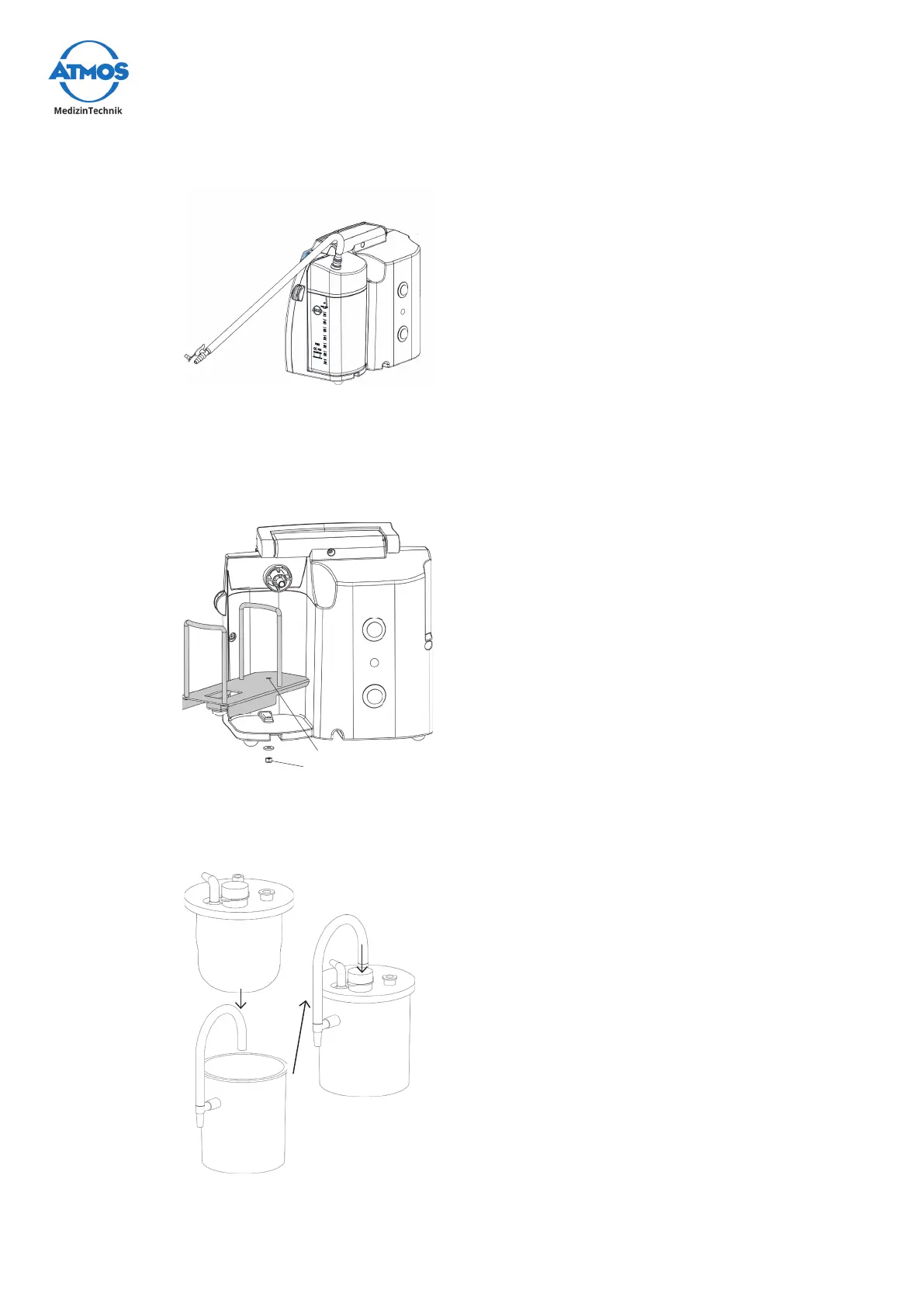
4.7.3 Connecting the suction hose
• Push the required DDS hose adapter with Ø
6 mm into the opening on the DDS canister
lid,twistingslightlytoensureatightt.
• Connect the suction hose to the DDS hose
adaptor.
• Twist slightly in the same manner when
removing.
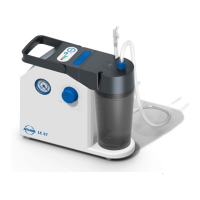
4.8 Operating the Medi-Vac
®
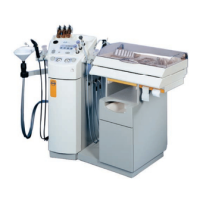
4.8.1 Support for Medi-Vac
®
secretion canister
• Insert the thread of the support into the
borehole on the bottom of the device.
• Fasten the two parts together using the
supplied nut .
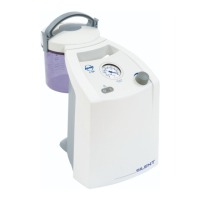
4.8.2 Assembling the Medi-Vac
®
secretion canister system
Medi-Vac
®
liner
Medi-Vac
®
outer canister
• Insert the Medi-Vac
®
liners into the Medi-Vac
®
outer canister.
& Close the canister tightly on all sides. Check
again to ensure that the seal is airtight, oth-
erwise the system will be unable to generate
a vacuum.
• Insert the vacuum hose.
• Connect the Medi-Vac
®
liner and device to the
vacuum hose.
• Connect the suction hose to the Medi-Vac
®
liner.
& Always use liners with built-in bacterial
lters.


 To Next Page