95
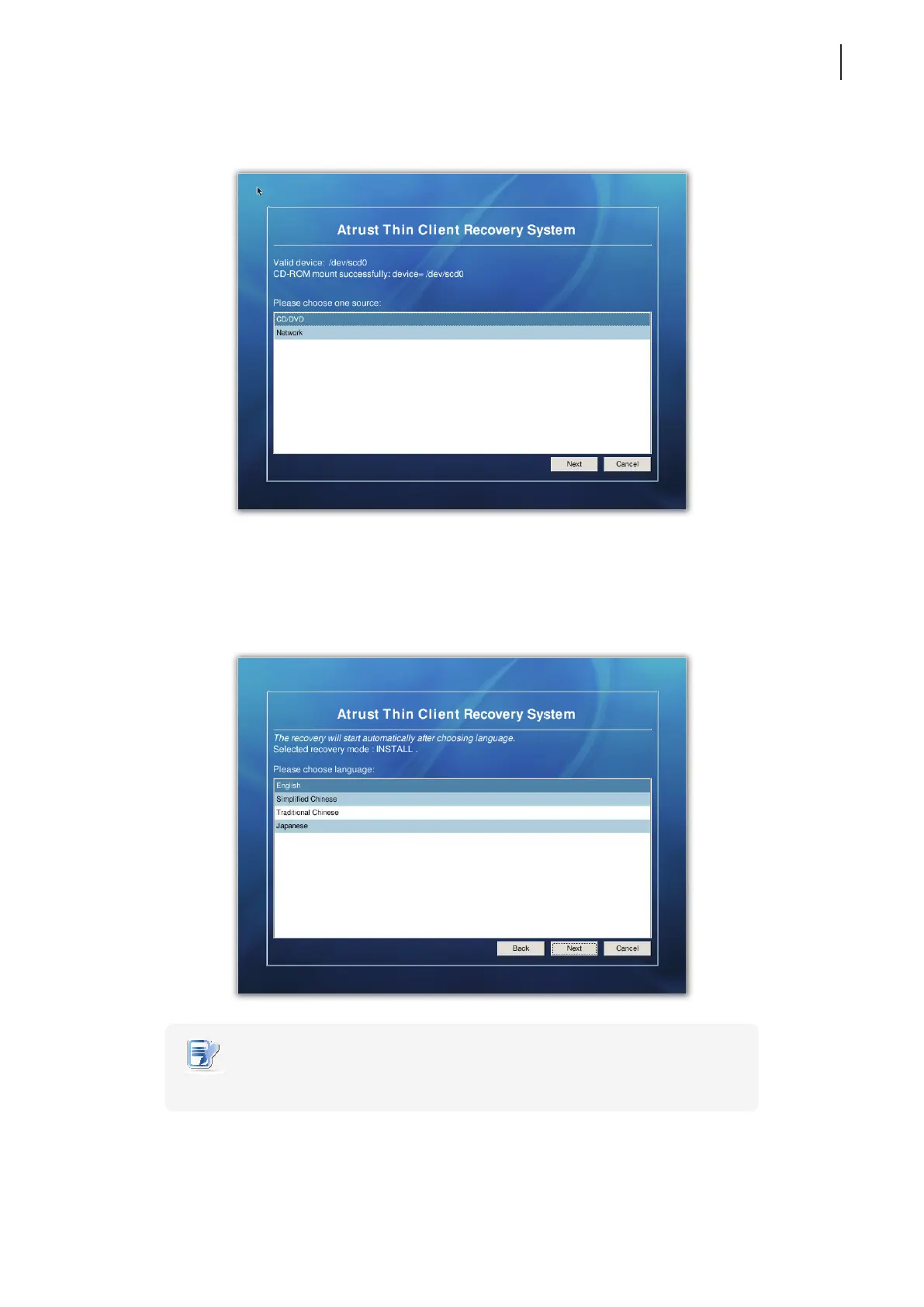
8. A screen appears prompting you to select the source of recovery.
9. Select CD/DVD and then click Next to continue.
10. A screen appears prompting your to select the language of the user interface for your Atrust t170. Four
language are available: English, Simplied Chinese, Traditional Chinese, and Japanese. Press Next to
continue.
NOTE
• The available UI languages may vary with the rmware version of your t170.



 To Next Page