Getting Started
Accessing Citrix Services
20
3.2 Accessing Citrix Services
To quickly access Citrix XenApp / XenDesktop / VDI-in-a-Box services, please do the following:
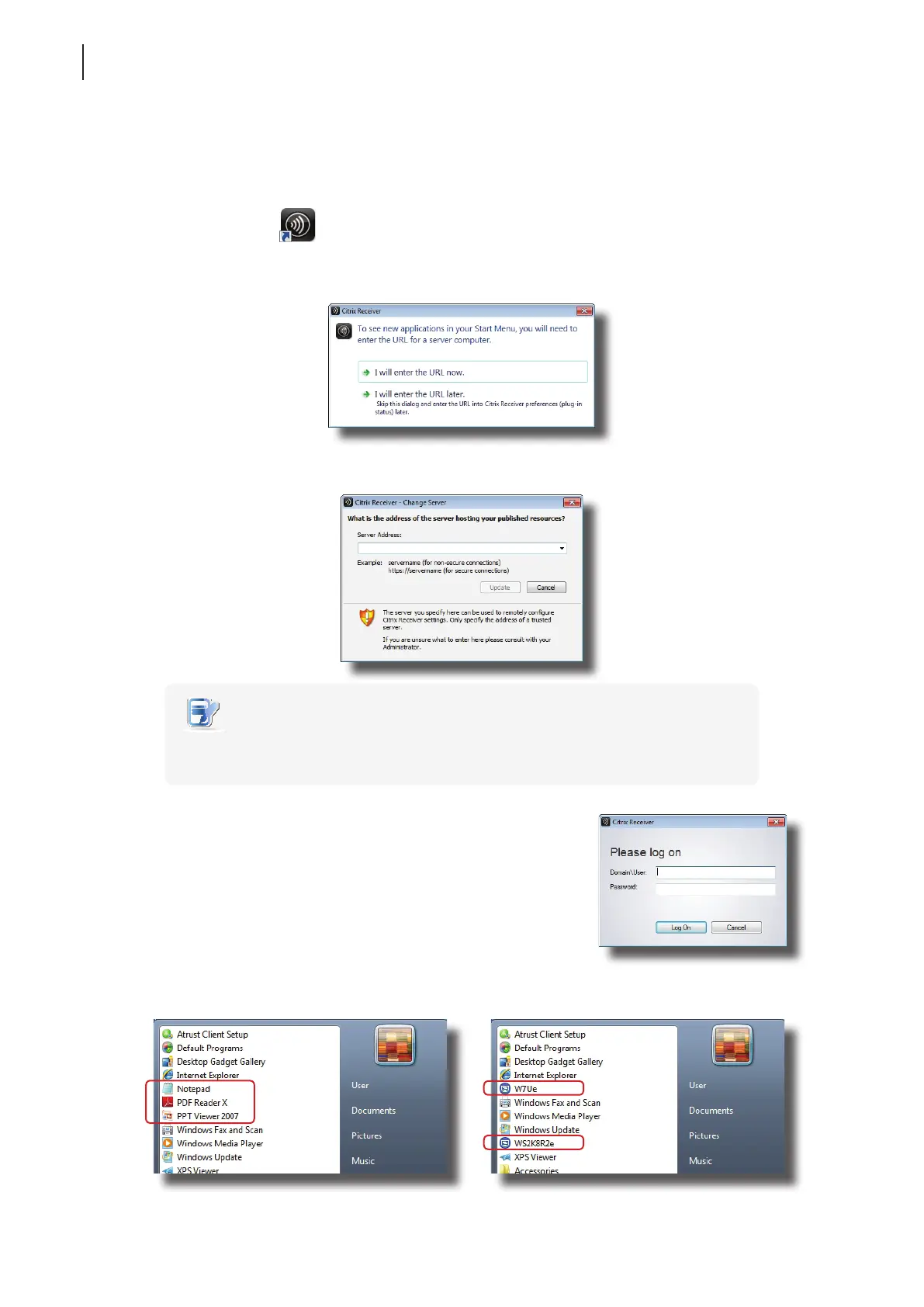
1. Double click Receiver
on the desktop.
2. A window appears prompting for the IP address / URL / FQDN of the server where the Citrix Web Interface is
hosted. Click I will enter the URL now.
3. In the opened window, enter the IP address / URL / FQDN of the server, and then click Update.
NOTE
• The applicable or best suitable information type of the server side may vary with
your Citrix environment. Consult your IT administrator for more information.
4. The Logon window appears prompting you to enter the
credentials. Enter your user name and password, and then click
Log On to log in to the server.
5. The application or desktop shortcuts available for the provided credentials will appear on the Start menu.



 To Next Page