Conguring Client Settings
Conguring User Interface Settings
48
4.4.3 Conguring the Display of Standard Desktop Shortcuts for Quick Access
The Desktop setting enables you to display or hide the standard desktop shortcuts for service quick access. Three
standard desktop shortcuts are available: Receiver, Remote Desktop Connection, and VMware Horizon View
Client, separately for quick service access of Citrix XenApp / XenDesktop / VDI-in-a-Box, Microsoft Remote Desktop /
Remote Application (RemoteApp), and VMware View / VMware Horizon View.
TIP
• You can use these standard desktop shortcuts to quickly access services.
For detailed instructions, please refer to chapter 3 “Getting Started” on page 17.
NOTE
• You can also customize your desktop shortcuts for quick service access. For detailed
instructions on how to create and customize your own desktop shortcuts, please
refer to section “4.5 Conguring Service Access Settings” on page 49.
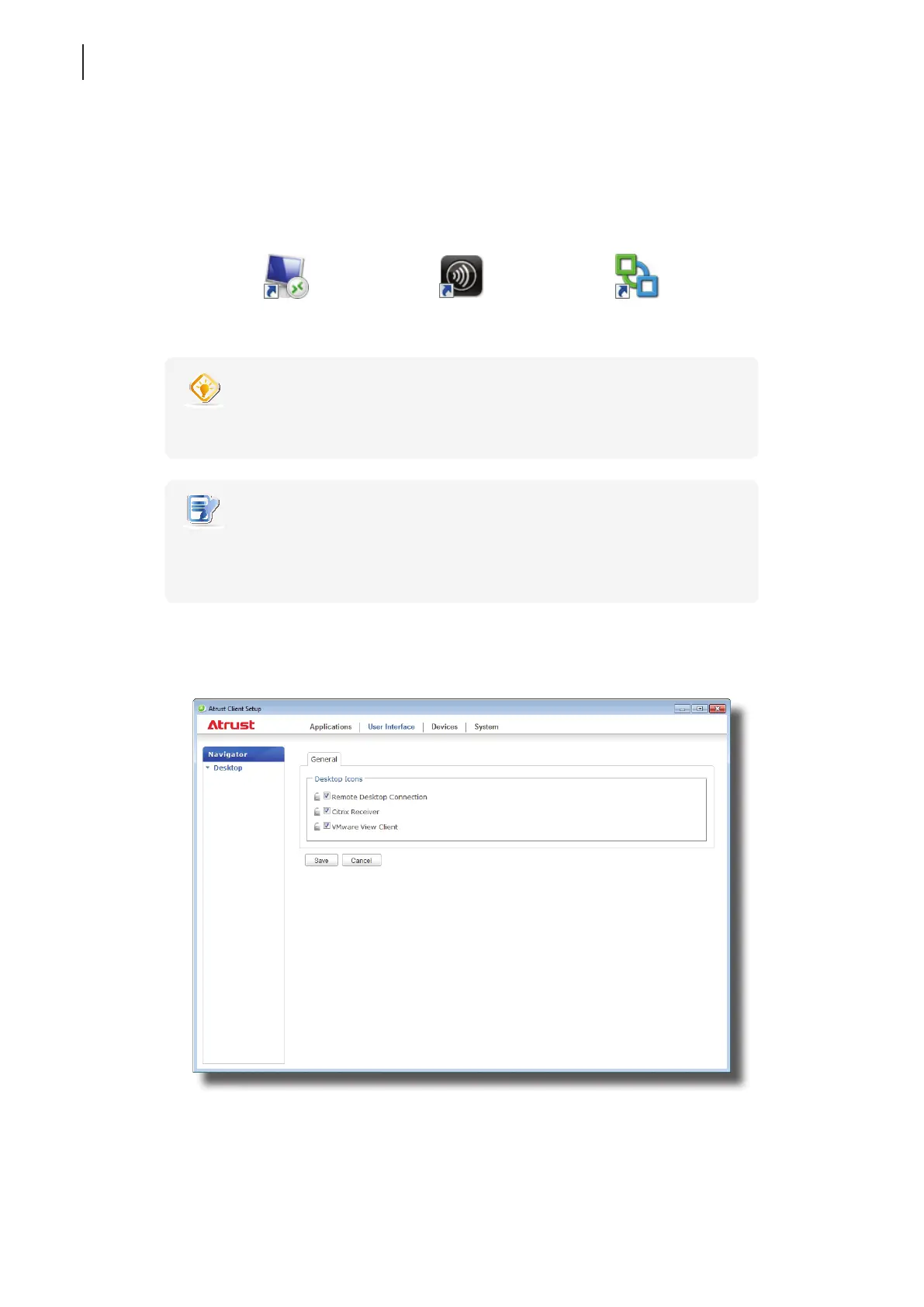
To display or hide the standard desktop shortcuts for quick service access, please do the following:
1. On Atrust Client Setup, click User Interface > Desktop.
2. Click to check/uncheck Remote Desktop Connection, Citrix Receiver, or VMware View Client.
3. Click Save to apply.
Remote Desktop Connection Receiver VMware Horizon View Client



 To Next Page