Conguring Client Settings
Atrust Client Setup
27
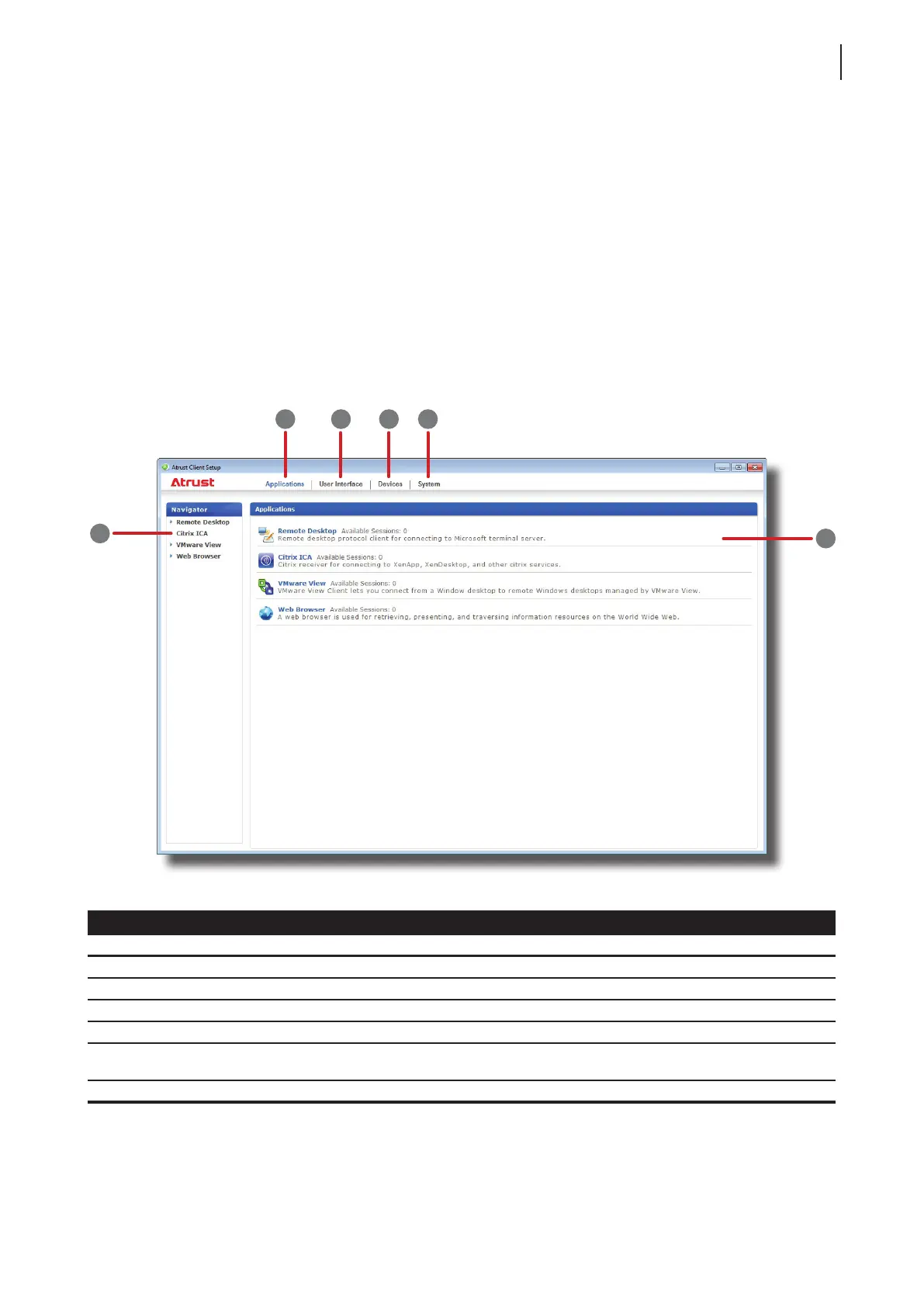
4.1 Atrust Client Setup
4.1.1 Interface Overview
To access Atrust Client Setup on your t170 thin client, please do the following:
1. Log in to your t170 with an administrator account (see page 7 for the default).
2. Click Start > All Programs > Atrust Client Setup.
3. The Atrust Client Setup window appears.
Interface Elements
No. Name Description
1 System tab Click to congure settings for the operation and maintenance of the client.
2 Devices tab Click to congure settings for external devices of the client.
3 User Interface tab Click to congure the user interface of the client.
4 Applications tab Click to congure settings for service access through the client.
5 Navigation area
Click to select a setting item under a selected tab or to select a setting entry under
a selected setting item.
6 Conguration area Congures setting values when a setting item or entry is selected.
Interface Overview
1
2
3
4
5
6



 To Next Page