Conguring Client Settings
Conguring Service Access Settings
83
4.5.10 Accessing VMware View or Horizon View Services
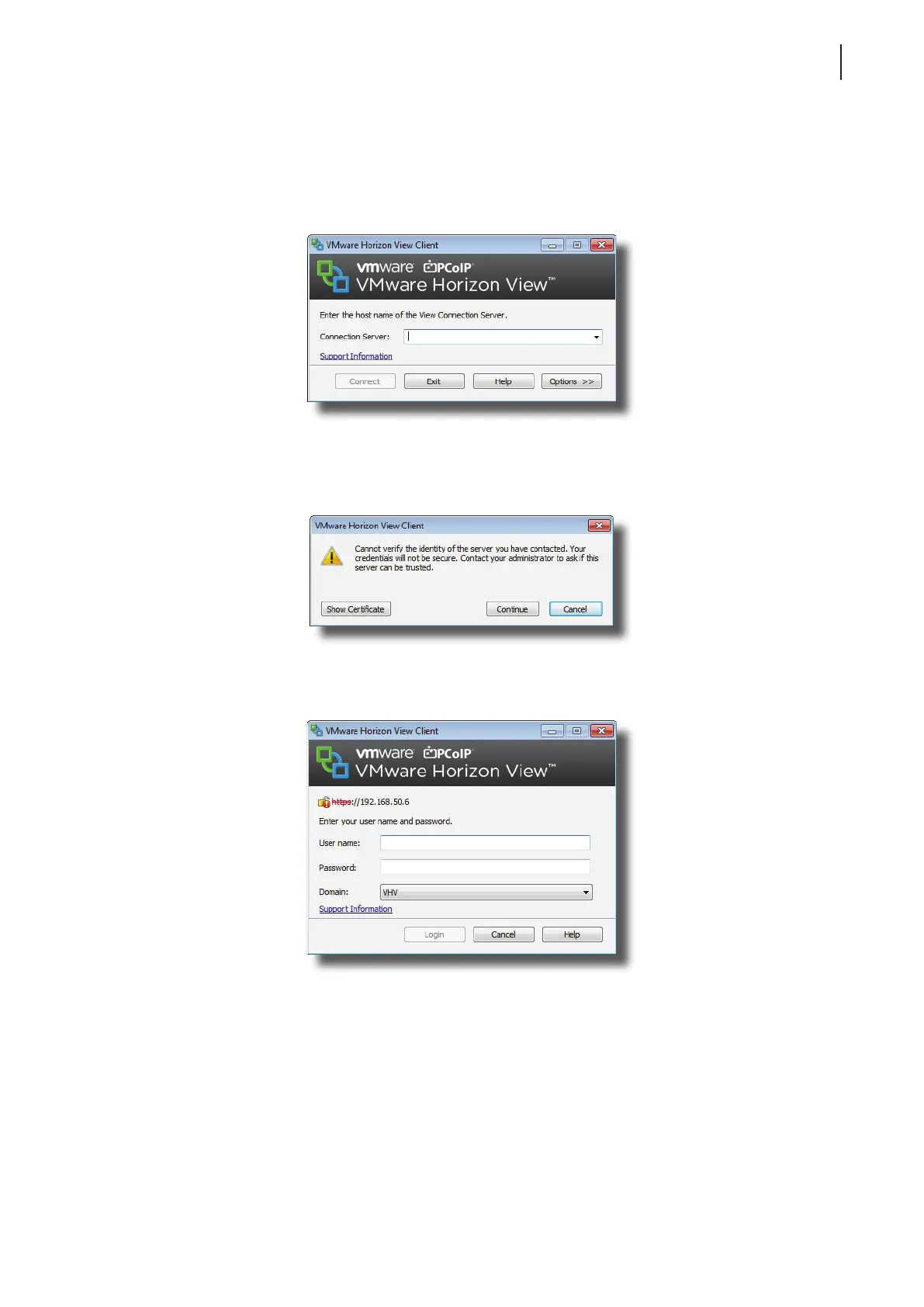
To access VMware View or Horizon View services, please do the following:
1. Double click the created (customized) access shortcut on the desktop.
2. Type in the computer name or IP address of the View Connection Server, and then click Connect.
3. A window may appear with a certicate message about the server. Consult your IT administrator for details
and ensure that the connection is secure rst. To bypass, click Continue.
4. A window may appear with a custom message for users. Click OK to continue.
5. Enter your credentials, and then click Login.



 To Next Page