Conguring Client Settings
Conguring System Settings
37
4.2.6 Taking Snapshots for Mass Deployment
A snapshot is the system image of a client, allowing you to use that image for mass deployment. This system image
can be stored on a remote management computer or a locally attached USB ash drive.
NOTE
• To store the system image on a remote computer, ensure that Atrust Device
Manager has been installed on that computer, and that the client has been added
into a managed group under Atrust Device Manager.
• When taking a snapshot, all system specic information, including the Computer
Security Identier (SID) and computer name, will be reset or removed from the
system image by performing the System Preparation (Sysprep) tool automatically.
• There is a limit to the number of times that Sysprep can run on your t170 (4 times).
It’s not recommended to reuse a deployment snapshot with a slight conguration
change for the purpose of deployment. To prepare a deployment snapshot with
a dierent client conguration, it’s recommended to base on a thin client with
the fresh rmware. Otherwise, your client may not be well-deployed and will not
operate normally.
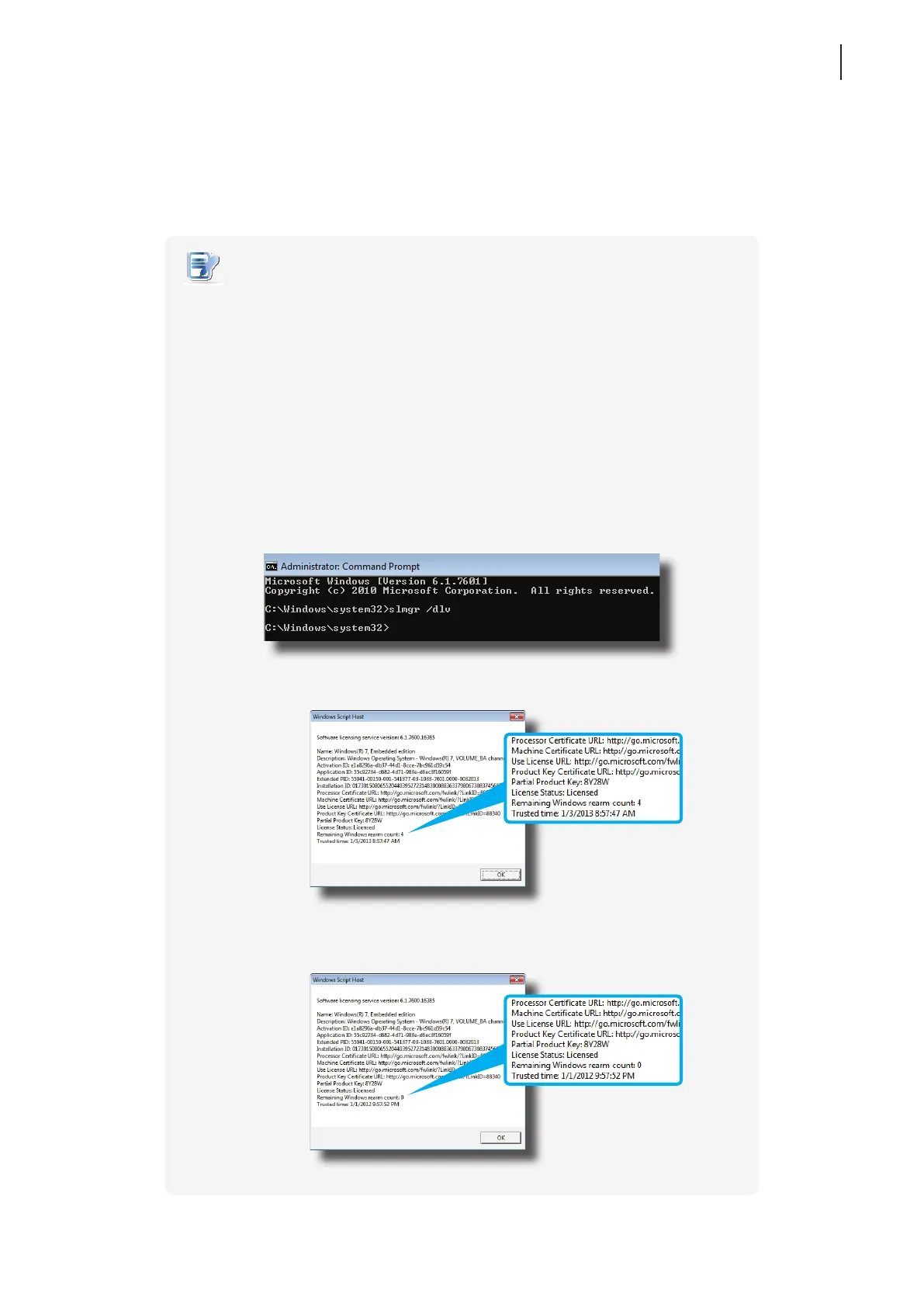
• To check if you can take a deployment snapshot from your t170, you can use
slmgr /dlv command:
Remaining Windows Rearm Count is 0:
t170 in this case cannot be used to take a deployment snapshot
Remaining Windows Rearm Count is 4:



 To Next Page