Conguring Client Settings
Conguring System Settings
41
With a Snapshot on a USB Flash Drive
To deploy a system image on your t170 with a snapshot on a USB ash drive, please do the following:
1. Plug the USB ash drive into a free USB port of the client.
2. Start up or restart the client.
3. During the period of POST (Power-On Self-Test), press F7 to enter the Boot Device menu.
4. Select to boot from the attached USB ash drive.
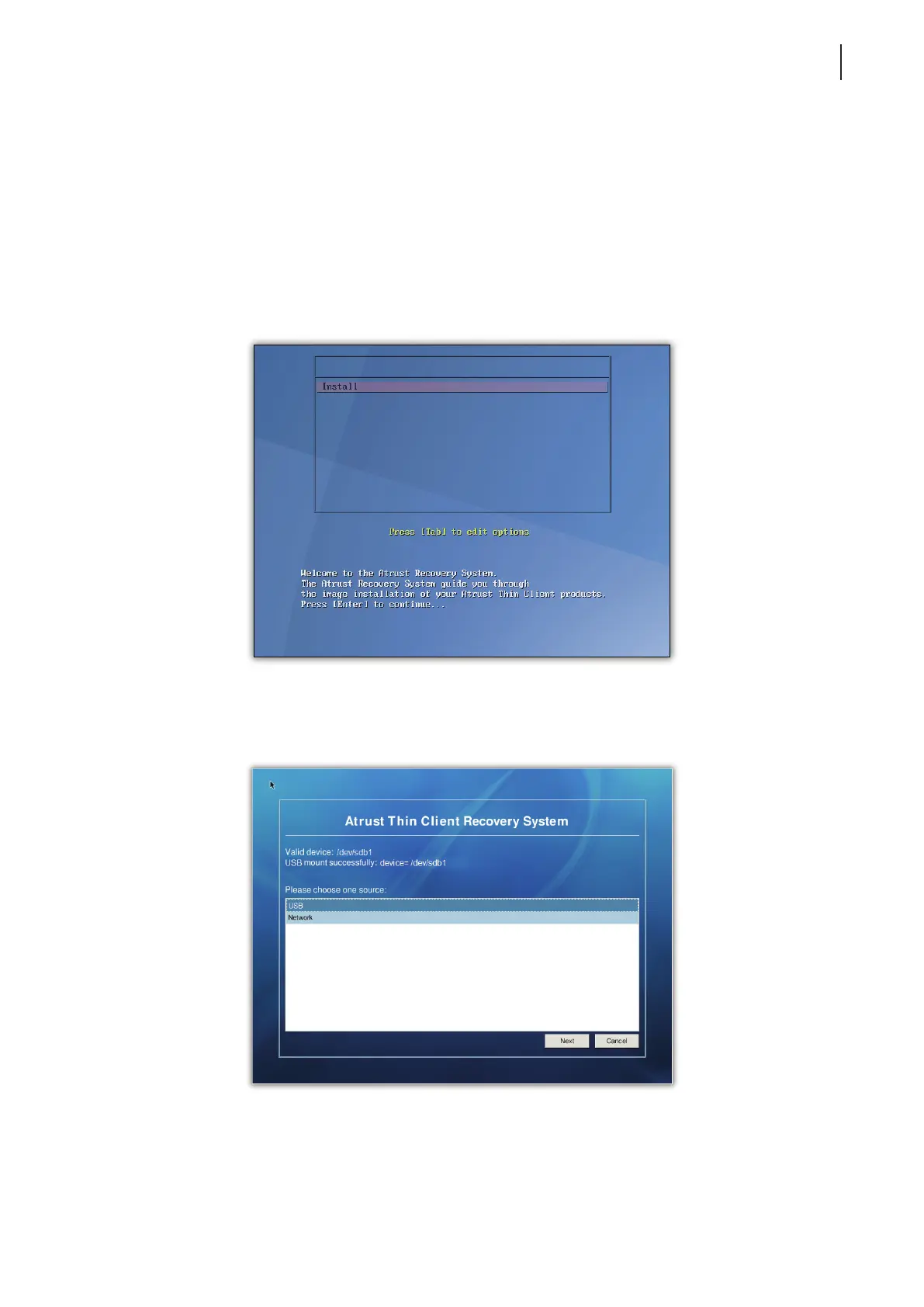
5. The Atrust Thin Client Recovery System is launched.
6. Press Enter to continue.
7. Select USB, and then click Next to continue.
8. The recovery system start deploying the snapshot to the client.
9. After completion, click Finish to restart the client.



 To Next Page