Conguring Client Settings
Conguring Service Access Settings
51
NOTE
• If you haven’t create any entry, the RDP Connection list will be empty.
3. Click Add on the top of the RDP Connection list to create a new entry of RDP connection.
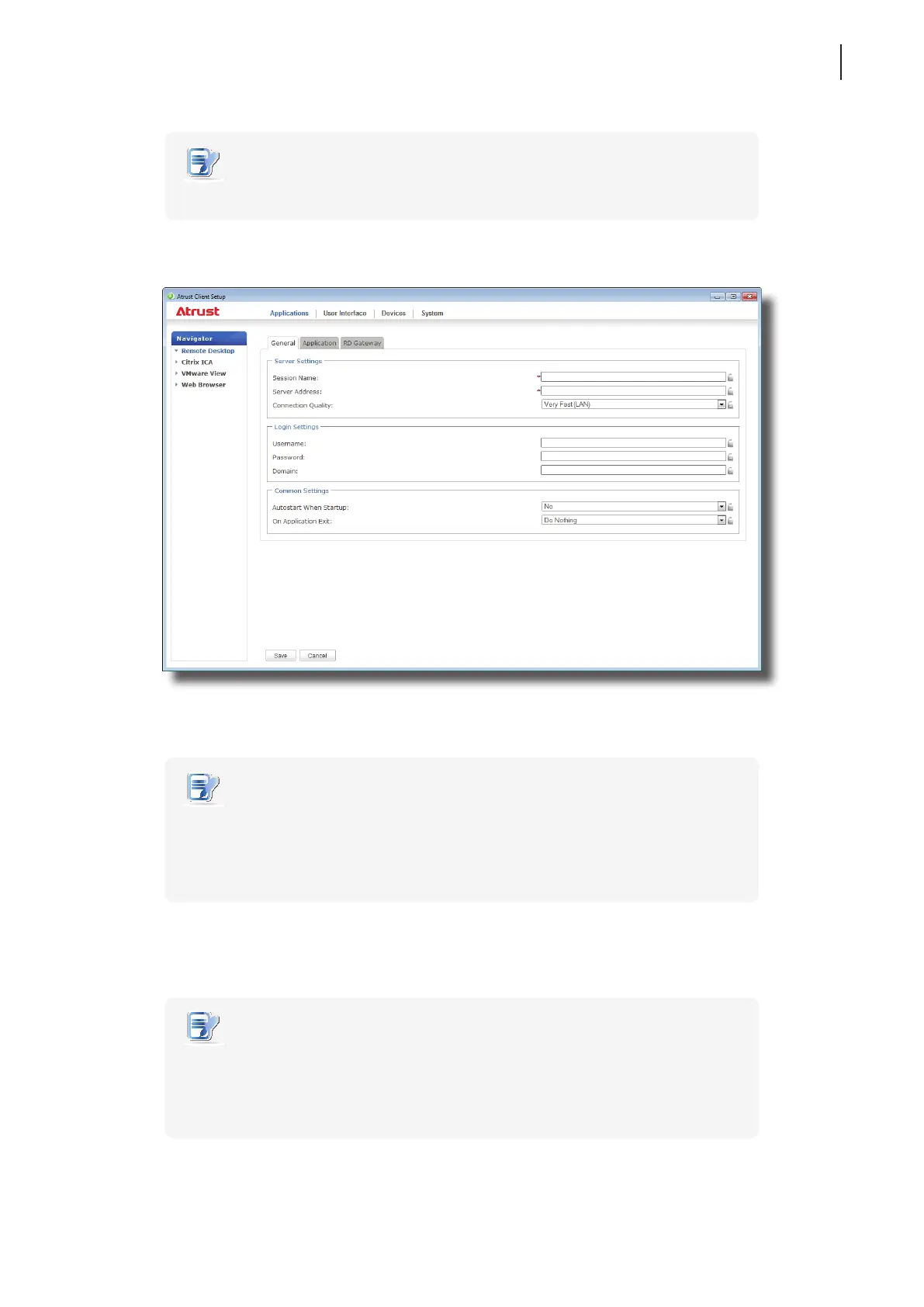
4. On General sub-tab, type in the session name and the server/virtual machine address under the Server
Settings section.
NOTE
• The red asterisks indicate the required elds.
• The remote computer can be a physical server or a virtual machine. Please visit
Microsoft’s websites at www.microsoft.com or support.microsoft.com for more
information.
5. Click Save to add this RDP connection entry.
6. The shortcuts for Remote Desktop services are automatically created on the desktop and Start menu.
NOTE
• Depending on your plan of service delivery and the conguration of your server(s),
you may need to congure other advanced RDP connection settings for service
access. For more information on other available settings, please refer to section
“4.5.5 Conguring Advanced RDP Connection Settings” on page 52.



 To Next Page