Parking systems
sound was muted, no tone will sound. Pay atten -
t ion to the vehicle's surroundings when you start
to drive.
Switching on/ off
Applies to: vehicles with pa rking system plus
~- -- -- - --=--
·-
~ - ----
C
- - -"I:,
J r~-, .,_ ... r-= J
' ' 1
, -. :;;;;1~ ,~~
Fig. 129 Cen ter consol e : park ing aid butt on
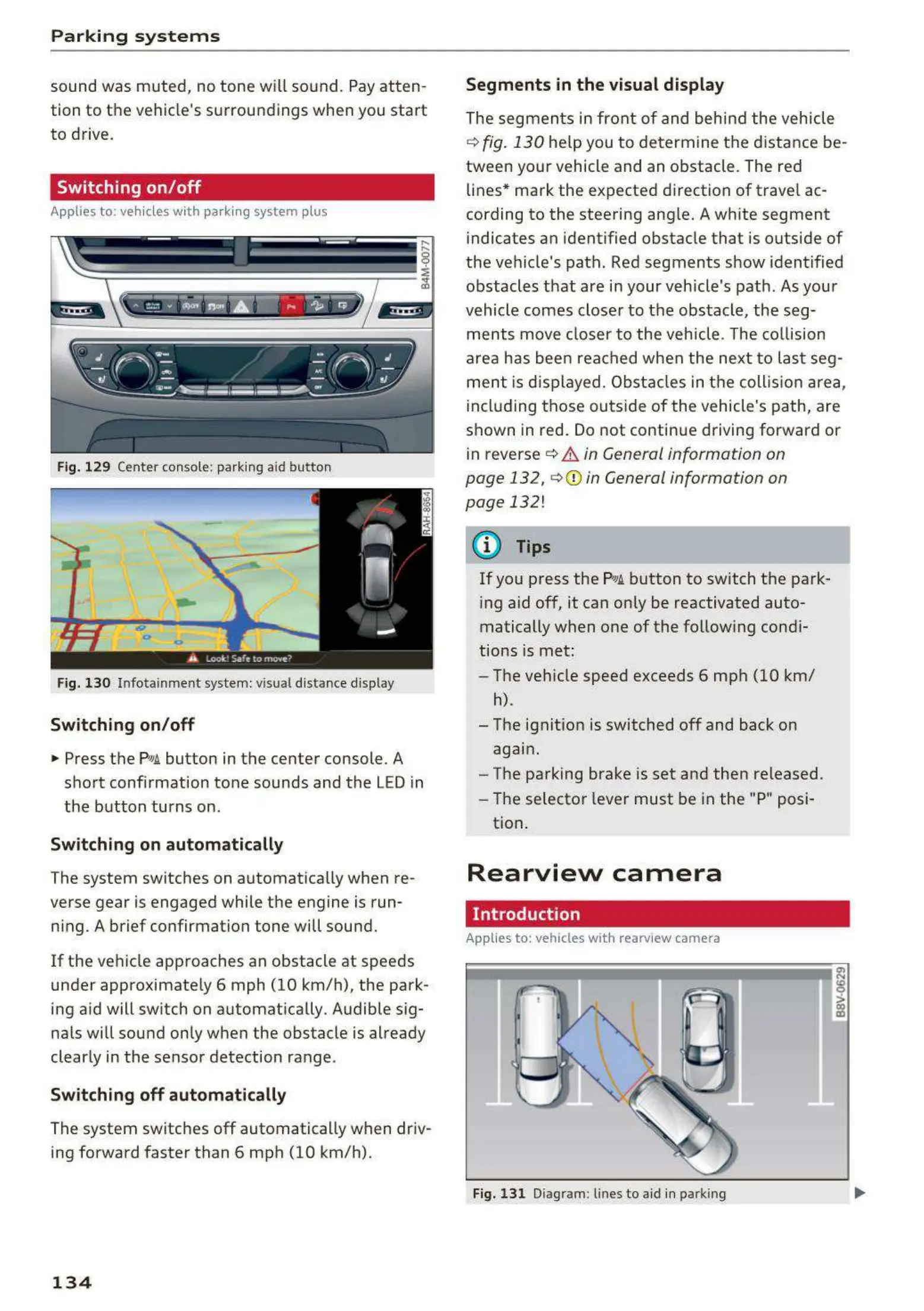
Fig. 130 Infot ainme nt system: visual dist ance display
Switching on/off
.,. Press the PwA button in the center console . A
short confirmation tone sounds and the LED in
the button turns on.
Switching on automatically
The system switches on automatically when re-
verse gear is engaged while the engine is run-
ning. A brief confirmation tone will sound.
If the vehicle approaches an obstacle at speeds
under approximate ly 6 mph (10 km/h), the park-
ing aid will switch on automatically . Audible sig-
nals will sound only when the obstacle is already
clearly in the sensor detection range .
Switching off automatically
The system switches off automatically when driv-
ing forward faster than 6 mph (10 km/h).
134
Segments in the visual display
The segments in front of and behind the vehicle
i::> fig. 130 help you to determine the distance be-
tween your vehicle and an obstacle . The red
lines* mark the expected direction of trave l ac-
cording to the steering angle. A white segment
indicates an identified obstacle that is outside of
the vehicle's path. Red segments show identified
obstacles that are in your vehicle's path . As your
vehicle comes closer to the obstacle , the seg-
ments move closer to the vehicle . The collision
area has been reached when the next to last seg-
ment is displayed . Obstacles in the collis ion area,
including those outside of the vehicle's path, are
shown in red. Do not continue driving forward or
in reverse
i::> .&. in General information on
page 132,
i::>Q) in General information on
page 132!
(D Tips
If you press the P,qA button to switch the park-
ing aid off, it can only be reactivated auto-
matically when one of the following condi-
tions is met:
- The vehicle speed exceeds 6 mph (10 km/
h).
- The ignit ion is switched off and back on
again .
- The parking brake is set and then released .
- The selector lever must be in the "P" posi-
tion .
Rearview camera
Introduct ion
Applies to: vehicles with rearview camera
Fig. 131 Diagram: lines to aid in parkin g



 To Next Page