a
co
......
N
r--.
N
......
0
0
:E
'<I'
The 12 volt sockets are in the front center con-
sole*, in the rear * and on the luggage compart-
ment side tr im panel* .
USB ports @
You can cha rge mobi le devices and/or connect to
the Audi music interface* us ing t he USB ports*.
For additional information about the USB ports,
see
¢ page 2 31, Multimedia connections.
.8, WARNING
Incorrect usage ca n lead to serio us injuries or
burns . To reduce the ris k of injuries, never
leave children unattended in the vehicle with
the vehicle key.
CD Note
- Disconnect the connectors from the power
sources carefully to reduce the risk of dam-
aging them .
- To reduce the risk of damage to the vehicle
electrical system, never attempt to charge
the vehicle battery by connecting accesso-
ries that prov ide power, such as solar panels
or battery chargers, to the power sources.
- To reduce t he risk of damage to the power
sources, only use plugs and connectors that
fit correctly.
Storage
Cup holde rs
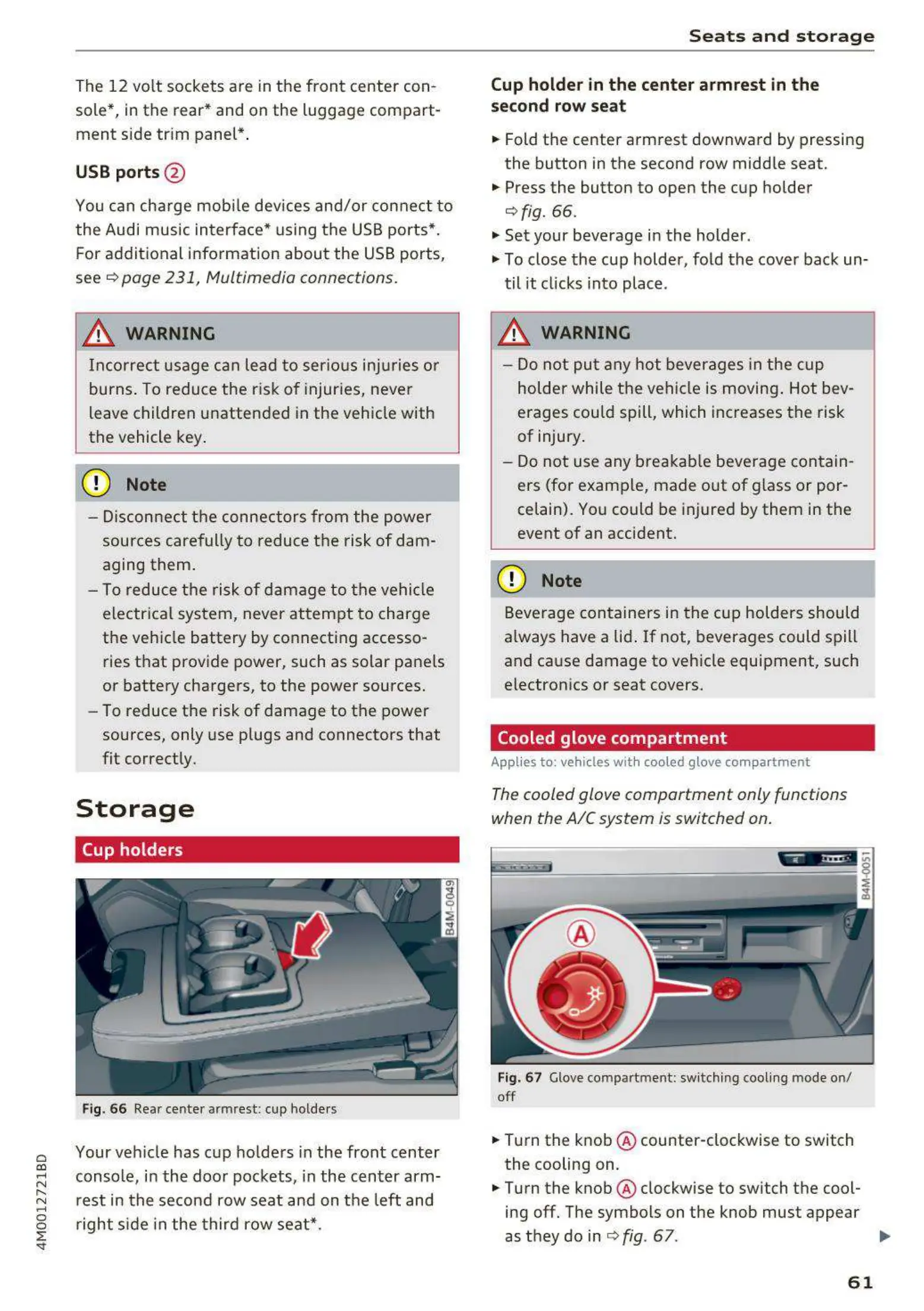
Fig. 66 Rear center armrest: cup holde rs
Your veh icle has cup holders in the front center
console, in the door pockets, in the center arm-
rest in the second row seat and on the left and
right s ide in the third row seat*.
S e ats and s torag e
Cup holde r in the cent e r armrest in th e
seco nd row seat
.,. Fold the center armrest downward by pressing
the button in the second row middle seat.
.,. Press the button to open the cup holder
¢ fig. 66.
"' Set your beverage in the holder.
"' To close the cup holder, fold the cover back un-
til it clicks into place .
.8, WARNING
-
- Do not put any hot beverages in the cup
holder while the vehicle is moving . Hot bev-
erages cou ld spill, which increases the risk
of injury .
- Do not use any breakab le beverage contain -
ers (for example, made out of g lass or por-
celain). You could be injured by them in the
event of an accident.
CD Note
Beverage containers in t he cup holders should
a lways have a lid. If not, beverages could spill
and cause damage to vehicle equipment, such
electron ics or seat covers.
Cooled glove compartment
Applies to : vehicles with cooled glove compar tment
The cooled glove comportment only functions
when the AIC system is switched on.
Fig. 67 Glove compartment: switch ing cool ing mode on/
off
.,. Turn the knob @ counter-clockwise to switch
the cooling on.
.,. Turn the knob @ clockwise to switch the cool-
ing off. The symbols on the knob must appear
as they do in
¢ fig. 67 . ..,.
61



 To Next Page