Media
Playing media
Accessing media
You can start and operate various media
through the MMI control panel .
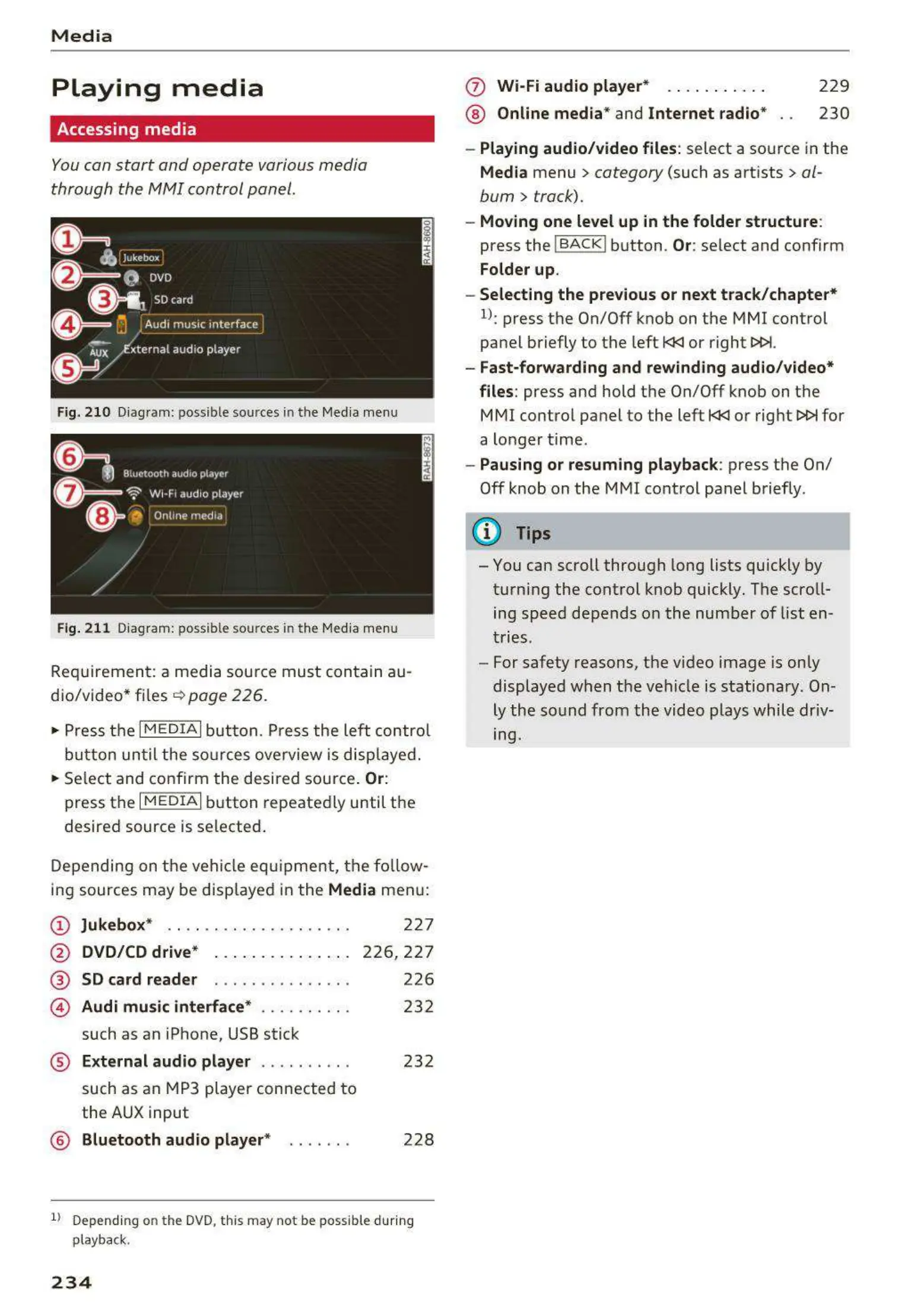
Fig. 21 0 Diagram : possibl e sources in the Media menu
Fig. 211 Diagram: possible sources in t he Media menu
Requir emen t : a medi a sou rce must contain au-
dio/video* files ¢ page 226.
• Press t he
I MEDIAi butt on. Press t he left control
but ton un t il the so urces ove rview is disp layed .
• Se lect and co nfirm the desi red sou rce.
Or:
press t he I M ED IAi button repeate dly until t he
desire d source is se lected .
Depending on the vehicle eq uipme nt , t he fo llow-
ing sources may be disp layed in t he
Media men u:
@ Jukebox* . . . . .. . .......... . . .
@ DVD/CD drive* . . . . . .... . . . . . .
®
©
SD card reader
Audi music interface * ....... . . .
such as an iPhone, USB stick
227
226,2 27
226
232
® External audio player . . . . . . . . . . 232
such as an MP3 player connected t o
the AUX input
@ Bluetooth audio player* . . . . . . . 228
1) Depending on th e DVD, thi s may not be possible during
playback.
234
(f) Wi-Fi audio player* . . . ... . . .. .
® Online media* and Internet radio*
229
230
- Playing audio/video files : select a so urce in the
Media menu> category (such as art ists> al-
bum
> track).
- Moving one level up in the folder structure :
press the ! BACKI button . Or: se lect and confirm
Folder up.
- Selecting the previous or next track/chapter*
l): press t he On/Off knob on the MMI control
pa nel briefly to the left l<l<l or right t>t>l.
- Fast-forwarding and rewinding audio/video*
files :
press and hold the On/Off knob on t he
MMI control panel to the left l<l<l or right
t>t>l for
a longer t ime .
- Pausing or resuming playback: press t he On/
Off knob on the MMI cont rol panel briefly.
(D Tips
- You can scroll through long lists quickly by
t urning the control knob quickly. The scro ll-
ing speed depends o n the nu mb er of list en-
t ries.
- For safety reas ons, the video image is only
display ed when t he vehicl e is stationary . On-
ly th e so und from the video plays while driv-
ing.



 To Next Page