Audi connect (Infotainment)
,.. Enter your myAudi user data. Or: enter your
eight-digit myAudi PIN.
,.. Confirm your entry with
OK.
Then you can open yo ur persona l se tt ings from
your myAudi account in you r vehicle .
(D Tips
You ca n receive you r myAudi PIN if you have
set u p a myAud i account. For addi t ional infor -
mation, see www.audi usa .com/mya udi.
Opening Audi connect
(Infotainment)
App lies to vehicles with Audi conn ect (Infotainment)
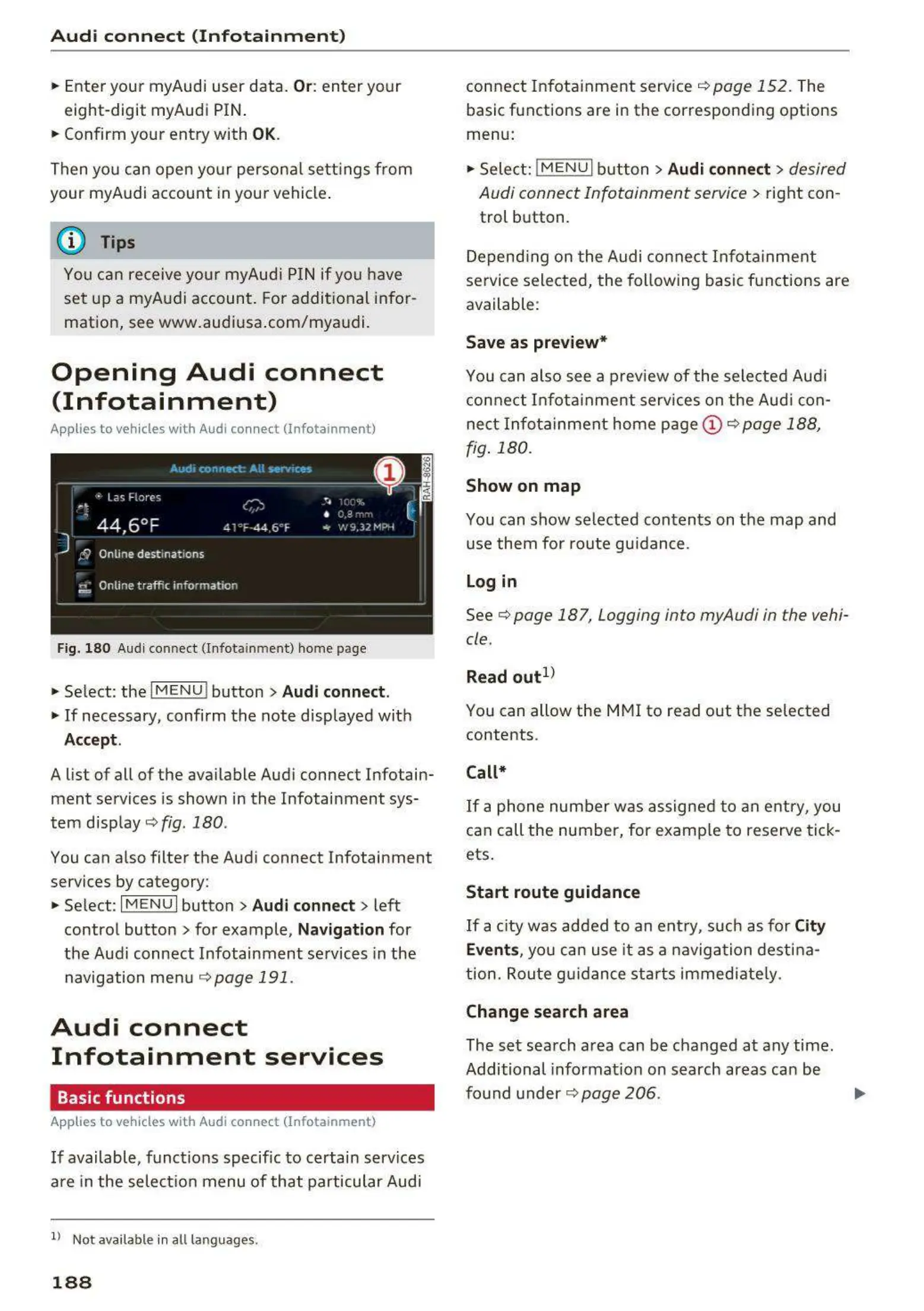
Fig. 180 Audi conn ect (Infota inm en t ) home page
,.. Se lect : the IMENU ! button> Audi connect.
,.. If necessary, confi rm the note disp layed wit h
Accept.
A list of all of the ava ilable Audi connect Infotain-
ment services is shown in the Infotai nment sys-
tem d isp lay ¢
fig . 180 .
You can a lso filte r the Audi connect Infotainment
services by category:
,.. Select :
I MENU I button> Audi connect > left
contro l button> for example,
Navigation for
the Audi connect Infotainment se rvices in the
navigation me nu
¢ page 191 .
Audi connect
Infotainment services
Basic functions
App lies to veh icles with Audi conn ect (Infota inment)
If available, funct ions specific to certain services
a re in the selec ti on menu of t hat particular Aud i
ll Not availa ble in a ll language s.
188
connect Infota inme nt service ¢ page 152 . The
basic functions are in the correspon d ing options
menu:
,.. Sele ct:
!ME N U I butt on> Audi connect > desired
Audi connect Infotainment service>
right con -
trol button .
Depend ing on t he Audi connect Infota inme nt
se rvice selected, t he follow ing basic funct ions are
available :
Save as preview*
You can also see a preview of the selected Audi
con nect Infotai nment services on the Audi con-
nect Infot a inment home page @ ¢
page 188,
fig. 180.
Show on map
You can show selected con t ent s on the map and
use them fo r route gu idan ce .
Log in
See¢ page 187, Logging into myAudi in the vehi-
cle .
Read out
1
>
You can allow the MMI to read out the selected
contents .
Call*
If a phone num ber wa s assigne d to a n e ntry, you
can call the number, for examp le t o reserve t ick-
ets.
Start route guidance
If a city was ad ded to an e ntr y, suc h as fo r City
Events,
you ca n use it as a navig at ion dest ina-
t ion. Rout e g uidance st art s immediate ly.
Change search area
The se t sea rch area can be changed at any time.
Additional informat ion on search areas can be
fo und under ¢
page 206 .



 To Next Page