a
co
......
N
r--.
N
......
0
0
:E
'<I"
(D Note
Protect the remote control key against high
temperatures and direct sunlight.
@ Tips
- The operation of the remote control key can
be temporarily disrupted by interference
from transmitters near the vehicle working
in the same frequency range (such as a cell
phone or radio equipment). Always check if
your vehicle is locked!
- For an explanation on conformity with the
FCC regulations in the United States and the
Industry Canada regulations, see
Qpag e380.
Removing the mechanical key
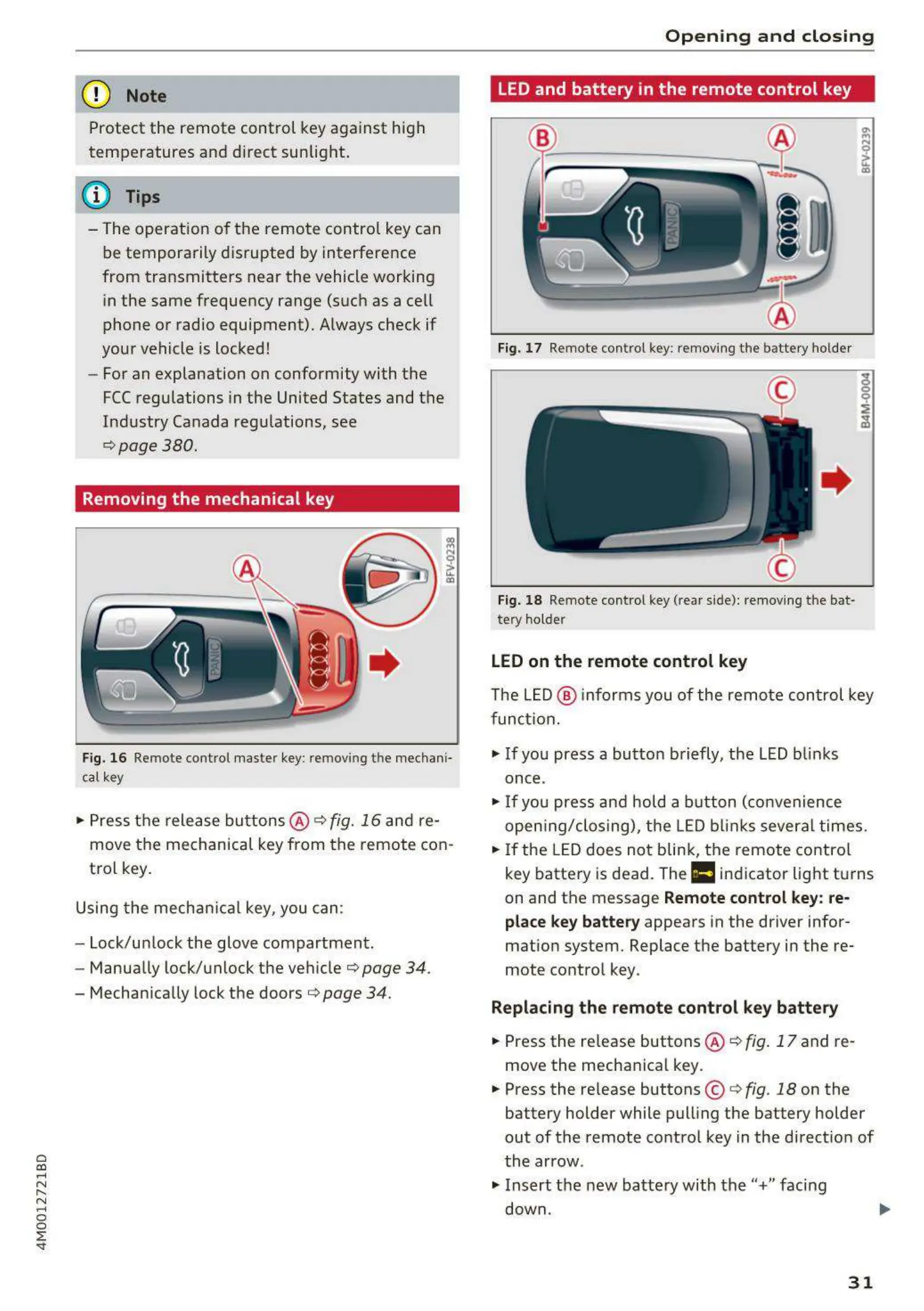
Fig. 16 Remote control maste r key: removing the mech ani-
cal key
... Press the release buttons @ ¢ fig. 16 and re-
move the mechanical key from the remote con-
trol key.
Using the mechan ical key, you can :
- Lock/unlock the glove compartment.
- Manually lock/unlock the vehicle
¢page 34.
- Mechan ically lock the doors¢ page 34.
Opening and closing
LED and battery in the remote control key
Fig. 17 Remote control key: removing the batte ry holde r
Fig. 18 Remote control key (rea r side): removing the bat-
tery ho lder
LED on the remote control key
The LED@ informs you of the remote con t rol key
function .
... If you press a button briefly, the LED blinks
once .
... If you press and hold a button (convenience
open ing/closing), the LED blinks several times.
... If the LED does not blink, the remote contro l
key battery is dead. The
Ill indicator light turns
on and the message
Remote control key: re-
place key battery
appears in the driver infor-
mation system. Replace the battery in the re-
mote control key.
Replacing the remote control key battery
... Press the re lease buttons @ ¢ fig. 17 and re-
move the mechanical key .
... Press the release buttons © ¢
fig. 18 on the
battery holder while pull ing the battery holder
out of the remote control key in the direct ion of
the arrow .
... Insert the new batte ry with the"+" facing
down .
31



 To Next Page