19
Monitor Control
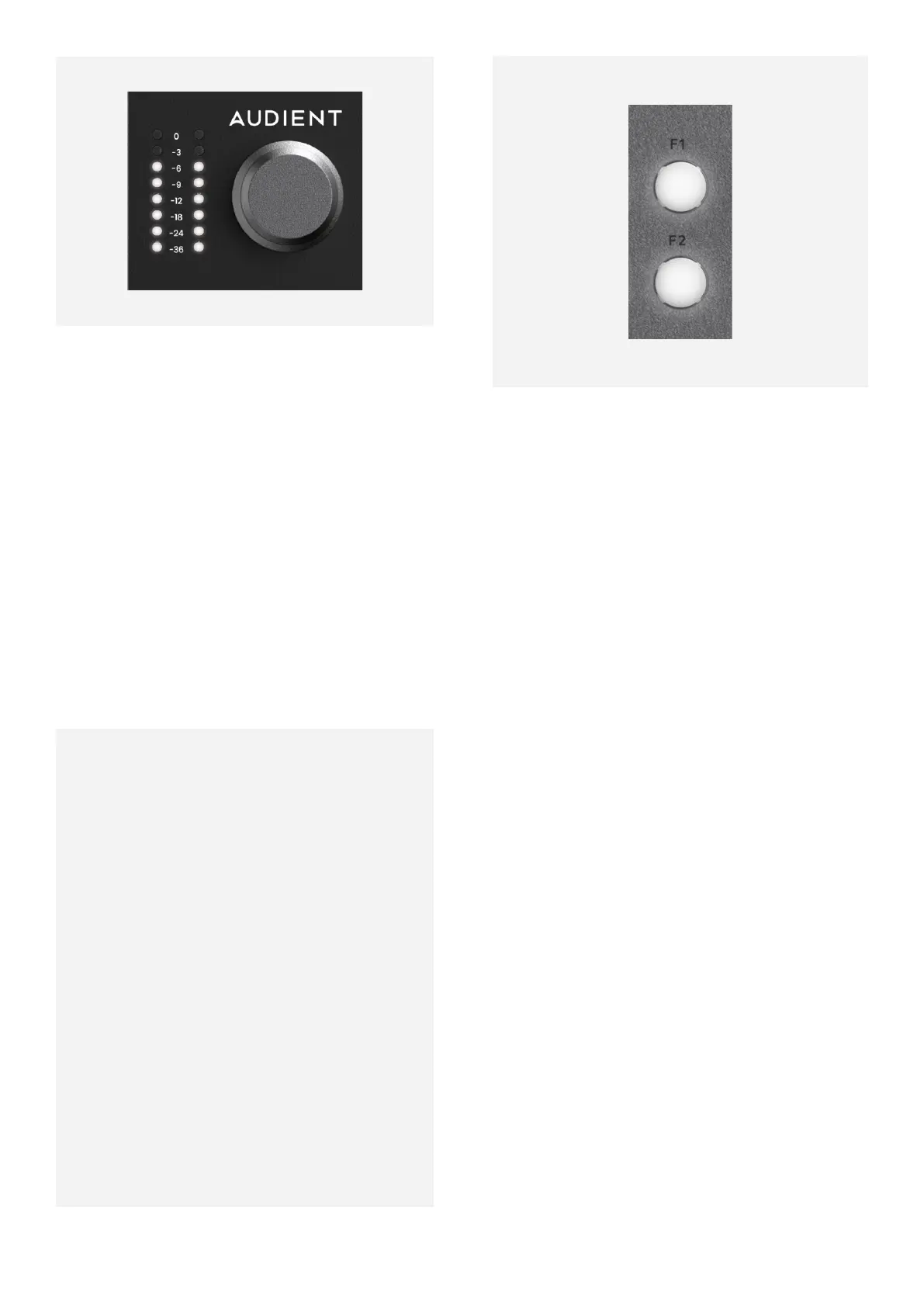
The iD48 provides excellent monitor control
functionality using the large aluminium
Volume control.
Hardware Metering
The 8-segment hardware meters indicate the
playback level of your Main Monitoring Mix in
the iD Software Mixer Application.
Power Control
To power the iD48 Down, press and hold the
Monitor Control for 3 seconds. A short LED
animation will play and the unit will then be
powered o.
To Power the unit on again, press the Monitor
Control down once. A short LED animation
will play and the unit will power up.
If the Unit is powered up but idle, i.e no audio
is passing through the unit. The Meter LEDs
will periodically show a short animation to
indicate that the unit is still powered up.
F-Keys
The two F buttons, F1 and F2 are the function
keys and allow you to activate a number of
monitoring functions from the iD Software
Mixer Application. More information on how
to set this up can be found in the Software
section of this Manual.
The ALT Button
The ALT Button lets you quickly switch between
your Main Monitors and a second set of
alternative speakers. This is useful to check
how your mix translates on various speaker
sets.



 To Next Page