I/O Setup
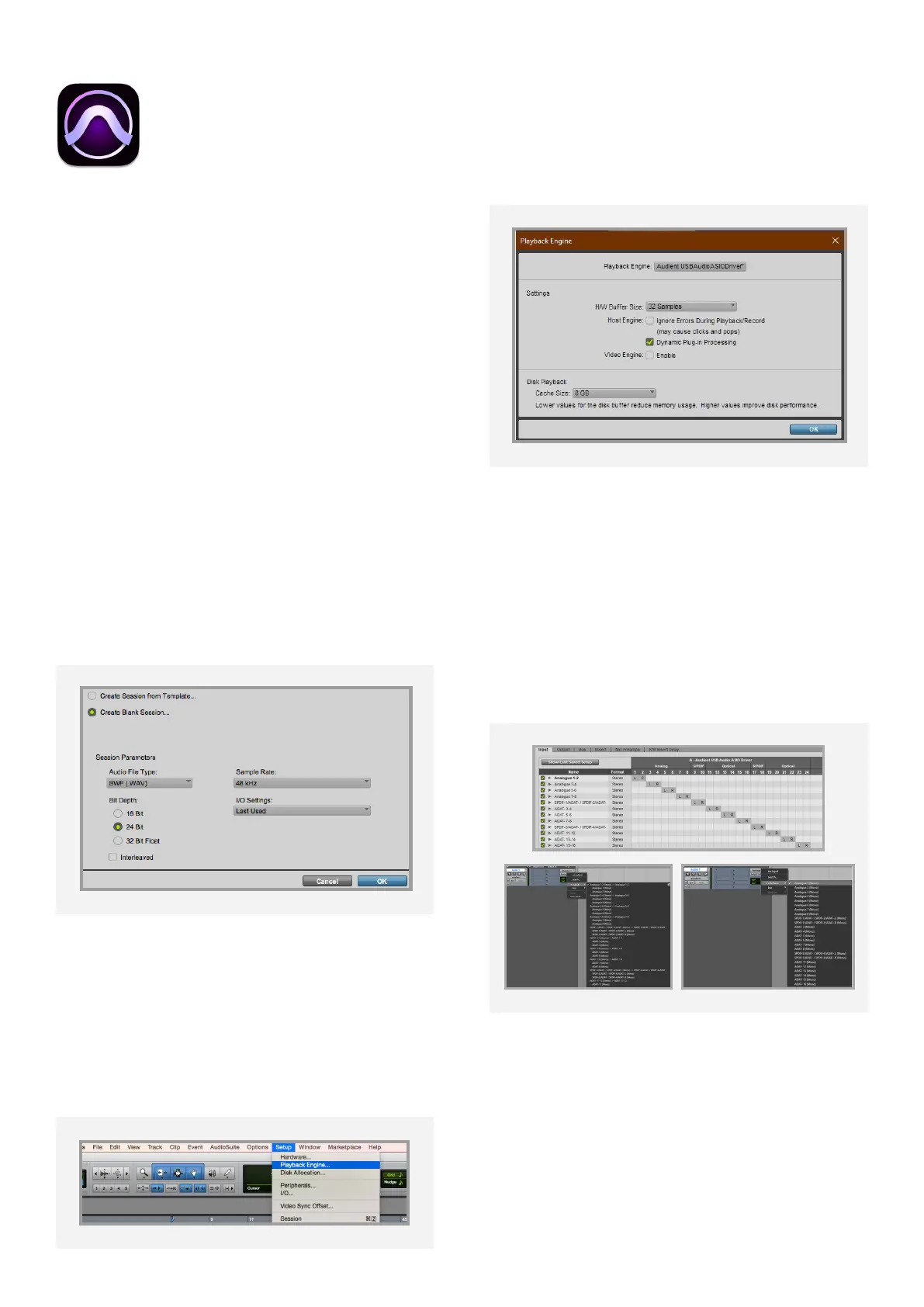
Go to Setup > I/O... to label your inputs and
outputs and ensure that iD48 is correctly
reporting 24 inputs and 24 outputs to and
from Pro Tools.
For more Pro Tools information consult your
Avid user manuals & documentation.
Operation with Pro Tools
If using Windows, ensure that you have
followed the installation instructions found on
page 10.
With iD48 connected, launch Pro Tools and
ensure that a new session is created at
the desired sample rate. If you are using
Windows, make sure that you have already
set your Latency and Buer Size settings in
the iD System Tray before opening a project.
Changing these mid session will result in Pro
Tools needing to restart.
Playback Engine
Go to Setup > Playback Engine... and ensure
that iD48 is set as the active playback
device.
Pro Tools Setup
50



 To Next Page