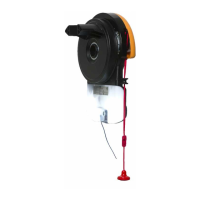
Diamond PD Power Drive : Instruction Manual
Dominator Instruction Manual AM800, AM808 & AM888
3
© Copyright 2017
CONTENTS
Overhead Garage Door Operator
1. Safety Information 4
2. System Specifications 5
3. Operating controls 6
4. Kit Contents 7
5. Operator Safety & Security 8
5.1 Manual Door Operation 8
5.2 Emergency Evacuations 8
5.3 Power Failure 8
5.4 Re-Engaging the Operator 8
5.5 Security - Inbuilt Locking Facility 8
6. Installation Instructions 9
6.1 C-Rail Assembly 10
6.1.1 Installing the C-Rail 10
6.2 Mounting Operator for a Track Type Door 10
6.2.1 Determine Bracket Position 10
6.2.2 Mounting the Wall Bracket 10
6.2.3 Attach the C-Rail to the Wall Bracket 10
6.2.4 Securing the Powerhead to the Ceiling 11
6.2.5 Alternative Mounting Option 11
6.2.6 Mounting Door Bracket 11
6.2.7 Attaching the Arms 11
6.3 Safety Beam Installation 12
6.3.1 Safety Infra-Red Beam Kit (P/N 62047) 12
6.3.2 Assembling the Mounting Bracket 12
6.3.3 PE Assist Alignment 12
6.4 Setting Speed and Limits 13
6.4.1 Setting Speed Mode 13
6.4.2 Setting Travel Limits 13
6.4.3 Resetting Door Limit Positions 13
6.5 Testing & Setting Safety Obstruction Force 14
6.5.1 Testing the Close Cycle 14
6.5.2 Testing the Open Cycle 14
6.5.3 To Increase Force Pressure 14
6.5.4 To Decrease Force Pressure 14
6.5.5 To Recall Factory Set Force 14
6.6 Coding Transmitters 15
6.6.1 Setting Transmitters Codes 15
6.6.2 To Erase Programmed Codes 16
6.6.3 Installation of Wall Mounted Transmitter 16
6.7 Accessories 17
6.7.1 Terminal Block 17
6.7.2 Auto-Lock Kit (P/N 14894) 17
6.7.3 Smart Phone Control Kit (P/N 14882) 17
7. Operation Instructions 17
7.1 How to Use Your Operator 18
7.1.1 To Operate the opener: 18
7.1.2 Replacing the Battery: 3V Lithium Battery CR2032. 18
7.2 User Operating Controls 19
7.3. Door Status Indicators 19
7.4. Troubleshooting 20
8. User Maintenance Instruction 21
8.1 Door Maintenance 21
8.2 If You Need a Service Call 21
9. Spare Parts List 22
10. Customer Agreement & Warranty 24







 To Next Page