EMX-SKLUP User’s Manual
58 EMX-SKLUP User’s Manual
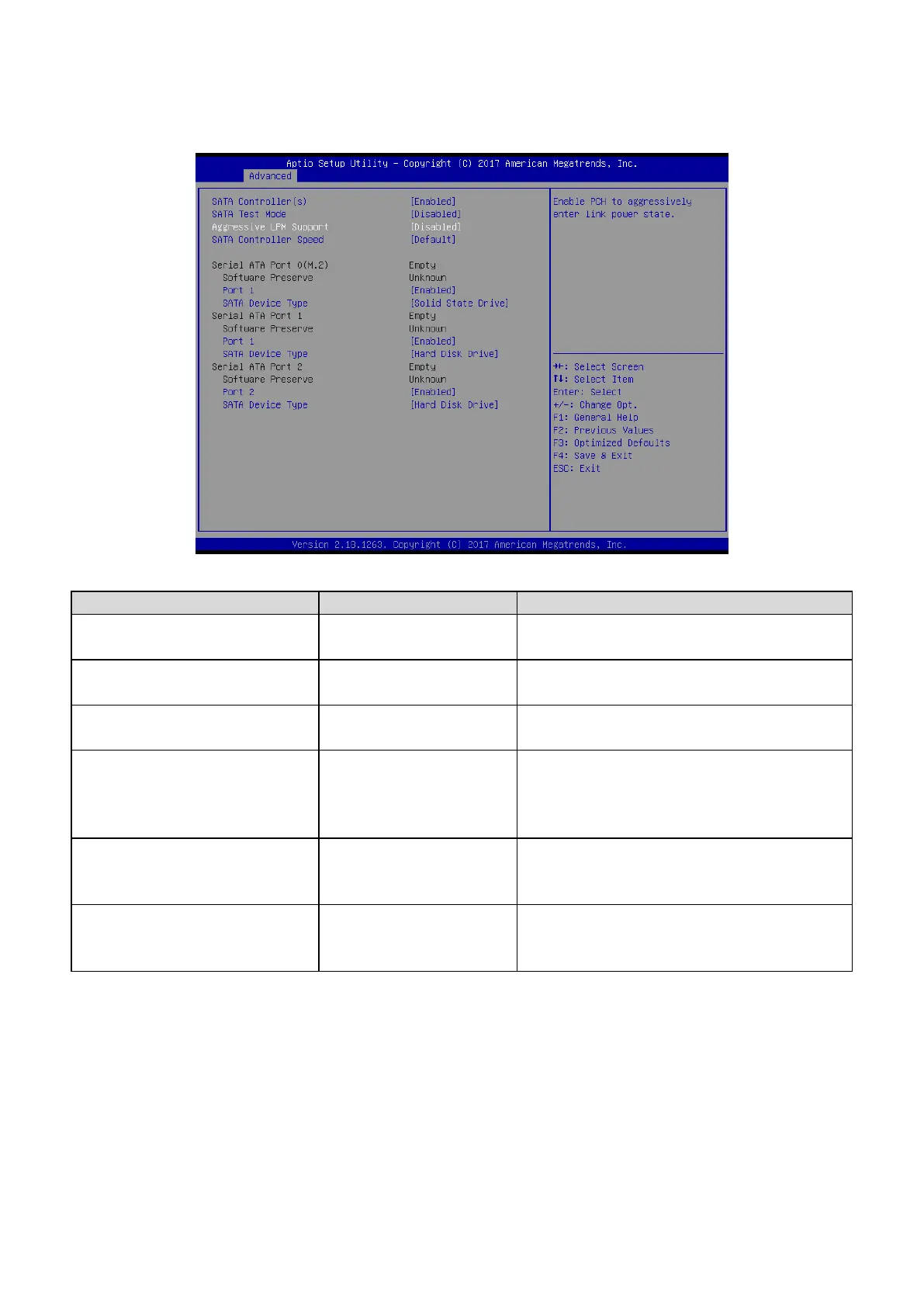
3.6.2.11 SATA Configuration
Disabled,
Enabled[Default]
Enable or disable SATA Device.
Disabled[Default],
Enabled
Test Mode Enable/Disable (Loop Back).
Disabled[Default],
Enabled
Enable PCH to aggressively enter link power
state.
Default[Default]
Gen1
Gen2
Gen3
Indicates the maximum speed the SATA
controller can support.
Disabled,
Enabled[Default]
Enable/Disable SATA Port.
Hard Disk Drive
Solid State Drive[Default]
Identify the SATA port is connected to Solid
State Drive or Hard Disk Drive.













 To Next Page