EMX-SKLUP User’s Manual
60 EMX-SKLUP User’s Manual
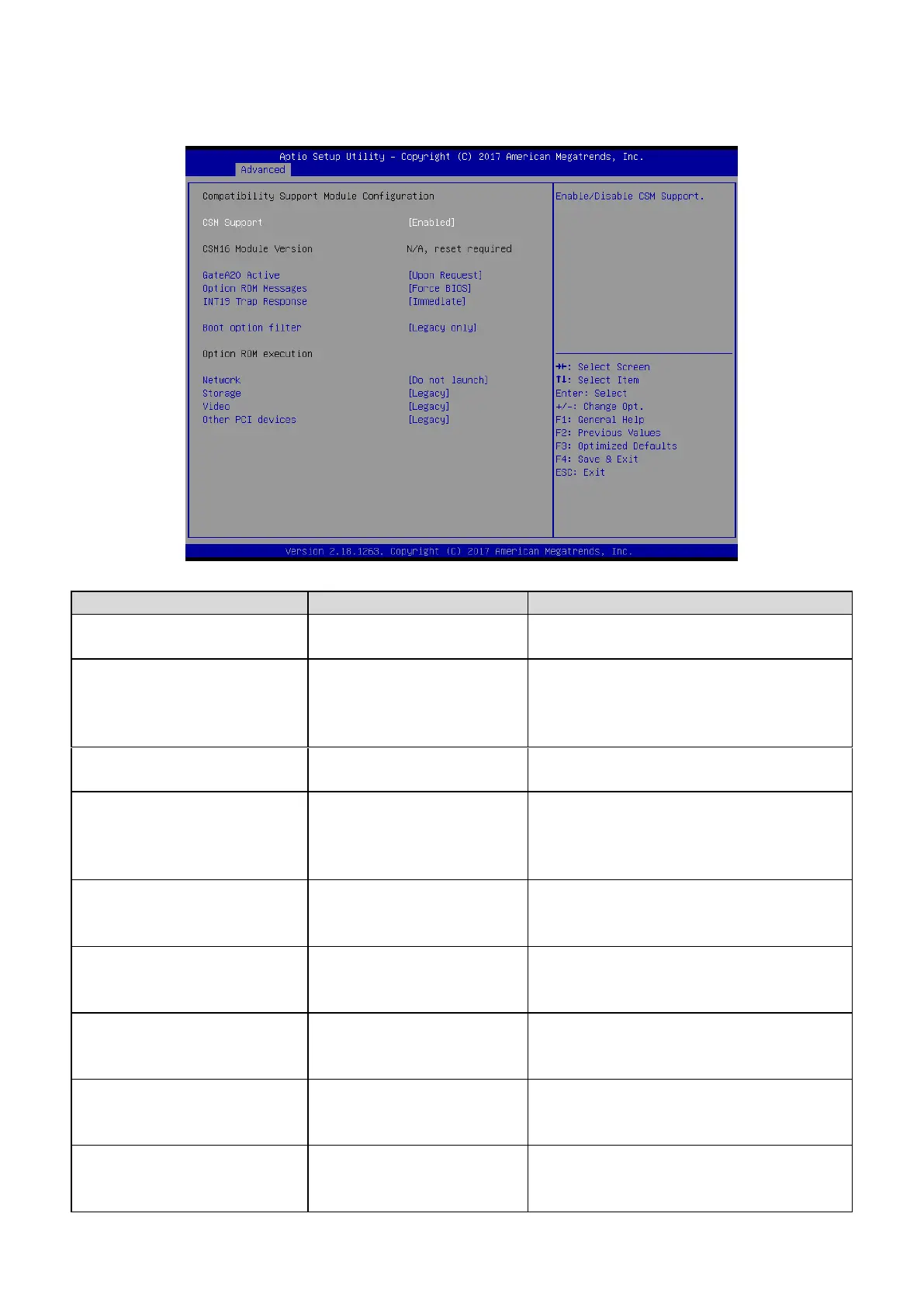
3.6.2.13 CSM Configuration
Enabled[Default]
Disabled,
Enable/Disable CSM Support.
Upon Request[Default]
Always
UPON REQUEST – GA20 can be disabled
using BIOS services. ALWAYS – do not
allow disabling GA20; this option is useful
when any RT code is executed above 1MB.
Force BIOS[Default]
Keep Current
Set display mode for Option ROM.
Immediate[Default]
Postponed
BIOS reaction on INT19 trapping by Option
ROM: IMMEDIATE – execute the trap right
away; POSTONED – execute the trap during
legacy boot.
UEFI and Legacy
Legacy only[Default]
UEFI only
This option controls Legacy/UEFI ROMs
priority.
Do not launch[Default]
UEFI
Legacy
Controls the execution of UEFI and Legacy
PXE OpROM.
Do not launch
UEFI
Legacy[Default]
Controls the execution of UEFI and Legacy
Storage OpROM.
Do not launch
UEFI
Legacy[Default]
Controls the execution of UEFI and Legacy
Video OpROM.
Do not launch
UEFI
Legacy[Default]
Determines OpROM execution policy for
devices other than Network, Storage, or
Video.













 To Next Page