Configuring the AP Using the HTTP/HTTPS Interface
4-4 Avaya Wireless AP-3 User’s Guide
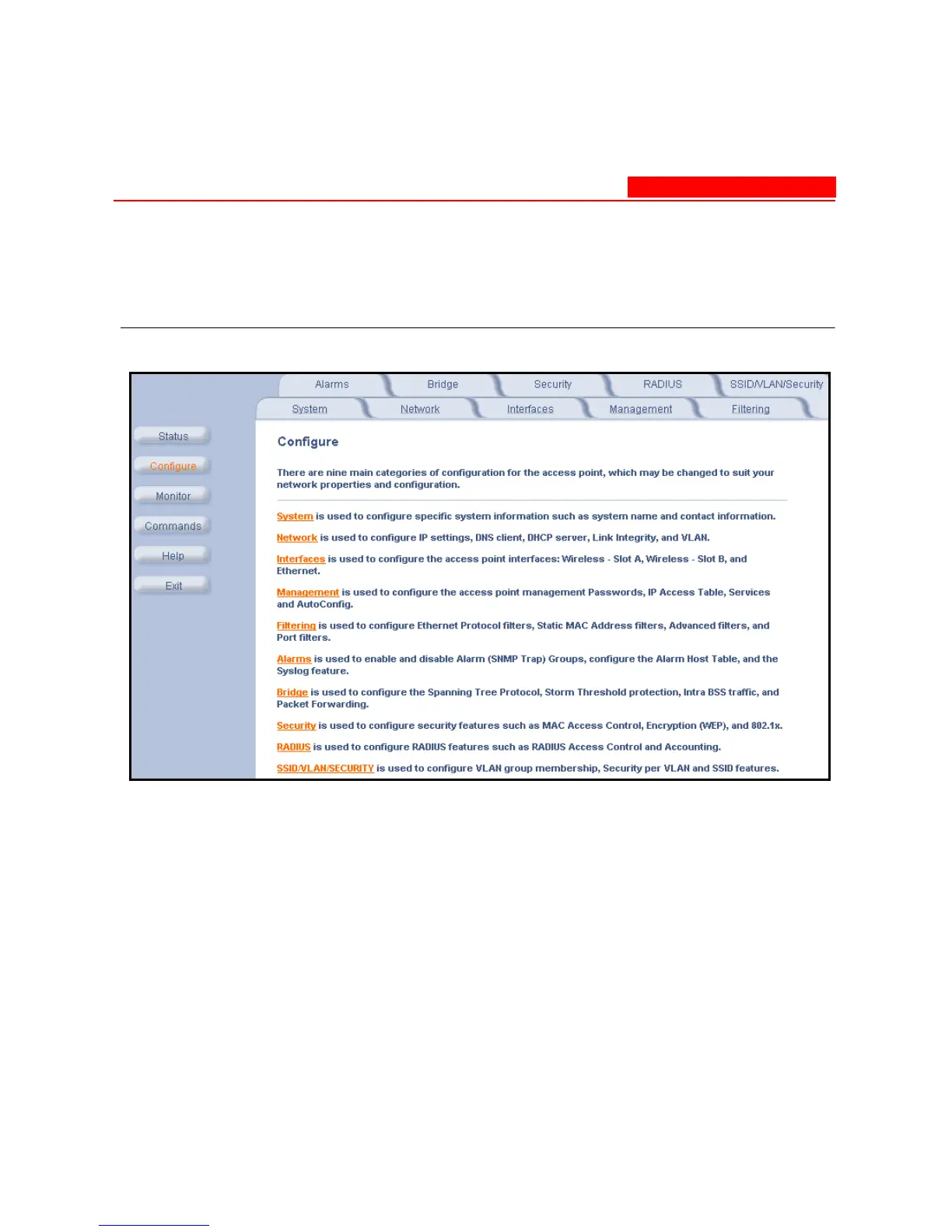
5. Click the Configure button located on the left-hand side of the
screen.
Figure 4-2. Configure Main Screen
6. Click the tab that corresponds to the parameter you want to
configure. For example, click Network to configure the
Access Point’s TCP/IP settings. The parameters contained in each
of the configuration categories are described later in this chapter.



 To Next Page