Proceeding Through Agent Tasks
Issue 1.0 June 2002 191
Completing the Call
Before you complete the call, you must end your conversation, record the customer’s responses,
and update the customer information. To complete the call, you record the result of the call using
an outcome code.
To complete and end the call:
1 Click the Close button.
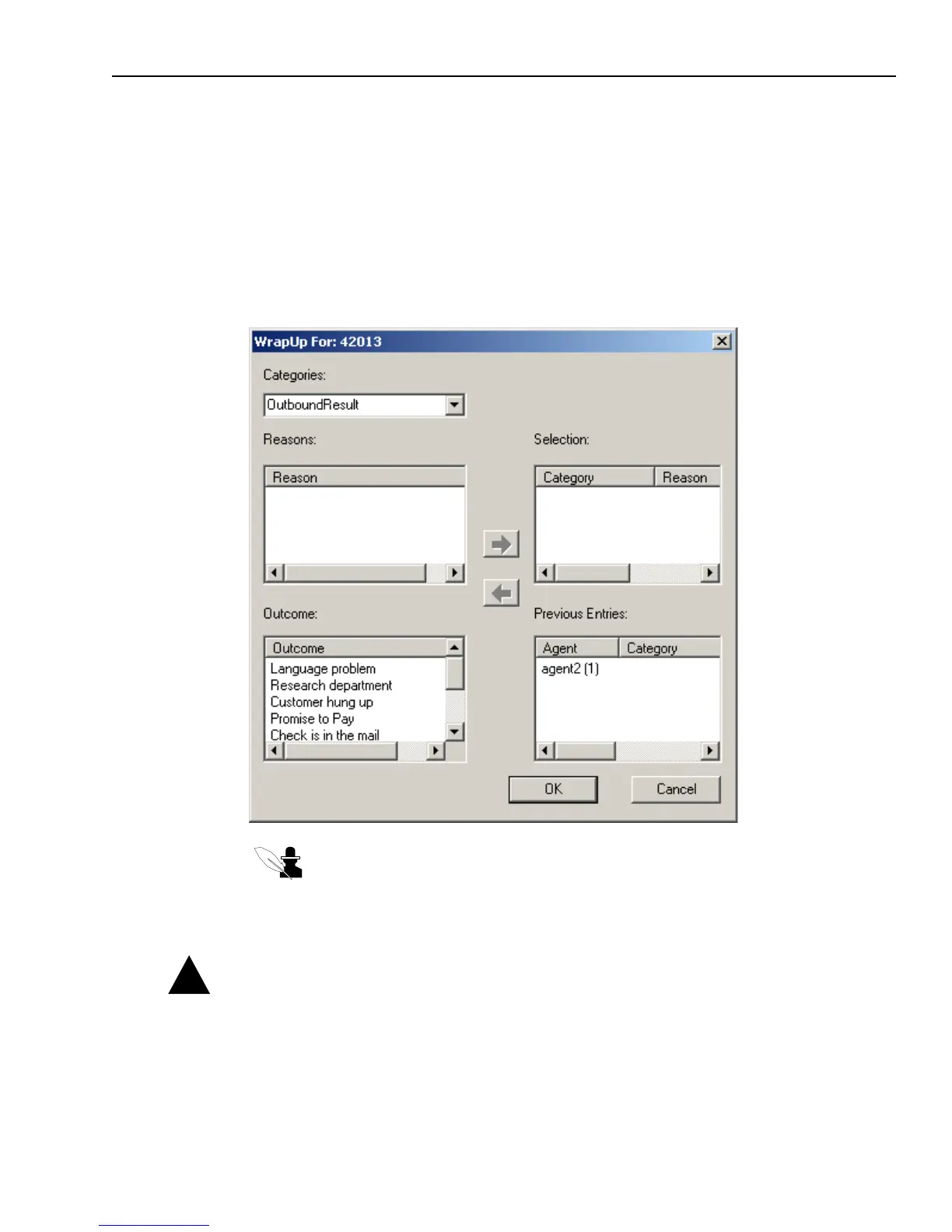
Outbound Contact displays the WrapUp dialog box, open to the Outbound Result category.
Note: The list of outcomes that you see may be different from those shown in the
illustration. Contact your system administrator for help with your company’s
customized outcomes.
2 Select the appropriate outcome that describes the result of the call, and click OK.
Caution: You must select the outcome and click OK (Step 2) before clicking the Proceed button
(Step 3). If you do not do this, your contact center will not have a record of the call.
Outbound Contact marks the customer’s information in the database with the appropriate
outcome code and disables all buttons except Proceed.
!



 To Next Page